
Alternatives to Pixeliser
Explore the best alternatives and competitors to Pixeliser.
Explore 20 alternatives to Pixeliser. Compare features, pricing, and find the best fit for your needs.

Thumbo
Thumbo makes YouTube thumbnails with AI: your face on every one, the style of any channel you like, and edits in plain words.

Enhance My Photo
Online AI photo enhancer that sharpens portraits, products, scenery, pets and text images and exports JPEG/PNG/WebP without watermarks.

ToolVerified
A hand-tested directory of new AI tools and SaaS apps. Real people check every link, and community votes decide the daily charts.
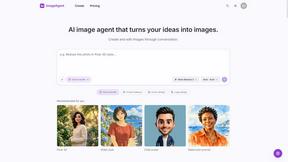
ImageAgent
Create and edit AI images through conversation, using text or reference images and refining results in chat.
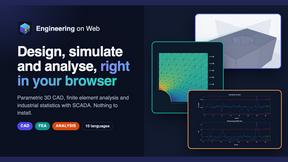
Engineering on Web
Free CAD, FEA simulation and SPC statistics in your browser, with an AI assistant that builds CAD features.
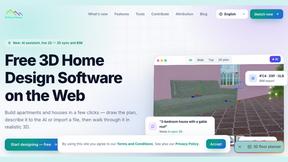
3D House Planner
Free 2D/3D home design in your browser: draw a floor plan, see it live in 3D, furnish it and get AI renders.
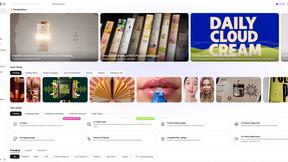
Rhinobird
AI video ads, UGC-style videos, and product visuals for cross-border sellers and e-commerce brands.
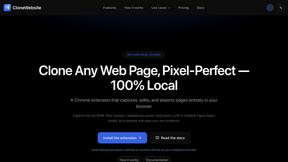

GenX
All-in-one AI workspace to generate images, videos, and audio with multiple leading AI models.

AppIconGenerator
Generate iOS and Android app icons from any image and export all platform sizes for free.
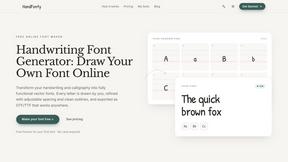
HandFonty
Draw each letter in your browser and download your handwriting as a real OTF/TTF font. Your first font is free. No AI required.

Design.com AI Image Generator
Turn text prompts into polished, copyright-safe visuals that plug directly into branded templates
FastH3 Omni
Run FastH3 Omni in your browser. Up to 9 reference images plus 3 audio references become a 5–15s clip with synced audio. No install, no GPU.
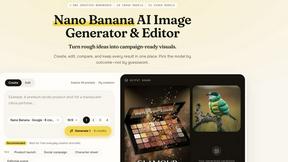
Nano AI
Create and edit AI images, generate videos, and compare models in one creative workbench.
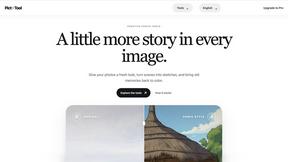

YIX
YIX combines AI image and video generation, photo editing, restoration, product visuals and free prompt tools in one browser studio.

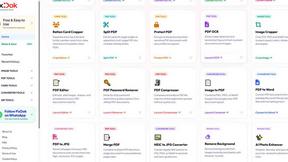
Pixdok
PixDok is a browser-based toolkit for common document and image tasks without requiring desktop software installation.
About Pixeliser Alternatives
Pixeliser is a hardcore, client-side image pixelization tool that lives in the design tools and image editing space. It lets you instantly turn any photo into retro pixel art or scrub out sensitive details without your files ever touching a server. Users start hunting for alternatives when they hit the 10 MB file cap, need batch processing for hundreds of images, want more pixel effect styles beyond the basic slider, or require desktop software for offline work. The main reasons people look elsewhere are platform limitations, advanced feature demands, or a need for non-destructive editing workflows. When you’re scoping out a replacement, the non-negotiables are ironclad privacy and zero uploads. Look for tools that offer variable pixel block sizes, lossless output, and support for common formats like PNG, JPEG, and WebP. Speed is king—instant previews without lag are a must. Also check if the tool works across mobile and desktop, and whether it gives you raw control over the pixel grid instead of forcing a one-size-fits-all filter. Avoid anything that requires an account, sneaks in cookies, or tries to phone home with your data.
FAQs about Pixeliser Alternatives
What is Pixeliser?
Pixeliser is a free, 100% client-side image pixelization tool that runs entirely in your browser. It allows you to turn any photo into retro pixel art or hide sensitive details like faces, license plates, and addresses. Since all processing happens locally, your image never leaves your device, making it a privacy-first solution for quick edits.
Who is Pixeliser for?
Pixeliser is built for privacy-conscious individuals, content creators, and professionals alike. It serves photographers needing to anonymize subjects, indie game devs crafting 8-bit sprites, social media users making vaporwave memes, and legal teams redacting evidence. Anyone who needs fast, secure, and no-fuss pixelization without signing up for anything will find it useful.
Is Pixeliser free?
Yes, Pixeliser is completely free to use with no hidden costs, no account required, and no tracking. You can pixelize images instantly without ever entering an email or creating a profile. The tool sets no cookies and has zero subscription tiers—just drag, drop, adjust, and download.
What are the main features of Pixeliser?
Key features include a pixel block size slider ranging from 4 to 64 pixels for light mosaics to heavy retro effects, instant live preview updates, and lossless PNG download. It supports drag-and-drop input for PNG, JPEG, and WebP files up to 10 MB. The interface is clean, works on both desktop and mobile, and requires zero setup or installation.