
Alternatives to OpenAI Tools Hub
Explore the best alternatives and competitors to OpenAI Tools Hub.
Explore 20 alternatives to OpenAI Tools Hub. Compare features, pricing, and find the best fit for your needs.
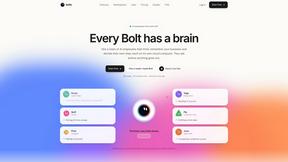
Bolts
AI employees with a brain and their own cloud computer. They think, remember your business and work 24/7.
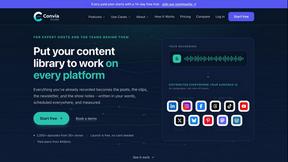
Convia Studio
Turn every podcast or video episode into a coordinated campaign: posts, clips, newsletter and show notes, published to 9 platforms.

ConnectMachine
Free AI digital business card app. Share your card by QR code, link or Wallet, scan paper cards, and remember everyone you meet.

Quick Viral Notes
Turn a long-form article into Substack Notes and social posts. Paste the URL and schedule posts from the Chrome extension. By Build to Launch.
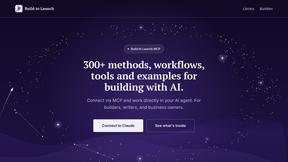
Build to Launch MCP
An MCP server that gives Claude, ChatGPT and Cursor 300+ methods for building with AI, plus 100+ live tools for keywords, SEO, trends and social data.
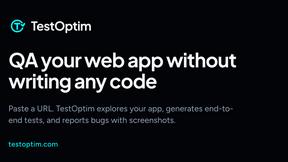
TestOptim AI
AI QA agent that explores your web app, writes end-to-end tests and reports bugs with screenshots. No test code.

TextFlick
Turn a written chat into a vertical text message video for TikTok, Shorts and Reels, with typing, sounds and an AI script writer.

ScaleReach
Clip videos by chatting with Claude or ChatGPT through ScaleReach's MCP server. 100 free minutes for new accounts.
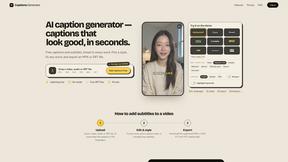
Captions Generator
AI captions for any video in your browser. Fix words, pick a style, translate into 100+ languages, export MP4, SRT, VTT or TXT. Free, no sign-up.

FlipHTML5 Downloader
Turn any FlipHTML5 flipbook into a high-quality PDF in your browser - free, open source, and no signup required.

Waifu Deck
Free open-source Android anime art deck unifying 10 image boards with encrypted BYOS cloud sync.

Phantom Blade Zero Saves
Free PBZ starter saves and a browser save editor that never uploads your file.
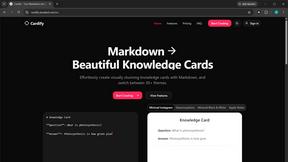
Cardify
Write Markdown on the left, get a finished knowledge card on the right. 30+ themes, custom size and fonts, PNG/SVG/PDF export.

Grow with Ghost
Grow with Ghost is an AI SDR for LinkedIn outbound: finds ICP leads, drafts messages, and only sends once you approve.
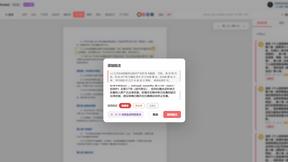
PDFnoted
Review contracts against cited China / US / EU law, clean watermarks and hidden PDF data, and edit or annotate — all in one browser workspace.

Tip Toeing in My Jordans
Upload a photo and get a 12-second AI video of the viral tip toe meme: you play Rumpelstiltskin, a friend can play the woman in the hay.
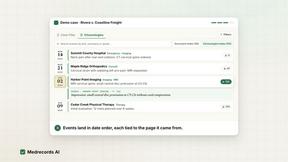
Medrecords AI
Medical record review with cited chronologies, summaries and report drafts. Every line links to its source page. From 10 cents per deduplicated page.
About OpenAI Tools Hub Alternatives
You’re scrolling through a sea of AI tools, and OpenAI Tools Hub throws you a lifeline. It’s a curated directory packing over 300 free tools built on OpenAI models, covering writing assistants, code generators, image creation, and productivity apps. Think of it as your cheat code to skip the noise—no more digging through app stores or scattered blog posts to find the next big thing. It sits squarely in the AI Assistants and Content Creation categories, acting as a launchpad for creators, coders, and hustlers who want to get straight to the action without burning cash or time. But let’s keep it real: even the best directories can feel limiting. Users start hunting for alternatives when they hit a wall with pricing models that shift, a lack of niche features for their specific workflow, or a need for more granular control over the AI’s output. Maybe you want deeper integration with your existing stack, a different vibe in how tools are vetted, or just a fresher batch of resources that don’t feel stale. When scouting for an alternative, look for a platform that offers transparent curation, real-time updates on tool availability, and a filter system that lets you slice by use case—not just a bloated list. The goal is to find a hub that respects your hustle, keeps it free where it counts, and hands you the keys without a subscription nag.
FAQs about OpenAI Tools Hub Alternatives
What is OpenAI Tools Hub?
OpenAI Tools Hub is a curated directory featuring over 300 free tools that are built on OpenAI models. It covers four main categories: writing assistants, code generators, image creation tools, and productivity apps. Each listing clearly explains what the tool does, who it is for, and provides a direct link so you can start using it immediately without browsing app stores or scattered blog posts.
Who is OpenAI Tools Hub for?
OpenAI Tools Hub is designed for anyone looking to leverage AI without the hassle of searching for tools manually. This includes writers seeking content assistance, developers needing code generation, creators working on image generation, and professionals aiming to boost productivity. It is ideal for beginners who want free access to AI tools and power users who want a centralized, no-fluff directory to discover new resources quickly.
Is OpenAI Tools Hub free?
Yes, OpenAI Tools Hub is completely free to use. The directory lists over 300 tools that are themselves free to access, meaning you can explore and start using them without any upfront payment. There are no hidden fees or subscription costs for browsing the directory, though individual tools may have their own usage limits or premium tiers.
What are the main features of OpenAI Tools Hub?
The main features include a curated directory of over 300 free OpenAI-powered tools, organized into categories like AI Assistants and Content Creation. Each listing provides a concise description of the tool’s function, its target audience, and a direct link for instant access. The hub eliminates the need to search through app stores or scattered blog posts, offering a streamlined, no-digging experience for finding and using AI tools.