
Alternatives to Mockupanda
Explore the best alternatives and competitors to Mockupanda.
Explore 20 alternatives to Mockupanda. Compare features, pricing, and find the best fit for your needs.
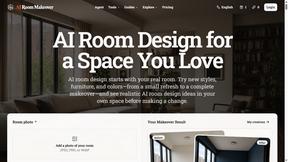
AI Room Makeover
Explore room redesigns and focused furniture, wall-color or material changes from your photo, with optional reference images.


Enhance My Photo
Online AI photo enhancer that sharpens portraits, products, scenery, pets and text images and exports JPEG/PNG/WebP without watermarks.

ToolVerified
A hand-tested directory of new AI tools and SaaS apps. Real people check every link, and community votes decide the daily charts.
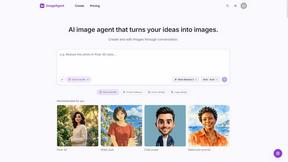
ImageAgent
Create and edit AI images through conversation, using text or reference images and refining results in chat.
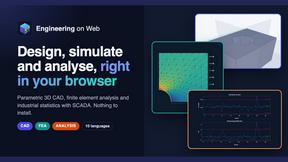
Engineering on Web
Free CAD, FEA simulation and SPC statistics in your browser, with an AI assistant that builds CAD features.
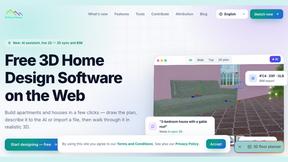
3D House Planner
Free 2D/3D home design in your browser: draw a floor plan, see it live in 3D, furnish it and get AI renders.
AppIconGenerator
Generate iOS and Android app icons from any image and export all platform sizes for free.
HandFonty
Draw each letter in your browser and download your handwriting as a real OTF/TTF font. Your first font is free. No AI required.
Pixdok
PixDok is a browser-based toolkit for common document and image tasks without requiring desktop software installation.
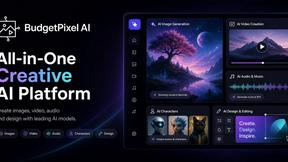
Budgetpixel AI
Create and edit AI images, videos, music, and designs in one workspace, with multiple models, reusable characters, and API access.
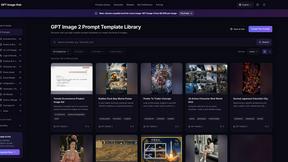
GPT Image Hub
Curated image prompts, reusable templates, and multi-model AI generation in one workspace.
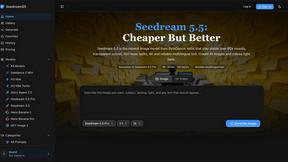
Seedream 5.5
Seedream 5.5 by ByteDance: 80+ rounds of stable image editing, native RGBA transparency, 100-layer splits, 4K output and reliable multilingual text.
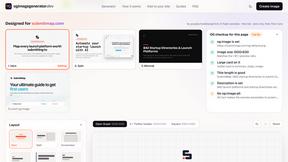
ogimagegenerator.dev
Paste a URL and AI designs on-brand Open Graph images from your page's colours, fonts and logo. Free, no sign-up.
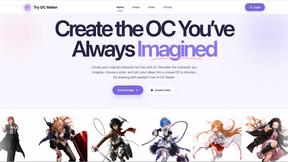
Try OC Maker
Create OCs from text or images, customize their look, and turn them into animated videos with AI.

Turbotools
Free online web tools: PDF converter, image compressor, word counter, text reverse, JSON formatter & generator. 100% free with no sign-ups!
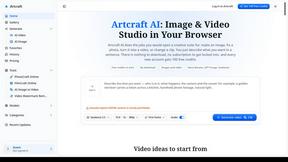
Artcraft AI
AI image and video studio in your browser: generate and edit images, turn photos into videos, edit clips by sentence.
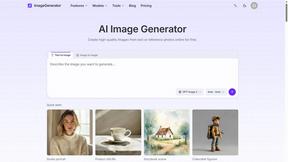
ImageGenerator
Create and edit AI images online with multiple models, text-to-image, image-to-image, background removal, and upscaling.
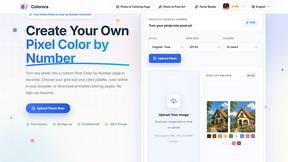
pixelartcolorbynumber
Turn any photo into a custom Pixel Color by Number page in seconds. Choose your grid size and color palette, color online in your browser, or downloa
About Mockupanda Alternatives
SECTION 1 - ALTERNATIVES INTRO Mockupanda is a beast in the design tools arena, a bulk mockup generator built specifically for POD sellers who are tired of the manual grind. It lets you upload your designs once and blast them across multiple templates—think art prints, t-shirts, tote bags, and more—in one go. This tool is all about speed and quality, offering hand-picked templates that look slick in shop listings, real-time editing for instant tweaks, and truly unlimited usage without those annoying AI credits or pay-per-mockup traps. It’s the go-to for creators who want to scale their listings without losing their mind. But let’s keep it real—even the best tools can leave you hunting for something else. Users often look for alternatives when the pricing doesn’t fit their budget, the template library feels too narrow, or they need a feature that’s missing, like deeper API integrations or specific platform compatibility. Maybe you’re a new seller who wants a free trial to test the waters, or a veteran who needs more customization options for niche products. When shopping for a replacement, focus on what matters most: seamless bulk generation, a diverse template library that matches your vibe, zero usage caps, and a workflow that doesn’t feel like a chore. Don’t settle for less than instant edits and reusable setups—your time is money, and your mockups should reflect that.
FAQs about Mockupanda Alternatives
What is Mockupanda?
Mockupanda is a bulk mockup generator designed specifically for POD sellers, including those selling art prints, t-shirts, tote bags, and more. It allows users to upload their designs once and apply them across multiple templates in a single action, streamlining the listing creation process. The platform offers hand-picked, high-quality templates that look great in shop listings, along with real-time editing and unlimited usage without credits or caps.
Who is Mockupanda for?
Mockupanda is built for print-on-demand sellers who need to generate multiple mockups efficiently for their online shops. It’s ideal for creators selling art prints, apparel like t-shirts, accessories like tote bags, and other POD products. The tool serves both beginners looking for a simple workflow and advanced users who want to automate their processes via the available API.
Is Mockupanda free?
Mockupanda is not a free tool; it operates on a single plan with a flat subscription fee that offers truly unlimited usage. This means there are no AI credits, no usage caps, and no pay-per-mockup charges—just one plan for unlimited mockup generation. The pricing model is designed to provide predictable costs for sellers who need to scale their operations without worrying about per-use fees.
What are the main features of Mockupanda?
Mockupanda’s main features include real-time editing, which lets you see changes instantly as you adjust placement, scale, and fit, and add text or other elements. It offers bulk generation, allowing you to pick multiple templates and generate them in just a few clicks. Users also get reusable templates, the ability to save custom setups and reuse them across new collections, plus an API for automating the mockup workflow end-to-end.