
Alternatives to Linkedin Pinpoint Answer
Explore the best alternatives and competitors to Linkedin Pinpoint Answer.
Explore 20 alternatives to Linkedin Pinpoint Answer. Compare features, pricing, and find the best fit for your needs.

LightScreen
Free light screen tool online. Turn any display into a flashlight, ambient light, or solid-color screen. No download or sign-up.

PLRental
Rental agency software: scan a customer ID, get a signed contract in under a minute, and manage fleet, customers, and invoices.

Agent Pets
Your Claude Code & Codex sessions as pets in Chrome. Approve, deny and reply to your coding agents from any tab.

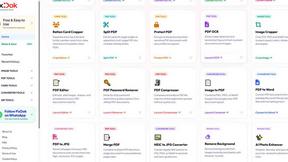
Pixdok
PixDok is a browser-based toolkit for common document and image tasks without requiring desktop software installation.

Screen Issues
Free Online Screen Test Tool - Instantly diagnose dead pixels, lines, color issues, and flickering. Multiple test modes, no download needed.

Mainspring
Mainspring turns the settings macOS hides into 90+ one-click, fully reversible power-ups for Finder, Dock, screenshots and more. $29 once.
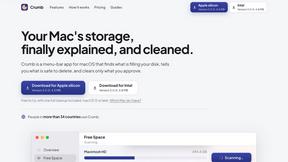
Crumb
A Mac menu bar app for a full disk. See what is using your space, read whether it comes back on its own, and remove only what you tick.
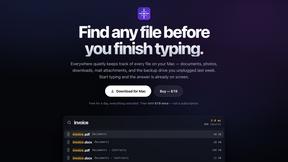
Everywhere
Fast file search for the Mac. Results as you type, files inside Mail and Photos, works with Wi-Fi off. $19 once.

Basalt
Eighteen PDF tools in one native Mac window: merge, split, compress, OCR, Bates numbering, forms, signing and redaction. Offline. $29 once.

Voice Keyboard Pro
Hold a key, say what you mean, let go. Clean, punctuated text lands at the cursor in any app on your Mac or iPhone.

Inkling
Catch a thought without leaving what you are doing. Notes, checklists and a little companion in your Mac's notch. $12 once.

Manatee
A Mac app that opens damaged video, PDFs, archives and documents and writes out everything it can still read. $9 once, no uploads.
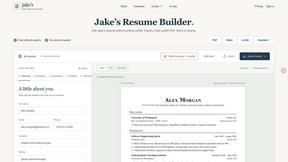
Jake's Resume Builder
Free resume editor with real LaTeX PDF, Word exports and optional AI help.

Context Board
Context Board brings your numbers, docs, clients, content and day into one workspace that Claude and Codex can read and update.


Zeptap
Zeptap lets AI use your real iPhone like you do: open apps, read the screen, tap, swipe and type. Reply to DMs, post Stories, book rides, test apps.
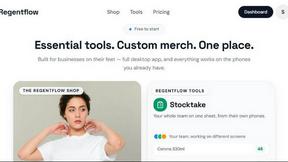
Regentflow
AI stocktakes, staff rosters and voice-typed spreadsheets for cafes, bars and restaurants, plus free invoices, 30 PDF tools and custom merch.

@fuck.it - email with attitude
Private email. Pure. Secure. Exclusive. No ads, no tracking, no data selling. GDPR compliant, EU-hosted.
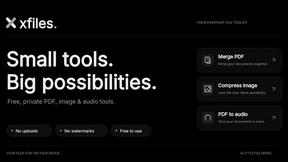
About Linkedin Pinpoint Answer Alternatives
LinkedIn Pinpoint Answer is your no-nonsense, all-in-one hub for crushing those daily LinkedIn brain games like Pinpoint, Queen, Crossclimb, Tango, Zip, Mini Sudoku, and Patches. It falls squarely into the Productivity & Management category, acting as a digital cheat sheet and logic coach rolled into one. People start hunting for alternatives when they hit a paywall, crave deeper strategy breakdowns instead of just raw answers, or find the platform’s interface too clunky for their high-speed gaming flow. When you’re scouting for a replacement, keep your eyes peeled for three things: instant answer delivery without lag, crystal-clear explanations that teach you the “why” behind the solution, and broad game support so you don’t need a separate app for every puzzle. Pricing matters too—some tools lock streaks behind subscriptions, while others keep the fire burning for free. Ultimately, you want a tool that keeps your brain buzzing and your streak alive without draining your wallet or your patience.
FAQs about Linkedin Pinpoint Answer Alternatives
What is Linkedin Pinpoint Answer?
Linkedin Pinpoint Answer is an all-in-one companion platform designed to help users solve and master LinkedIn puzzle games like Pinpoint, Queen, Crossclimb, Tango, Zip, Mini Sudoku, and Patches. It provides instant solutions, clear explanations, and strategic insights to help players progress through daily brain challenges. The tool belongs to the Productivity & Management category, focusing on efficiency and learning.
Who is Linkedin Pinpoint Answer for?
Linkedin Pinpoint Answer is built for anyone who enjoys LinkedIn's daily brain games, whether you are a casual player stuck on a tricky puzzle or a competitive streak-chaser aiming for perfect daily completions. It is ideal for users who want to understand the logic behind answers rather than just blindly copying solutions. Professionals and puzzle enthusiasts alike will find value in its streamlined approach to boosting problem-solving skills.
Is Linkedin Pinpoint Answer free?
Based on the product description, Linkedin Pinpoint Answer is positioned as an accessible companion, but specific pricing details are not explicitly stated in the provided content. Users should check the platform directly for current pricing tiers, as many similar tools offer a mix of free basic access and premium subscriptions for advanced features. The emphasis on being an 'all-in-one companion' suggests it aims to deliver value across multiple games without hidden costs.
What are the main features of Linkedin Pinpoint Answer?
The main features include instant solutions for popular LinkedIn puzzles such as Pinpoint, Queen, and Crossclimb, along with clear explanations that break down the logic behind each answer. It also offers useful strategies to help users improve their problem-solving skills and maintain their daily streaks. The platform consolidates support for multiple games in one place, eliminating the need to switch between different tools or websites.