
Alternatives to LessMB
Explore the best alternatives and competitors to LessMB.
Explore 20 alternatives to LessMB. Compare features, pricing, and find the best fit for your needs.
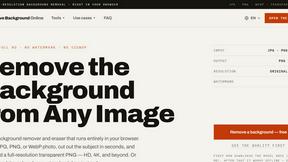
Remove Background Online
Free background remover that runs entirely in your browser — zero uploads, full resolution, no watermark. Your photos never leave your device.

Sprite Sheet Maker
A free browser-based toolkit for creating, cutting, converting, and previewing sprite sheet animations.

Reduce Image Quality
Free browser-based tool that lowers image quality and shrinks JPG, PNG and WebP files. No upload, no signup, no watermark.



Logofai
Logofai is an AI-powered brand design studio that transforms a single text prompt into a complete brand identity.
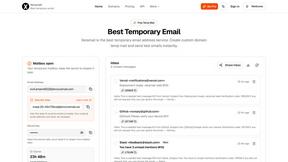
Xeramail Temp Mail
Free temp mail and temporary email from Xeramail — get a disposable email address instantly, no sign-up. Skip spam and use custom domains.

AI Web Maker
AI WebMaker is an all-in-one, AI-driven platform that completely automates website creation and Promotion
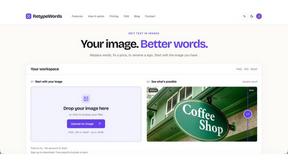
Retypewords
Edit the text. Keep the look. Our AI image editor helps you replace text in images while aiming to preserve the original style, layout, and background

VidRush AI
AI long video generator combining images, video, audio and text into controllable, production-ready AI videos.

Pixo
Pixo is an AI video director that turns a prompt or script into a storyboard, consistent scenes, voiceover, and an edited final cut.

PixRestorer
Restore and colorize old photos with AI in seconds. PixRestorer repairs scratches, fading, blur, and tears, brings black-and-white prints to life in n
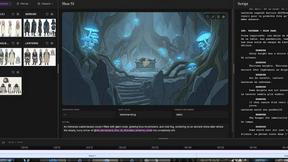
ScreenWeaver
Write the script, build the storyboard from it, and drive AI video prompts, all in one project.

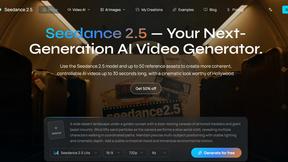
Seedance 2.5
Seedance 2.5 is a multimodal AI video generator by ByteDance for 30-second, high-fidelity cinematic video creation and AI video editing.
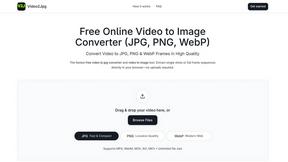
Video2Jpg
Convert video to JPG, PNG, or WebP frames in your browser. High-quality video to image converter with no uploads—fast, private, and free.



Screen Beaver
Create product videos manually or let your AI agent control Screen Beaver through MCP—no mouse or keyboard needed.
About LessMB Alternatives
LessMB is a browser-based tool that lets you compress images, videos, and PDFs without ever uploading your files to a server. It falls into the file optimization and web development category, handling formats like JPG, PNG, SVG, MP4, MOV, and PDF straight from your device. People start hunting for alternatives when they hit limits on file size caps, need batch processing for heavy workloads, or want features like format conversion or advanced compression sliders that LessMB doesn’t offer. Others might crave a desktop app for offline use or a tool that supports more niche file types like HEIC or WebP. When scoping out a replacement, keep your eyes peeled for genuine privacy-first processing—meaning all the work happens locally, not on some sketchy cloud server. Look for tools that crush file sizes without trashing quality, especially for high-res videos or vector SVGs. Speed matters too, so test if the tool handles large MP4s or multi-page PDFs without freezing your browser. Finally, check for a clean interface that doesn’t bury essential controls behind paywalls or pop-ups, and make sure it supports the exact file types you’re tossing at it daily.
FAQs about LessMB Alternatives
What is LessMB?
LessMB is a free online tool that compresses images, videos, and PDFs directly in your browser. It supports file types like JPG, PNG, SVG, MP4, MOV, and PDF, and processes everything on your device so no files are uploaded to a remote server. This makes it a privacy-focused solution for reducing file sizes for websites, emails, and presentations.
Who is LessMB for?
LessMB is built for web developers, designers, marketers, and anyone who needs to shrink file sizes quickly without compromising privacy. It’s ideal for professionals handling sensitive assets like client photos, design mockups, or legal PDFs that can’t leave their device. Casual users also benefit from its simplicity when compressing files for social media uploads or email attachments.
Is LessMB free?
Yes, LessMB is completely free to use with no hidden charges or subscription fees. All compression features for images, videos, and PDFs are available at no cost. There are no file size limits or daily caps mentioned, making it accessible for both occasional and heavy users.
What are the main features of LessMB?
LessMB offers three core features: a free online image compressor for JPG, PNG, and SVG; a free online video compressor for MP4 and MOV; and a free online PDF compressor. All processing happens locally in your browser, ensuring your files never leave your device. The tool is designed for speed and privacy, making it suitable for sensitive documents and design assets.