

LessMB
LessMB slashes your file sizes on the fly, keeping images, videos, and PDFs locked in your browser with zero uploads.
About LessMB
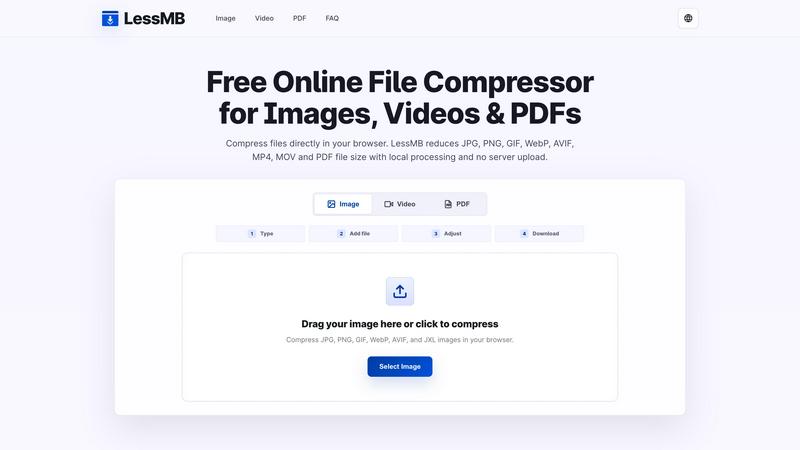
LessMB is the ultimate browser-based file compressor that lets you shrink images, videos, and PDFs without ever sending your files to a server. This is not some sketchy upload-and-pray service. LessMB runs all compression magic directly in your browser session, meaning your private photos, sensitive design assets, confidential reports, and personal clips never leave your device. It is built for creators, marketers, students, and anyone who needs to reduce file sizes quickly for websites, email attachments, social media uploads, online forms, or document portals. The tool supports a massive range of formats including JPG, PNG, GIF, WebP, AVIF, JXL, SVG, MP4, MOV, and PDF. No sign-ups, no accounts, no hidden fees. Just drag your file in, adjust the quality, and download a smaller optimized version. LessMB is the go-to solution for anyone who values privacy, speed, and control over their digital assets. Whether you are a web developer optimizing page load times, a freelancer sending portfolios, or a student submitting homework, LessMB handles it all locally. The workflow is dead simple: pick your file type, add your file, tweak the compression settings, and grab your download. No cloud queues, no privacy concerns, no limits.
Features of LessMB
Private Browser-Based Processing
Every single compression job happens inside your current browser session. That means your files never touch a remote server, never get stored in some cloud queue, and never risk being accessed by third parties. LessMB treats your data like it is top secret because it is. This is perfect for handling confidential business documents, personal photos, or proprietary design assets. You get the compression results you need with total peace of mind.
Multi-Format Support Across Images, Video, and PDF
LessMB does not limit you to one file type. It handles a massive arsenal of formats including JPG, PNG, GIF, WebP, AVIF, JXL, and SVG for images, MP4 and MOV for videos, and full PDF compression. This means you can use a single tool for all your compression needs instead of hopping between different services. Whether you are shrinking a high-res portfolio image or a massive screen recording, LessMB has you covered.
Zero Sign-Up and Completely Free
There are no accounts to create, no email verifications, no subscription tiers, and no hidden paywalls. LessMB is genuinely free to use for everyone. Just open the tool, drag your file in, and start compressing. This removes all friction from your workflow and lets you focus on getting your files optimized fast. No data collection, no marketing emails, just pure compression power.
Adjustable Compression with Real-Time Control
You are not stuck with some auto-pilot algorithm that guesses what you want. LessMB gives you control over the compression settings so you can balance file size and quality exactly how you need it. Tweak the level of compression for images, reduce video resolution or bitrate, and optimize PDFs to meet specific upload limits. You see the results instantly and can fine-tune until the output is perfect for your use case.
Use Cases of LessMB
Optimizing Images for Websites and Online Stores
Web developers and e-commerce managers need images that load fast without looking like pixelated garbage. LessMB lets you compress JPG, PNG, WebP, and AVIF assets directly in your browser. You can reduce file sizes by 50-80% while maintaining visual quality, which speeds up page load times, improves SEO rankings, and enhances user experience. No need to send your original product photos or design assets through a third-party cloud service.
Shrinking Videos for Messaging Apps and Upload Limits
Platforms like Discord, email services, and school portals often have strict file size limits for video uploads. LessMB compresses MP4 and MOV files directly in your browser, so you can share screen recordings, short clips, and presentation videos without hitting those annoying caps. The local processing means your raw footage never leaves your device, which is crucial for sensitive or unreleased content.
Compressing PDFs for Forms and Document Portals
Students, professionals, and administrators frequently need to submit PDFs through online portals that have strict size limits. LessMB shrinks reports, scanned documents, and forms locally before you upload them. This is a lifesaver for college applications, business proposals, insurance claims, and government forms. You keep control of your sensitive information while ensuring your document fits the required size.
Preparing Media for Email Attachments and Newsletters
Email servers often block attachments over 10-25 MB, which makes sending high-resolution images or videos a nightmare. LessMB lets you compress your media files to fit within those limits without sacrificing too much quality. Marketers can optimize newsletter graphics, freelancers can send portfolio samples, and anyone can share photos without dealing with failed sends or compression errors.
Frequently Asked Questions
Is LessMB free to use?
Yes. LessMB provides free browser-based compression tools for all supported image, video, and PDF files. There are no hidden charges, no subscription plans, and no limits on how many files you can compress. It is genuinely free for everyone to use as much as they need.
Are my files uploaded while compression runs?
No. LessMB processes your files entirely inside your browser session. Your images, videos, and PDFs never leave your device and are never uploaded to any remote server. This ensures your private photos, design assets, and sensitive documents remain completely secure and under your control at all times.
Which compressor should I choose?
It depends on the file type you need to compress. Use the Image Compressor for JPG, PNG, GIF, WebP, AVIF, JXL, and SVG files. Use the Video Compressor for MP4 and MOV files. Use the PDF Compressor for any PDF documents. LessMB has a dedicated tool for each category to provide the best optimization settings for that specific format.
Can every file become smaller?
Not always. Some files are already highly compressed, such as certain JPEG images or already optimized PDFs. However, LessMB can significantly reduce the size of most standard images, raw video clips, and scanned PDF documents. If a file is already at its minimum size, the tool will indicate that further compression may not be possible without noticeable quality loss.
Explore more in this category:
Similar to LessMB

Remove Background Online
Free background remover that runs entirely in your browser — zero uploads, full resolution, no watermark. Your photos never leave your device.

Sprite Sheet Maker
A free browser-based toolkit for creating, cutting, converting, and previewing sprite sheet animations.

Reduce Image Quality
Free browser-based tool that lowers image quality and shrinks JPG, PNG and WebP files. No upload, no signup, no watermark.

TryKlingAI
Kling AI video generation with text, image, motion, audio, and API workflows.


Image to Layers AI
用 AI 把任意一张平面图片拆成可编辑的透明图层(PNG/PSD)

Logofai
Logofai is an AI-powered brand design studio that transforms a single text prompt into a complete brand identity.

Xeramail Temp Mail
Free temp mail and temporary email from Xeramail — get a disposable email address instantly, no sign-up. Skip spam and use custom domains.