
Alternatives to Imgoe
Explore the best alternatives and competitors to Imgoe.
Explore 20 alternatives to Imgoe. Compare features, pricing, and find the best fit for your needs.

Enhance My Photo
Online AI photo enhancer that sharpens portraits, products, scenery, pets and text images and exports JPEG/PNG/WebP without watermarks.
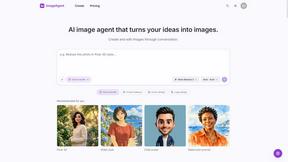
ImageAgent
Create and edit AI images through conversation, using text or reference images and refining results in chat.

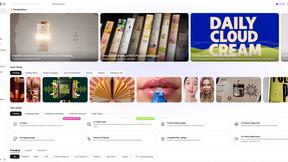
Rhinobird
AI video ads, UGC-style videos, and product visuals for cross-border sellers and e-commerce brands.
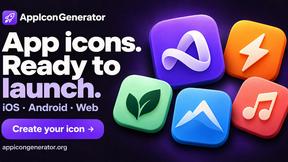
AppIconGenerator
Generate iOS and Android app icons from any image and export all platform sizes for free.

Nano AI
Create and edit AI images, generate videos, and compare models in one creative workbench.
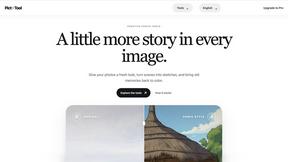

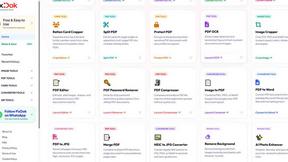
Pixdok
PixDok is a browser-based toolkit for common document and image tasks without requiring desktop software installation.
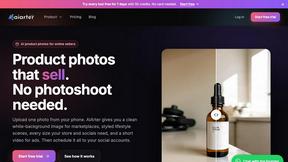
AiArter
AI product photos and UGC video ads for Amazon, Etsy and Shopify sellers, made from one phone photo.
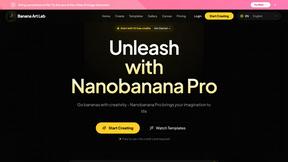
NanoBanana
Generate and edit AI images with six models, references, templates, and a visual workflow canvas.
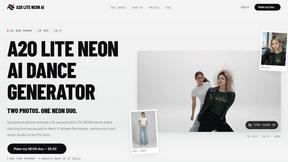
A2O LITE NEON AI
Upload two photos and get a 15-second AI video of those two people doing the A2O LITE NEON intro.

Baile Charme AI
Upload one photo and get a 10-second vertical AI video of you dancing the charme step in Rio.

Shoptimity
Boost sales, increase AOV, and replace costly apps with Shoptimity. Mobile-first Shopify theme built for speed, conversions, and growth.

Tip Toe AI
Upload a Dancer photo and a Partner photo and get your own AI Tip Toe barn-dance video. Free 5s preview, 12s HD from $4.90. No subscription.
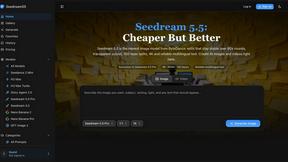
Seedream 5.5
Seedream 5.5 by ByteDance: 80+ rounds of stable image editing, native RGBA transparency, 100-layer splits, 4K output and reliable multilingual text.
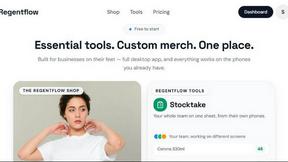
Regentflow
AI stocktakes, staff rosters and voice-typed spreadsheets for cafes, bars and restaurants, plus free invoices, 30 PDF tools and custom merch.
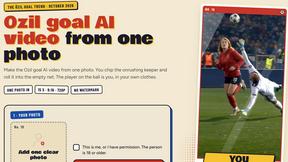
Ozil Goal AI
Make the Ozil goal AI video from one photo. 15 seconds, 9:16, 720p, no watermark, original trend sound, ready for TikTok, Reels and Shorts.


FreeVideoGenerator
Free AI video generator: turn text prompts and photos into video clips with Sora 2, Veo 3.1, Wan and more. Free starter credits, no watermark download
About Imgoe Alternatives
Imgoe is a browser-based AI engine that cranks out e-commerce product visuals, turning basic SKU photos into marketplace-ready assets for platforms like Amazon, Shopify, and TikTok Shop without needing a full studio setup. It lives in the E-commerce and Image & Photo category, but it’s hyper-focused on practical output like hero shots, gallery images, and selling-point graphics rather than generic AI art. Users start hunting for alternatives when the pricing model feels too rigid for their volume, the platform presets don’t cover their niche marketplace, or they need more granular control over scene generation and batch processing. When scoping out a replacement, look for tools that offer flexible subscription tiers, deep integration with your specific sales channels, and a library of e-commerce-specific templates that let you tweak aspect ratios, languages, and prompt constraints without tripping over marketplace rules or generating junk visuals. The real kicker is that most alternatives either overshoot into general design suites or undershoot with clunky mobile apps, so you want a tool that keeps the workflow tight: upload a clean photo, drop in your product specs, and get back assets that slot directly into detail pages and ad campaigns. Prioritize platforms that support cross-border sellers with multi-language output and avoid generating fake badges or misleading UI elements that could get you flagged. Also, check if the alternative offers a solid library of prompt examples for hero images, comparison visuals, and lifestyle scenes—because if you’re spending more time editing the AI’s output than you would shooting in-house, you’ve already lost the game.
FAQs about Imgoe Alternatives
What is Imgoe?
Imgoe is a browser-based AI output engine for e-commerce visuals that turns simple product photos into store-ready assets like hero images, gallery shots, detail modules, and lifestyle scenes. It focuses on practical e-commerce output rather than general AI art, ensuring generated assets are organized around product-page roles and marketplace requirements. The tool supports platforms such as Amazon, Shopify, Etsy, and TikTok Shop, helping sellers create professional visuals without building a full studio.
Who is Imgoe for?
Imgoe is designed for online sellers, cross-border operators, DTC brands, product marketers, and small design teams who need to generate e-commerce product images quickly and consistently. It’s ideal for anyone who wants to turn basic product photos into marketplace-ready assets without starting every design request from scratch. The tool is particularly useful for sellers managing multiple platforms like eBay, Temu, and OZON who need to align aspect ratios, language, and scene direction with each marketplace’s requirements.
Is Imgoe free?
Imgoe is not described as a free tool in the provided content; it is positioned as a browser-based service with platform presets and template examples. Based on typical industry models, it likely operates on a subscription or usage-based pricing structure. Users should check the official website for current pricing tiers, trial options, or any free generation limits.
What are the main features of Imgoe?
Imgoe’s core features include uploading a clean product image, describing the product and selling points, choosing an asset type or marketplace preset, and generating visuals for product pages, galleries, ads, and online store listings. It supports platform-specific presets for Amazon, Shopify, Etsy, eBay, TikTok Shop, Temu, and OZON, aligning aspect ratios, language, and scene direction while avoiding marketplace logos, fake badges, and misleading UI elements. The tool also provides prompt and template examples for generating product photos, detail page assets, and marketplace-ready visuals.