
Alternatives to Filex AI
Explore the best alternatives and competitors to Filex AI.
Explore 20 alternatives to Filex AI. Compare features, pricing, and find the best fit for your needs.

Easemic
Free open-source Android comic & manga cloud reader streaming encrypted libraries from S3, WebDAV & OPDS.

GenX
All-in-one AI workspace to generate images, videos, and audio with multiple leading AI models.

Uniclip
Clip pages, take full-page screenshots and batch-capture list data to Notion, Feishu, Obsidian, Markdown, CSV or JSON.

TroveKey
Search tabs, Chrome bookmarks and history, run browser commands, and save webpages and social posts locally—no account.
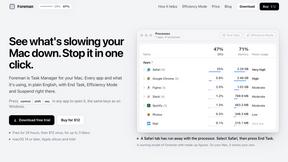
Foreman
See every app and what it's using in plain English, and end or slow down the one that's hogging your Mac.

Dot & Dash
Learn Morse code on a machine you can press. Write and send messages, turn Morse into text and back, and key Morse in any app on your Mac.
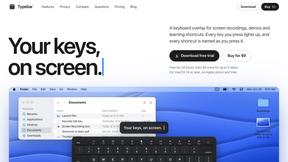
Typebar
Every key you press lights up on an on-screen keyboard, and each shortcut is named as you press it.

KS-Agents
Measure climate, talent and skills with validated surveys, 360° feedback and AI interviews, and turn the data into decisions HR can defend.

Bloom
An adaptive AI tutor that turns topics or your materials into courses, lessons, and answers tailored to how you learn.

LightScreen
Free light screen tool online. Turn any display into a flashlight, ambient light, or solid-color screen. No download or sign-up.

PLRental
Rental agency software: scan a customer ID, get a signed contract in under a minute, and manage fleet, customers, and invoices.

Agent Pets
Your Claude Code & Codex sessions as pets in Chrome. Approve, deny and reply to your coding agents from any tab.

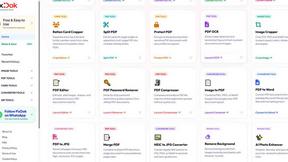
Pixdok
PixDok is a browser-based toolkit for common document and image tasks without requiring desktop software installation.

Screen Issues
Free Online Screen Test Tool - Instantly diagnose dead pixels, lines, color issues, and flickering. Multiple test modes, no download needed.
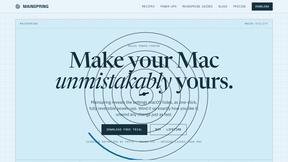
Mainspring
Mainspring turns the settings macOS hides into 90+ one-click, fully reversible power-ups for Finder, Dock, screenshots and more. $29 once.
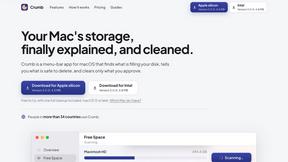
Crumb
A Mac menu bar app for a full disk. See what is using your space, read whether it comes back on its own, and remove only what you tick.
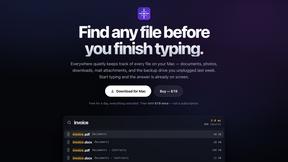
Everywhere
Fast file search for the Mac. Results as you type, files inside Mail and Photos, works with Wi-Fi off. $19 once.
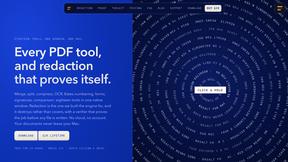
Basalt
Eighteen PDF tools in one native Mac window: merge, split, compress, OCR, Bates numbering, forms, signing and redaction. Offline. $29 once.

Voice Keyboard Pro
Hold a key, say what you mean, let go. Clean, punctuated text lands at the cursor in any app on your Mac or iPhone.
About Filex AI Alternatives
Filex AI is the self-proclaimed brainiac of the document world, an AI-powered assistant that lives in the chaos of your digital files and actually makes sense of it all. It belongs to the elite squad of AI Assistants and Productivity & Management tools, designed to automatically scan, tag, and organize everything from PDFs to screenshots across your devices. But let’s be real—while the idea of an AI that can fetch your “invoice from March” with a simple natural language query sounds like a dream, not everyone is down to pay the premium price tag or lock themselves into a specific ecosystem. Maybe you’re on a budget, need deeper integration with a specific cloud service, or just want a tool that doesn’t feel like it’s trying to be your digital butler. When you’re hunting for a replacement, you need to get specific about what you actually need. Don’t just look for a clone—look for the vibe. Do you need raw, offline security for sensitive contracts? Or maybe you want a tool that’s less about automatic folder creation and more about blazing-fast search? The real flex is finding a platform that handles your file types without choking, offers cross-platform support without the lag, and doesn’t require a PhD in AI to set up custom rules. Skip the hype, focus on the features that actually save you time—like duplicate detection, smart reminders, and the ability to connect documents across people and companies. If it can’t handle your messy desktop, it’s not worth the download.
FAQs about Filex AI Alternatives
What is Filex AI?
Filex AI is an AI-powered document and file organization platform that automatically manages your digital clutter. It reads and understands the content of PDFs, screenshots, invoices, contracts, images, and receipts to intelligently rename, tag, sort, and organize them into smart folders. The tool also supports natural language search, allowing you to find files by asking things like 'receipt from Amazon' without needing to remember exact filenames.
Who is Filex AI for?
Filex AI is built for anyone drowning in digital file chaos—freelancers, small business owners, remote workers, and even power users who juggle documents across multiple devices. It’s especially useful for people who handle a high volume of PDFs, contracts, invoices, and receipts and want to eliminate manual sorting. If you’re tired of digging through folders or renaming files by hand, this tool is designed to automate that grind.
What are the main features of Filex AI?
Key features include automatic folder creation, duplicate file detection, smart reminders for renewal deadlines, and custom AI organization rules for projects or clients. It also has a built-in AI document scanner for physical paperwork, natural language search across all files, and intelligent document connection that links related files based on people, companies, or organizations mentioned inside them. The platform works on iPhone, Android, and Web, with support for Google Drive and iCloud.
Is Filex AI secure?
Yes, Filex AI prioritizes security by processing your files locally on your device and using encrypted connections for any cloud sync or sharing features. The platform is designed to handle sensitive documents like contracts and invoices without exposing your data to unnecessary risks. While specific security certifications aren’t listed, the emphasis on on-device processing and encrypted cloud integrations suggests a strong commitment to user privacy and data protection.