
Alternatives to Easymotion - AI Motion Graphics Generato
Explore the best alternatives and competitors to Easymotion - AI Motion Graphics Generato.
Explore 20 alternatives to Easymotion - AI Motion Graphics Generato. Compare features, pricing, and find the best fit for your needs.
Free Meme Video Generator
Create AI video memes from photos, clips or text prompts. Free credits to start.

dreamina ai
Make any images possible — generate, edit, and transform images with AI models like GPT Image and Gemini in seconds.

Selzee
Selzee is an AI ad generator that finds winning ads right now and recreates them for your brand, with your products, logo, fonts and colours.
Demo Editor
Paste your product's URL and get a promo video with voice-over and music, cut from your real site.
AIVideoAgent
Turn text ideas or reference images into videos through conversation, with agent-assisted prompts and a choice of video models.

Save X post
The easiest way to save X videos offline: no app to install and no account to create. Paste the link, choose HD or 4K, and the MP4 is yours.

AI Rap
AI rap generator that turns two portraits, or one photo of two people, into a short English duet rap video with original lyrics, vocals, and music.
BankBridge
Let your AI agent answer questions about your real bank data. Read-only access, $5/mo per connected bank, cancel any time.
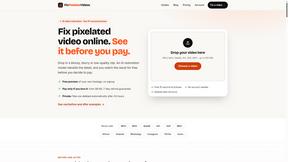
Fix Pixelated Videos
AI that fixes pixelated, blocky and blurry videos. Free 15-second preview, no signup.

Thumbo
Thumbo makes YouTube thumbnails with AI: your face on every one, the style of any channel you like, and edits in plain words.

LaunchIntel
Your AI agent picks relevant directories, submits your product in your browser and tracks every step. One-time purchase.
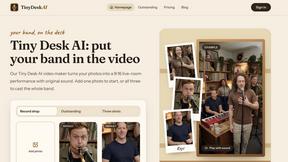
Tiny Desk AI Video Maker
Create a vertical Tiny Desk-style concert video from up to three photos with original music.
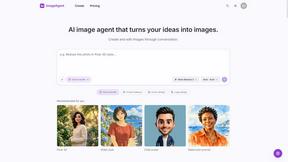
ImageAgent
Create and edit AI images through conversation, using text or reference images and refining results in chat.
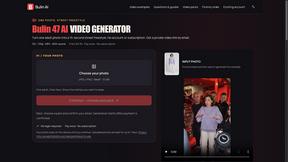
Bulin AI
Create a 15-second Bulin 47 AI freestyle video from one permitted portrait. One-time packs from $9.90, email delivery, no account or subscription.

Easemic
Free open-source Android comic & manga cloud reader streaming encrypted libraries from S3, WebDAV & OPDS.

3D House Planner
Free 2D/3D home design in your browser: draw a floor plan, see it live in 3D, furnish it and get AI renders.
Rhinobird
AI video ads, UGC-style videos, and product visuals for cross-border sellers and e-commerce brands.

GenX
All-in-one AI workspace to generate images, videos, and audio with multiple leading AI models.

AppIconGenerator
Generate iOS and Android app icons from any image and export all platform sizes for free.
About Easymotion - AI Motion Graphics Generato Alternatives
Alright, let’s cut through the noise. Easymotion - AI Motion Graphics Generator is the slick browser-based beast that turns your static ideas, messy spreadsheets, or boring PDFs into polished, high-energy motion graphics and map animations. It’s a powerhouse in the Content Creation, Video, and AI Assistants space, built for founders, editors, and marketers who need killer animated promos, flowcharts, and geographic storytelling without touching a complex timeline. But let’s be real—no tool is a one-size-fits-all holy grail. Users start hunting for alternatives when the pricing doesn’t vibe with their budget, the feature set feels too niche for their specific workflow, or they need deeper integration with their existing stack like After Effects or Premiere. Maybe the template library doesn’t scream their brand, or they just want a different flavor of AI editing control. When you’re scouting for a replacement, don’t just chase the hype. You need a platform that lets you start from a prompt or raw files, offers real-time chat-based tweaks for colors and pacing, and supports every format you throw at it—from 16:9 YouTube bangers to 9:16 TikTok slayers. Check if it handles transparent backgrounds for pro editing workflows and if the export options (MP4, MOV) match your client deliverables. Most importantly, look for a tool that doesn’t lock you into a rigid template jail; you want the freedom to remix and reuse assets without fighting the UI. Speed and browser-native flexibility are non-negotiable in 2024.
FAQs about Easymotion - AI Motion Graphics Generato Alternatives
What is Easymotion - AI Motion Graphics Generator?
Easymotion is an AI-powered motion graphics and map animation generator that runs entirely in your browser. It allows content creators, editors, founders, and marketers to transform ideas, static images, spreadsheets, and PDFs into polished animated videos without needing complex timeline editing. The platform supports a wide range of formats, including SaaS product promos, animated charts, UI explainers, and geographic storytelling with flight routes and location pins.
Who is Easymotion - AI Motion Graphics Generator for?
Easymotion is built for content creators, video editors, startup founders, and marketers who need to produce professional motion graphics and map animations quickly. It’s ideal for anyone who wants to skip the steep learning curve of traditional animation software and instead use AI-driven prompts and chat-based editing to generate videos. Whether you’re crafting social media content, client deliverables, or internal presentations, Easymotion is designed to streamline your visual storytelling workflow.
Is Easymotion - AI Motion Graphics Generator free?
Based on the product details provided, Easymotion includes a premium template library and offers export options like MP4 and MOV, suggesting it operates on a paid or freemium model. Users can likely access basic features for free, with advanced capabilities, higher resolution exports, or premium templates requiring a subscription. For exact pricing and free tier details, you would need to check their official website.
What are the main features of Easymotion - AI Motion Graphics Generator?
Easymotion’s core features include AI-powered generation from prompts, images, spreadsheets, and PDFs, as well as chat-based editing to adjust colors, pacing, labels, and layout. It offers a premium template library for quick customization and supports multiple aspect ratios like 16:9, 9:16, 1:1, and 4:5. Users can export final animations as MP4 or MOV files, including videos with transparent backgrounds for seamless integration into professional editing workflows.