
Alternatives to BlueHumanizer
Explore the best alternatives and competitors to BlueHumanizer.
Explore 20 alternatives to BlueHumanizer. Compare features, pricing, and find the best fit for your needs.


Burning Bridges AI
Turn one photo into the chandelier-party video: pick a moment, get an 8-second clip with sound.

AIClothesChanger
Free AI clothes changer online. Swap outfits and try on clothes from a photo in minutes — create a free account to start, no card required.
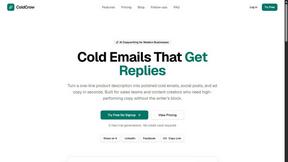
ColdCrow
AI cold email writer with a deliverability score - describe a prospect, get a personalized draft in seconds.

Tapetide
AI-first stock research for India. Ask TapeAi about any NSE or BSE stock, or connect Claude, ChatGPT and Cursor to Tapetide's MCP server.
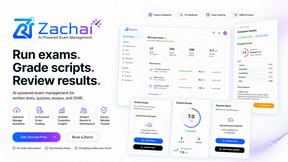
Zachai
Host exams for any class: handwritten papers, quizzes, essays and OMR sheets. AI drafts grades against your rubric; you edit and publish.
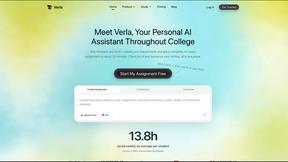
Verla AI
Verla is an AI academic assistant for university and college students, combining AI essay writing, academic research, AI detection, AI humanization, p

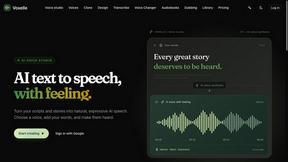
Voxelle
Free AI voice generator: turn text into natural speech and download MP3 audio in seconds.
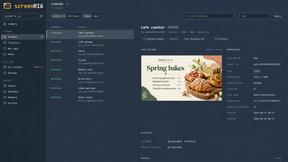
screenRIG
Signage and kiosk infrastructure for AI agents. Your agent publishes images, video, streams, web pages and apps to screens via one plugin.screenRIG is

HeyReagent
Connect your own LinkedIn to Claude, ChatGPT or n8n: read your inbox, send messages and invitations, search people. Free to start.
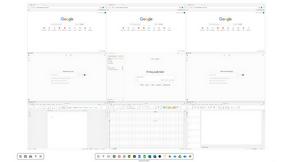
Novastart
Novastart brings apps and files onto an infinite canvas where people and AI agents can work together.


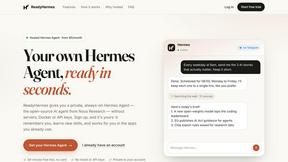
ReadyHermes
Your own hosted Hermes Agent in a minute: memory, self-learning skills, schedules, a real browser and 1,000+ app connections.

LinkIntel
MCP server that gives your AI assistant evidence for its next X post, from your own measured results.
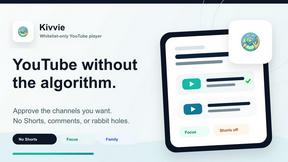
Kivvie
Whitelist-only YouTube for kids with parent-approved channels and no Shorts, comments, or open search.


About BlueHumanizer Alternatives
BlueHumanizer is the AI humanizer that takes the robotic stink off your ChatGPT, Claude, or Gemini drafts and makes them sound like you actually wrote them. It’s part of the AI Assistants category, but it’s the bouncer that kicks out the clunky, synonym-swapping junk most tools pass off as “humanization.” Users start hunting for alternatives when they hit a wall: maybe they need more advanced tone controls for niche marketing copy, or their budget doesn’t vibe with premium tiers, or they’re stuck on a platform that doesn’t support their language or workflow. The hunt is real when you want that natural rhythm without losing your original meaning or citations. When scoping out an alternative, don’t settle for a word-swapper that leaves your text sounding like a bot on a bad day. You need a tool that reshapes sentence structure, keeps your key points intact, and respects your quotes and citations like a sacred text. Look for adjustable humanization levels, broad language support, and tone controls that let you dial in the vibe—whether you’re polishing a research paper or cranking out on-brand marketing. Free tiers are a solid starting point, but check that the core features aren’t locked behind a paywall. And if the tool can’t handle your specific AI source or fails to deliver that clean, publish-ready flow, it’s a hard pass.
FAQs about BlueHumanizer Alternatives
What is BlueHumanizer?
BlueHumanizer is an AI humanizer tool that transforms AI-generated text from platforms like ChatGPT, Claude, and Gemini into clear, natural-sounding prose. It goes beyond basic synonym swapping by reshaping sentence structure and restoring the natural rhythm of writing, all while keeping your original meaning, tone, and key points intact. Quotes and citations are preserved untouched, and the tool supports over 50 languages with adjustable humanization levels and tone controls.
Who is BlueHumanizer for?
BlueHumanizer is built for students, researchers, marketers, and anyone who writes with AI and needs their output to sound genuinely human. It’s ideal for refining essays, polishing research papers, crafting on-brand marketing copy, or warming up everyday emails and reports. The tool caters to users who want polished, publish-ready writing without losing the original intent or structure of their AI-generated content.
Is BlueHumanizer free?
Yes, BlueHumanizer is free to start and requires no credit card to begin using its core features. The free tier provides access to essential humanization capabilities, including one-click rewriting and support for multiple languages and AI sources. This makes it accessible for casual users and professionals alike to test the tool before considering any potential premium upgrades.
What are the main features of BlueHumanizer?
BlueHumanizer offers one-click rewriting that transforms AI text into natural, human-sounding prose with better flow and sharper phrasing. It features adjustable humanization levels, tone controls, and support for over 50 languages, ensuring the output fits your specific needs. Unlike basic tools, it reshapes sentence structure and restores natural rhythm while leaving quotes and citations untouched, making it suitable for academic, marketing, and professional writing.