
Alternatives to AsciiArt
Explore the best alternatives and competitors to AsciiArt.
Explore 20 alternatives to AsciiArt. Compare features, pricing, and find the best fit for your needs.
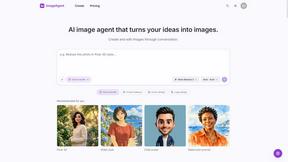
ImageAgent
Create and edit AI images through conversation, using text or reference images and refining results in chat.

GenX
All-in-one AI workspace to generate images, videos, and audio with multiple leading AI models.

AppIconGenerator
Generate iOS and Android app icons from any image and export all platform sizes for free.

Design.com AI Image Generator
Turn text prompts into polished, copyright-safe visuals that plug directly into branded templates
FastH3 Omni
Run FastH3 Omni in your browser. Up to 9 reference images plus 3 audio references become a 5–15s clip with synced audio. No install, no GPU.
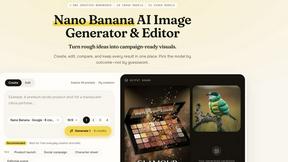
Nano AI
Create and edit AI images, generate videos, and compare models in one creative workbench.
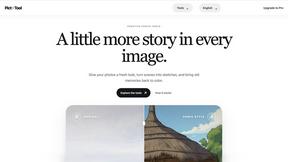

YIX
YIX combines AI image and video generation, photo editing, restoration, product visuals and free prompt tools in one browser studio.


Pixdok
PixDok is a browser-based toolkit for common document and image tasks without requiring desktop software installation.

AiArter
AI product photos and UGC video ads for Amazon, Etsy and Shopify sellers, made from one phone photo.
GPT Image Hub
Curated image prompts, reusable templates, and multi-model AI generation in one workspace.
NanoBanana
Generate and edit AI images with six models, references, templates, and a visual workflow canvas.

A2O LITE NEON AI
Upload two photos and get a 15-second AI video of those two people doing the A2O LITE NEON intro.

Baile Charme AI
Upload one photo and get a 10-second vertical AI video of you dancing the charme step in Rio.

Tip Toe AI
Upload a Dancer photo and a Partner photo and get your own AI Tip Toe barn-dance video. Free 5s preview, 12s HD from $4.90. No subscription.
Seedream 6
Independent Seedream 6 guide with a browser-based AI image and video generator powered by Seedream 5.0 Pro and 5.5.
Seedream 5.5
Seedream 5.5 by ByteDance: 80+ rounds of stable image editing, native RGBA transparency, 100-layer splits, 4K output and reliable multilingual text.

ogimagegenerator.dev
Paste a URL and AI designs on-brand Open Graph images from your page's colours, fonts and logo. Free, no sign-up.

Ozil Goal AI
Make the Ozil goal AI video from one photo. 15 seconds, 9:16, 720p, no watermark, original trend sound, ready for TikTok, Reels and Shorts.
About AsciiArt Alternatives
AsciiArt.fr is a free, client-side tool that falls squarely into the Image & Photo and Image Generation category, letting you convert text and images into retro, text-based masterpieces. It’s a solid pick for throwing up quick FIGlet fonts or pixelating a photo, but let’s be real—sometimes you need more firepower or a different vibe. Users hunt for alternatives when they want features like batch processing, more advanced image rendering, support for exotic file types, or tools that don’t just live in the browser but integrate with their desktop workflow or API. Maybe the 50+ fonts aren’t cutting it for your massive Discord bot, or you need animated ASCII for a retro gaming stream—whatever the reason, you’re looking for something that matches your specific grind. When scoping out an alternative, don’t just grab the first shiny tool. You need to check if it handles your input type—whether that’s raw text, high-res images, or even video—and if it lets you tweak the output like a pro with controls for width, character sets, and contrast. Look for a tool that’s lightweight but packs a punch without forcing you to sign up or sell your data. If you’re a dev, prioritize something with a clean API or export options like SVG or animated formats. And always peep the security—client-side processing is king for privacy, but if you need cloud power, make sure it’s not a tracking nightmare. Keep it edgy, keep it fast, and don’t settle for less than what your project demands.
FAQs about AsciiArt Alternatives
What is AsciiArt?
AsciiArt is a free, client-side ASCII art generator that turns any text or image into retro text-based art. It supports over 50 FIGlet fonts for text and can process image files like JPG, PNG, and WebP instantly in your browser. The tool is designed for creating classic ASCII representations with adjustable width, smushing, and alignment, making it a versatile pick for digital nostalgia.
Who is AsciiArt for?
AsciiArt is perfect for developers, content creators, and retro enthusiasts who need quick, no-fuss ASCII art for README files, Discord, forums, email signatures, or retro gaming projects. It’s also ideal for anyone who values privacy and simplicity, as it requires no signup or server-side processing. Whether you’re a seasoned coder or a casual user looking to add some vintage flair, this tool fits the bill.
Is AsciiArt free?
Yes, AsciiArt is completely free to use with no hidden costs, signup requirements, or subscription fees. All processing happens client-side in your browser, meaning you don’t pay for server time or data storage. There’s no tracking or ads, so you can generate as much ASCII art as you want without any strings attached.
What are the main features of AsciiArt?
AsciiArt offers over 50 FIGlet fonts for text-based ASCII generation and supports image inputs like JPG, PNG, and WebP for instant conversion. You can adjust width, smushing, and alignment to fine-tune your output, then copy it, download as a .txt file, or share a direct link. It’s fully browser-based with no server uploads, no signup, and zero tracking, making it a secure and lightweight tool.