
Alternatives to AnimeGenerator
Explore the best alternatives and competitors to AnimeGenerator.
Explore 20 alternatives to AnimeGenerator. Compare features, pricing, and find the best fit for your needs.

The Kiss
Turn two photos into a cinematic AI kissing video. Pick one of 13 kiss video templates; 30 free credits on sign-up.

trykissai
AI kiss generator: add a photo of each person, pick a kiss scene, and get a kiss photo or a 5–7 second clip. 30 free credits.
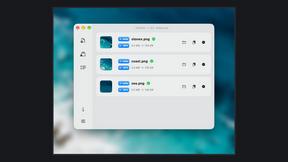
Zipic
Native image compression for Mac and Windows (Windows beta), with a local CLI and AI skill for automated image workflows.

ButterShare
Realtime peer-to-peer file transfer in the browser. Send files directly between devices, no account and no upload to a server.

Free Meme Video Generator
Create AI video memes from photos, clips or text prompts. Free credits to start.

dreamina ai
Make any images possible — generate, edit, and transform images with AI models like GPT Image and Gemini in seconds.

Selzee
Selzee is an AI ad generator that finds winning ads right now and recreates them for your brand, with your products, logo, fonts and colours.

Demo Editor
Paste your product's URL and get a promo video with voice-over and music, cut from your real site.
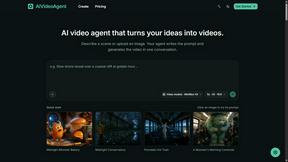
AIVideoAgent
Turn text ideas or reference images into videos through conversation, with agent-assisted prompts and a choice of video models.

Save X post
The easiest way to save X videos offline: no app to install and no account to create. Paste the link, choose HD or 4K, and the MP4 is yours.

AI Rap
AI rap generator that turns two portraits, or one photo of two people, into a short English duet rap video with original lyrics, vocals, and music.
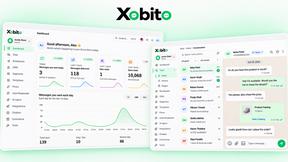
Xobito
WhatsApp Business API platform with AI agents, automation, CRM, and broadcasts — one workspace to run support, sales, and marketing on WhatsApp.
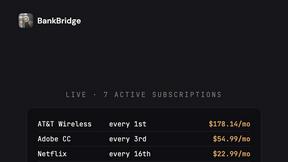
BankBridge
Let your AI agent answer questions about your real bank data. Read-only access, $5/mo per connected bank, cancel any time.

Fix Pixelated Videos
AI that fixes pixelated, blocky and blurry videos. Free 15-second preview, no signup.

Thumbo
Thumbo makes YouTube thumbnails with AI: your face on every one, the style of any channel you like, and edits in plain words.

LaunchIntel
Your AI agent picks relevant directories, submits your product in your browser and tracks every step. One-time purchase.

Tiny Desk AI Video Maker
Create a vertical Tiny Desk-style concert video from up to three photos with original music.

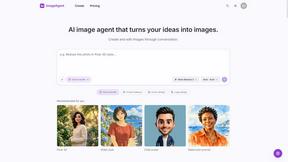
ImageAgent
Create and edit AI images through conversation, using text or reference images and refining results in chat.

About AnimeGenerator Alternatives
Alright, let’s cut the fluff and get into it. You’ve heard the hype around AnimeGenerator, that slick, AI-powered beast that lets you crank out anime characters, scenes, storyboards, and even motion comics in seconds. It’s a powerhouse in the AI Assistants, Video, and Image Generation categories, giving solo creators and indie animators a fast track from prompt to preview-ready content. But here’s the real talk: not every tool fits every workflow. Maybe the pricing feels a bit steep for your side hustle, or you’re craving a different flavor of AI model, or you need a platform that plays nicer with your existing pipeline. Whatever the reason, jumping ship for an alternative isn’t a sign of weakness—it’s a power move. When you’re hunting for a new tool to replace that AI anime engine, don’t just swipe left on the first shiny interface you see. You need to dig into the core mechanics: how flexible are the creation modes? Can you nail consistent character designs without losing your mind? What about the output quality and aspect ratio support for your vertical shorts or widescreen episodes? And let’s not forget the vibe—some platforms lock you into rigid workflows, while others let you remix and refine like a mad scientist. Look for a tool that respects your speed, your style, and your budget, because the best alternative isn’t just a clone—it’s an upgrade to your creative arsenal.
FAQs about AnimeGenerator Alternatives
What is AnimeGenerator?
AnimeGenerator is a powerful AI-driven platform designed for generating anime images, videos, and motion comics instantly. It streamlines complex animation workflows into intuitive, guided steps, leveraging advanced AI tools to help users create anime-style characters, scenes, dynamic animations, and storyboard content in mere seconds.
Who is AnimeGenerator for?
AnimeGenerator caters to a wide range of users, from solo creators and indie animators to professional studios. It is built for anyone who needs to produce high-quality anime content quickly, whether for short-form social media clips, full episodes, or detailed storyboard development.
Is AnimeGenerator free?
Based on the provided content, there is no specific mention of AnimeGenerator being free. The platform likely operates on a freemium or subscription model, offering basic generation capabilities at no cost while unlocking advanced models, higher resolutions, or commercial usage through paid tiers.
What are the main features of AnimeGenerator?
AnimeGenerator offers dedicated creation modes for images, videos, and motion comics, along with a simple four-step process for image generation: writing a prompt, choosing an AI model and aspect ratio, adding reference images for style consistency, and generating or refining the output. It supports multiple AI models like GPT Image 2 and Nano Banana Pro, and aspect ratios such as 9:16 and 16:9.