

AnimeGenerator
AnimeGenerator cranks out AI anime images, videos, and motion comics with dedicated modes for building characters, scenes, and preview-ready content.
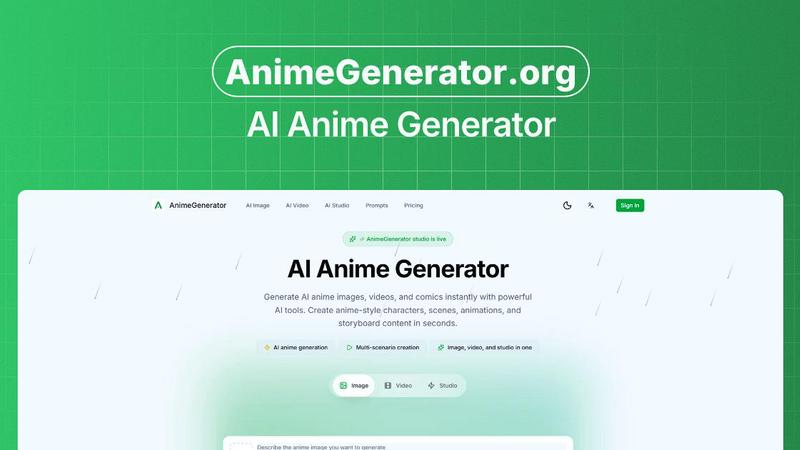
About AnimeGenerator
AnimeGenerator.org is the ultimate AI-powered weapon for anyone who wants to crank out anime content at warp speed. This isn't your grandma's clunky animation software. It's a hardcore, all-in-one platform that lets you generate anime images, videos, and motion comics in seconds, not weeks. Forget the soul-crushing grind of traditional animation workflows. AnimeGenerator streamlines the entire process, from a raw idea to a finished, shareable piece of content, into a series of intuitive, guided steps. It's built for the modern creator: solo artists grinding on their passion projects, indie animators hustling to build an audience, and even pro studios looking to prototype scenes faster than ever before. The core magic lies in its advanced AI tools, which let you build killer characters, intricate scenes, dynamic animations, and full-blown storyboards without needing a team of a hundred. The platform’s main value proposition is simple: speed and consistency. You can go from a blank page to a production-ready anime clip in a fraction of the time it would take with traditional methods. Whether you're pumping out Shorts for social media, crafting an epic web series, or just exploring new visual styles, AnimeGenerator gives you the power to create like a pro, without the budget or the burnout. It’s the shortcut to making your anime vision a reality, and it’s built for creators who refuse to wait.
Features of AnimeGenerator
Story Scripting
This isn't just a text box; it's your creative co-pilot. The Story Scripting feature lets you feed in a simple premise or a full plot outline, and the AI will generate complete plot arcs and scene breakdowns. It takes your raw ideas and structures them into a coherent narrative, complete with pacing and emotional beats. For creators who struggle with writer's block or need to churn out weekly episodes, this tool is a lifesaver. It turns a vague concept into a solid foundation, so you can spend more time on the visuals and less time staring at a blinking cursor. It's like having a seasoned screenwriter on speed dial, ready to help you craft a story that actually works.
Storyboard + Shot Design
Say goodbye to messy stick figures and confusing shot lists. The Storyboard and Shot Design feature automates the entire pre-production process. You give it your script, and it auto-creates a detailed shot list, complete with composition guides and camera angles. It analyzes the narrative flow and suggests the most effective visual sequences, ensuring your story is told with maximum impact. This feature is a game-changer for solo creators who don't have a director or storyboard artist. It provides a professional-grade blueprint for your animation, saving you hours of manual planning and allowing you to visualize your final product before you even start rendering.
Character Library
Consistency is king in anime, and the Character Library is your royal guard. This feature lets you create and store reusable character sheets, ensuring your characters look exactly the same in every scene, episode, or motion comic panel. You define the look, from hair color and outfit to facial structure, and the AI uses that data to maintain on-model fidelity across all your generations. No more weird face swaps or outfits changing color between shots. This library is the key to building a cohesive, professional-looking series that doesn't break the viewer's immersion. It's the difference between a sloppy fan project and a polished, binge-worthy show.
AI Voice + Lip Sync
Animation is nothing without sound, and this feature brings your characters to life with zero hassle. The AI Voice and Lip Sync tool offers a range of emotional voice styles that you can assign to your characters. But it doesn't stop there. It automatically syncs the generated audio to the character's mouth movements, creating a seamless and believable performance. This eliminates the tedious manual work of matching audio waveforms to mouth shapes. For indie creators and voice actors, this is a massive time-saver. You can tweak a line of dialogue, regenerate the audio, and the lip-sync updates instantly, without breaking the entire scene. It's like having a full voice acting and animation team in one tool.
Use Cases of AnimeGenerator
Rapid Prototyping for Indie Animators
Indie animators often work alone and need to iterate fast. AnimeGenerator is perfect for rapidly prototyping scenes, testing different art styles, and visualizing complex action sequences before committing to a full production. Instead of spending days sketching out a single fight scene, an animator can generate multiple versions in minutes. They can experiment with different camera angles, lighting conditions, and character poses to find the perfect look. This allows for a more dynamic and creative final product, as the creator can explore more options without burning through their limited time and budget. It turns the pre-visualization phase from a chore into a creative playground.
Social Media Content Creation
The algorithm demands constant, high-quality content, and that's where AnimeGenerator shines. Social video producers and creators can use the platform to churn out anime-style Shorts, Reels, and TikToks at a blistering pace. The multi-format export feature allows for instant switching between vertical and landscape orientations, perfect for different platforms. The auto edit and subtitles feature adds the final polish, automatically pacing the video and adding captions. This allows creators to maintain a consistent posting schedule without sacrificing visual quality. It's the ultimate tool for anyone looking to build an audience on social media with eye-catching, unique anime content.
Streamlining Motion Comic Production
Motion comics are a unique medium that blends comic panels with subtle animation and sound. AnimeGenerator is specifically built for this, with dedicated creation modes that streamline the entire process. A creator can start with a script, use the storyboard tool to plan the panels, generate the art with the Character Library for consistency, and then add AI voice and lip sync for a complete experience. The platform handles the complex workflow of combining static images with dynamic elements, making it accessible to solo creators. This use case is perfect for adapting existing stories, creating webcomics with a twist, or producing engaging serialized content that stands out in a crowded market.
Building a Cohesive Web Series
Creating a web series episode by episode is a massive challenge, especially when it comes to maintaining visual consistency. AnimeGenerator's suite of tools is designed to solve this exact problem. Using the Character Library, a creator can ensure that their protagonist looks the same in episode one as they do in episode ten. The Story Scripting feature helps plan out the season arc, while the Storyboard tool ensures each episode has a clear visual language. This allows a solo creator or a small team to produce a professional-looking series that feels cohesive and polished, building a loyal fanbase who can follow the story without being distracted by jarring inconsistencies.
Frequently Asked Questions
What is the basic process for generating an image on AnimeGenerator?
The process is a simple four-step workflow. First, you write a detailed image prompt describing your character, scene, pose, lighting, and mood. Second, you choose an AI model (like GPT Image 2 or Nano Banana Pro) and select your desired aspect ratio (like 9:16 for shorts or 16:9 for episodes). Third, you can optionally upload reference images to enforce stronger style or character consistency. Finally, you hit generate, and the AI creates your image. You can then compare multiple outputs and quickly refine your prompt for better results.
Can I use my own characters and maintain their look across different scenes?
Absolutely. The Character Library feature is built for this exact purpose. You can create and save reusable character sheets that define the look of your characters. When you generate new images or scenes, you can reference these sheets, ensuring your characters stay on-model and consistent throughout your entire project, whether it's a single image or a full motion comic series.
What kind of content can I create with AnimeGenerator?
AnimeGenerator is a versatile platform that supports three main creation modes: Image, Video, and Studio. You can generate static anime images, dynamic anime videos, and full motion comics. This makes it suitable for a wide range of projects, from single character portraits and social media posts to animated shorts, storyboards, and multi-panel narrative sequences.
Does AnimeGenerator support voice and lip-sync for animated content?
Yes, it does. The platform includes an AI Voice and Lip Sync feature. You can choose from various emotional voice styles for your characters, and the AI will automatically sync the audio to the character's mouth movements. This feature is integrated into the animation workflow, allowing you to quickly tweak dialogue and regenerate the lip-sync without manually adjusting frames.
Explore more in this category:
Similar to AnimeGenerator

ImageGenerator
Create and edit AI images online with multiple models, text-to-image, image-to-image, background removal, and upscaling.


Bulin 47 Video Generator
AI Video Bulin47 lets you put yourself in the viral Bulin47 video trend with AI. Upload your photo, create a personalized Bulin47 video, and share it.

Burning Bridges AI
Turn one photo into the chandelier-party video: pick a moment, get an 8-second clip with sound.

AIClothesChanger
Free AI clothes changer online. Swap outfits and try on clothes from a photo in minutes — create a free account to start, no card required.

Bulin 47 AI Freestyle Video Generator
Upload any photo and get your own Bulin 47 AI Freestyle video

ColdCrow
AI cold email writer with a deliverability score - describe a prospect, get a personalized draft in seconds.

SightRadar
Face recognition API, a drop-in replacement for AWS Rekognition. Index, search, compare and detect faces, billed per photo with no subscription.