
Alternatives to AIDirHub
Explore the best alternatives and competitors to AIDirHub.
Explore 20 alternatives to AIDirHub. Compare features, pricing, and find the best fit for your needs.

Statement2QBO
Bank statement PDF to QBO, Excel and Xero. Runs in your browser; three pages a day are free.

Emailyy
Free email tools for signatures, subject lines, HTML previews, word counts, and email headers. Browser-based, simple to use, and no signup required.

ToolVerified
A hand-tested directory of new AI tools and SaaS apps. Real people check every link, and community votes decide the daily charts.

Uniclip
Clip pages, take full-page screenshots and batch-capture list data to Notion, Feishu, Obsidian, Markdown, CSV or JSON.

TroveKey
Search tabs, Chrome bookmarks and history, run browser commands, and save webpages and social posts locally—no account.
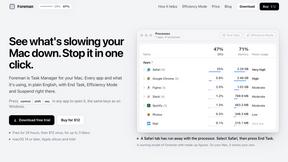
Foreman
See every app and what it's using in plain English, and end or slow down the one that's hogging your Mac.

Dot & Dash
Learn Morse code on a machine you can press. Write and send messages, turn Morse into text and back, and key Morse in any app on your Mac.
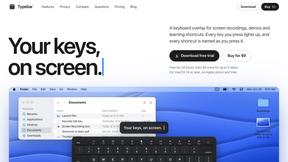
Typebar
Every key you press lights up on an on-screen keyboard, and each shortcut is named as you press it.

Notchpals
Little characters peek out of your Mac's notch to remind you to drink water, eat, sit up and get to bed. Quiet during calls. $4.99 once.

LightScreen
Free light screen tool online. Turn any display into a flashlight, ambient light, or solid-color screen. No download or sign-up.

PLRental
Rental agency software: scan a customer ID, get a signed contract in under a minute, and manage fleet, customers, and invoices.

Agent Pets
Your Claude Code & Codex sessions as pets in Chrome. Approve, deny and reply to your coding agents from any tab.

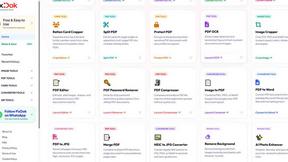
Pixdok
PixDok is a browser-based toolkit for common document and image tasks without requiring desktop software installation.

Screen Issues
Free Online Screen Test Tool - Instantly diagnose dead pixels, lines, color issues, and flickering. Multiple test modes, no download needed.
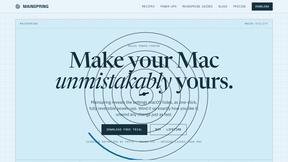
Mainspring
Mainspring turns the settings macOS hides into 90+ one-click, fully reversible power-ups for Finder, Dock, screenshots and more. $29 once.
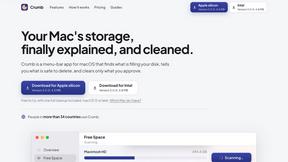
Crumb
A Mac menu bar app for a full disk. See what is using your space, read whether it comes back on its own, and remove only what you tick.

Everywhere
Fast file search for the Mac. Results as you type, files inside Mail and Photos, works with Wi-Fi off. $19 once.
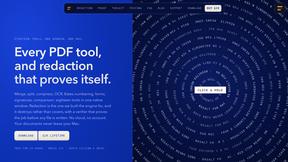
Basalt
Eighteen PDF tools in one native Mac window: merge, split, compress, OCR, Bates numbering, forms, signing and redaction. Offline. $29 once.

Voice Keyboard Pro
Hold a key, say what you mean, let go. Clean, punctuated text lands at the cursor in any app on your Mac or iPhone.
About AIDirHub Alternatives
Alright, let’s cut the fluff. You’ve stumbled across AIDirHub, a curated playground of over 325 AI tools sliced into 27 neat categories, from video wizards to marketing bots. It’s a directory, plain and simple, designed to save you from drowning in a sea of scattered blog posts and endless Google searches. For builders, marketers, and anyone tired of hunting for the next big AI hack, it’s a solid launchpad. But here’s the deal: maybe the vibe doesn’t fit, the pricing feels off, or you need a platform that vibes harder with your specific workflow. That’s why the hunt for alternatives kicks off—different strokes for different folks, whether it’s deeper features, a slicker UI, or just a fresh pool of tools. When you’re scoping out a replacement, don’t just swipe left on the first shiny option. Dig into what matters: does it have the categories you actually use, or is it just another bloated list? Check if the discovery process is smooth—searchable tags and filters are non-negotiable for speed. Pricing is a biggie too; some directories charge for submissions or premium access, while others keep it open. And don’t sleep on community vibes—some platforms let you test tools directly or offer user reviews that cut through the hype. Find the one that doesn’t just show you tools but actually helps you crush your workflow without the noise.
FAQs about AIDirHub Alternatives
What is AIDirHub?
AIDirHub is a curated directory that organizes over 325 AI tools into 27 distinct categories, covering areas like video, image, writing, productivity, developer tools, and marketing. It functions as a streamlined discovery platform, using searchable tags to help users find the right AI tool for their specific workflow without sifting through scattered blog posts or endless search results. Anyone building an AI tool can also submit their product to the directory for free, making it a two-way hub for both users and creators.
Who is AIDirHub for?
AIDirHub is built for builders, marketers, and everyday users who need to quickly locate AI tools without wasting time on manual research. It’s ideal for professionals across productivity, video production, marketing, and development who want a centralized resource to compare and select tools. Additionally, it serves AI tool creators looking for free visibility and a straightforward submission process to reach a targeted audience.
Is AIDirHub free?
Yes, AIDirHub is free to use for browsing and discovering AI tools across all 27 categories. Users can access the full directory, search by tags, and explore tools without any paywall or subscription. Furthermore, submitting a new AI tool to the directory is also completely free, making it an accessible platform for both users and developers.
What are the main features of AIDirHub?
AIDirHub’s main features include a curated collection of over 325 AI tools organized into 27 clear categories, such as video, image, writing, productivity, developer tools, and marketing. It offers searchable tags for fast, targeted discovery, helping users bypass scattered blog posts and find exactly what they need. Additionally, the platform provides a free submission option for AI tool creators, allowing them to list their products and gain exposure without any cost.