
Alternatives to AI ImageEditor
Explore the best alternatives and competitors to AI ImageEditor.
Explore 20 alternatives to AI ImageEditor. Compare features, pricing, and find the best fit for your needs.
ImageGPT
ImageGPT is an all-in-one AI creative platform for generating, editing and transforming images and videos using AI.
AI Album Cover Maker
Create release-ready album covers from a prompt or photo. Generate, refine, and export art for singles, EPs, mixtapes, and playlists.
Remove Background Online
Free background remover that runs entirely in your browser — zero uploads, full resolution, no watermark. Your photos never leave your device.
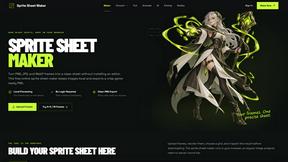
Sprite Sheet Maker
A free browser-based toolkit for creating, cutting, converting, and previewing sprite sheet animations.
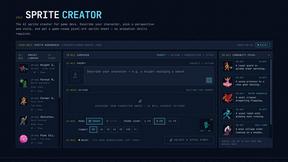
Sprite Sheet Maker
Create pixel-art sprite sheets from text with AI, preview animations, and export PNG assets for game prototypes.
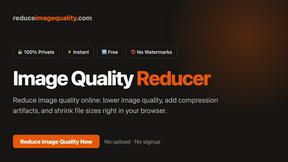
Reduce Image Quality
Free browser-based tool that lowers image quality and shrinks JPG, PNG and WebP files. No upload, no signup, no watermark.
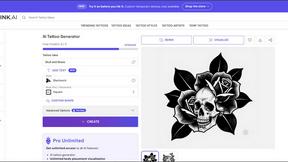
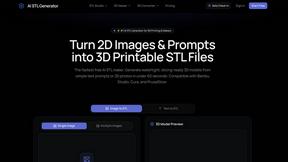
AI STL Generator
The fastest AI STL generator to turn prompts and images into 3D printable STL files.

Logofai
Logofai is an AI-powered brand design studio that transforms a single text prompt into a complete brand identity.
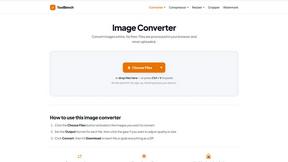
Mytoolsbench
Free online image tools to resize, crop, compress, convert, and watermark images quickly and easily in your browser.
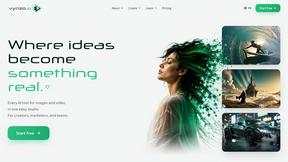
Vynzo
AI image and video studio. Generate from a prompt, animate stills, swap faces, restyle clips and edit — one credit pool, no subscription.
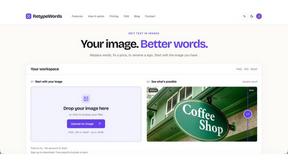
Retypewords
Edit the text. Keep the look. Our AI image editor helps you replace text in images while aiming to preserve the original style, layout, and background
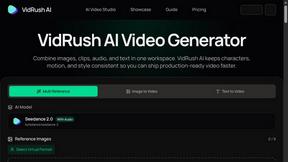
VidRush AI
AI long video generator combining images, video, audio and text into controllable, production-ready AI videos.
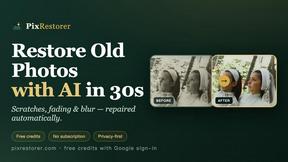
PixRestorer
Restore and colorize old photos with AI in seconds. PixRestorer repairs scratches, fading, blur, and tears, brings black-and-white prints to life in n
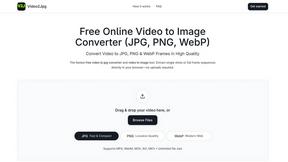
Video2Jpg
Convert video to JPG, PNG, or WebP frames in your browser. High-quality video to image converter with no uploads—fast, private, and free.
Vismuse
Create polished AI images and videos from prompts or references for social posts, ads, flyers, album covers, and campaigns.

AI Image Editor
Free AI image editor that edits, retouches, and transforms photos with natural-language text prompts.
About AI ImageEditor Alternatives
Alright, so you’re rocking with AI ImageEditor—a beast-mode browser tool that fuses text-to-image generation, background removal, style transfer, and upscaling into one slick workflow. It’s the digital Swiss Army knife for creators, marketers, and designers who need pro-level visuals without the headache of clunky software. But let’s keep it real: no tool is a perfect fit for every vibe. Maybe the pricing structure feels like a punch to the wallet, or you’re craving a specific feature that’s not in the deck, like offline editing or a different AI model flavor. Sometimes you just need a platform that vibes better with your team’s workflow or offers a more generous free tier. That’s the game—finding the right tool that doesn’t cramp your creative style. When you’re hunting for a replacement, don’t just grab the first shiny object. Look for the core non-negotiables: does it handle your must-have tasks like background removal or upscaling without turning your image into a glitchy mess? Check the speed—some tools feel like dial-up in a 5G world. Also, peep the output quality; if the AI is hallucinating weird fingers or muddy textures, bounce. And don’t sleep on the user experience—if the interface feels like a spaceship dashboard, you’ll waste time hunting buttons instead of creating. Finally, weigh the pricing: some tools go heavy on subscriptions, while others offer pay-per-use or lifetime deals. Find the one that matches your hustle without breaking your budget or your workflow.
FAQs about AI ImageEditor Alternatives
What is AI ImageEditor?
AI ImageEditor is an all-in-one, browser-based AI image editing platform that combines text-to-image generation, background removal, object replacement, style transfer, and high-resolution upscaling into a single workflow. It eliminates the need for complex desktop software by providing professional-grade editing tools directly in your browser. The tool is designed to streamline the creative process for generating, editing, and enhancing visuals with minimal effort.
Who is AI ImageEditor for?
AI ImageEditor is built for creators, marketers, designers, and businesses that need to produce professional-quality visuals quickly without mastering complicated editing software. It caters to anyone from social media managers crafting eye-catching posts to small business owners creating product images. The platform’s intuitive design makes it accessible for both beginners and experienced professionals who want to speed up their workflow.
Is AI ImageEditor free?
Based on the product description, AI ImageEditor is positioned as a premium tool for professional use, which typically means it operates on a subscription or credit-based model. While specific pricing details are not provided in the content, most tools in this category offer a free tier with limited features or watermarked exports. Users should check the official website for the most current pricing plans and any available trial options.
What are the main features of AI ImageEditor?
AI ImageEditor packs a powerful suite of features including text-to-image generation for creating visuals from scratch, background removal for isolating subjects, object replacement for swapping elements in a scene, style transfer for applying artistic filters, and high-resolution upscaling to sharpen images. All these capabilities are integrated into a single, simple browser-based workflow. This eliminates the need to switch between multiple apps or software for different editing tasks.