
Alternatives to AI Email Writer
Explore the best alternatives and competitors to AI Email Writer.
Explore 20 alternatives to AI Email Writer. Compare features, pricing, and find the best fit for your needs.

dreamina ai
Make any images possible — generate, edit, and transform images with AI models like GPT Image and Gemini in seconds.

AIVideoAgent
Turn text ideas or reference images into videos through conversation, with agent-assisted prompts and a choice of video models.
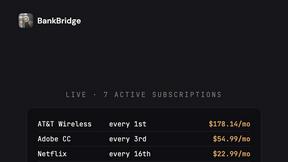
BankBridge
Let your AI agent answer questions about your real bank data. Read-only access, $5/mo per connected bank, cancel any time.

LaunchIntel
Your AI agent picks relevant directories, submits your product in your browser and tracks every step. One-time purchase.

Easemic
Free open-source Android comic & manga cloud reader streaming encrypted libraries from S3, WebDAV & OPDS.

Rhinobird
AI video ads, UGC-style videos, and product visuals for cross-border sellers and e-commerce brands.

GenX
All-in-one AI workspace to generate images, videos, and audio with multiple leading AI models.

KS-Agents
Measure climate, talent and skills with validated surveys, 360° feedback and AI interviews, and turn the data into decisions HR can defend.

Bloom
An adaptive AI tutor that turns topics or your materials into courses, lessons, and answers tailored to how you learn.
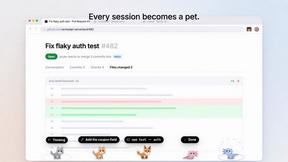
Agent Pets
Your Claude Code & Codex sessions as pets in Chrome. Approve, deny and reply to your coding agents from any tab.
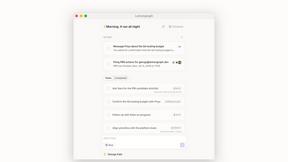

Zeptap
Zeptap lets AI use your real iPhone like you do: open apps, read the screen, tap, swipe and type. Reply to DMs, post Stories, book rides, test apps.

Regentflow
AI stocktakes, staff rosters and voice-typed spreadsheets for cafes, bars and restaurants, plus free invoices, 30 PDF tools and custom merch.


Burning Bridges AI
Turn one photo into the chandelier-party video: pick a moment, get an 8-second clip with sound.

AIClothesChanger
Free AI clothes changer online. Swap outfits and try on clothes from a photo in minutes — create a free account to start, no card required.
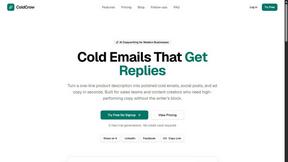
ColdCrow
AI cold email writer with a deliverability score - describe a prospect, get a personalized draft in seconds.

Tapetide
AI-first stock research for India. Ask TapeAi about any NSE or BSE stock, or connect Claude, ChatGPT and Cursor to Tapetide's MCP server.

Zachai
Host exams for any class: handwritten papers, quizzes, essays and OMR sheets. AI drafts grades against your rubric; you edit and publish.

About AI Email Writer Alternatives
AI Email Writer is a cutting-edge tool designed to streamline the email creation process, making it easier for users to generate professional messages with just a few prompts. This innovative utility falls under the categories of AI Assistants and productivity enhancers. With its ability to craft tailored emails for various scenarios, it caters to a broad audience, including professionals, students, and entrepreneurs looking to improve their communication efficiency. However, users often seek alternatives to AI Email Writer due to factors like pricing structures, specific feature sets, or compatibility with different platforms. When on the hunt for a suitable alternative, it's crucial to consider aspects like the variety of templates offered, the ease of use, and the flexibility in tone and style. Additionally, assessing whether the tool supports mobile and web platforms can significantly influence the decision, ensuring that you can draft those crucial emails on the go or from the comfort of your desktop.
FAQs about AI Email Writer Alternatives
What is AI Email Writer?
AI Email Writer, specifically Fly Email AI, is a powerful, freemium tool designed to generate high-quality emails and responses for a range of business and personal scenarios. It utilizes advanced AI technology to streamline the writing process, allowing users to create compelling messages quickly and efficiently. With its user-friendly interface, it is accessible for everyone, from professionals to students.
Who is AI Email Writer for?
AI Email Writer is perfect for anyone looking to enhance their email communication skills or save time in their daily correspondence. This includes professionals needing to send business emails, job seekers crafting cover letters, founders reaching out for networking, support teams responding to inquiries, and students handling academic correspondence. Essentially, if you need to write an email, this tool can help.
Is AI Email Writer free?
Yes, AI Email Writer is a free tool that allows users to generate up to 10 emails per day without requiring any sign-up. This freemium model makes it accessible for users who want to try out the service without commitment. For those looking for additional features or higher usage limits, there may be premium options available.
What are the main features of AI Email Writer?
AI Email Writer boasts 13 specialized tools that cover a diverse range of email writing needs, from cold outreach and follow-ups to customer support responses and formal announcements. Users can choose from various tones like formal, friendly, or urgent to match their message's context. The streamlined workflow focuses on allowing users to input short prompts and receive structured, ready-to-send outputs, minimizing formatting work.