

VidhyaGen
VidhyaGen is a free online image converter with browser-based tools for compression, resizing, cropping, and editing.
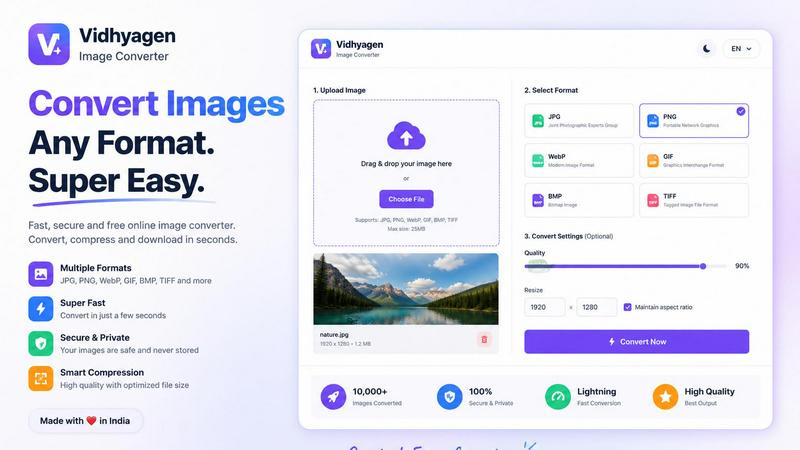
About VidhyaGen
VidhyaGen is an online image toolkit for common file changes and light editing. It converts among formats including PNG, JPG, WebP, GIF, HEIC, SVG, ICO, and BMP, and adds compression, resizing, cropping, rotation, background removal, OCR, and metadata utilities. The homepage says conversion can be done in batches, which can help when preparing several assets at once.
The tool is presented as a simple browser workflow with no installation or signup for its main tasks. The homepage says image files are processed locally using browser technologies and do not leave the device. The About page gives a broader qualification: processing takes place in the browser or on a server depending on the tool. Users with a strict local-processing requirement should check the specific utility before selecting files. VidhyaGen also includes PDF and text tools, so the image converter sits within a wider collection of everyday file utilities.
Features of VidhyaGen
- Convert PNG, JPG, WebP, GIF, HEIC, SVG, ICO, and BMP files
- Batch conversion for multiple selected images
- Compression, resize, crop, and rotation utilities
- OCR, background removal, color picker, and metadata viewer
Use Cases of VidhyaGen
- Convert a file for an upload or document requirement
- Batch prepare image assets in a browser
- Crop or resize a visual for a layout
- Inspect metadata or extract text from an image
Frequently Asked Questions
Is this just a converter?
No. The collection also lists image compression, resizing, cropping, rotation, OCR, background removal, color picking, and metadata viewing.
Can I convert multiple images at once?
Yes. The homepage describes batch processing for multiple selected files.
Does it require software installation?
No installation is required for the browser-based workflows described on the site.
Pricing of VidhyaGen
Free to use, with no subscriptions or premium features stated on the homepage.
Explore more in this category:
Similar to VidhyaGen

Seedream 5.5
Seedream 5.5 is an independent image creation and editing workspace for prompts, reference images, and adjustable output settings.

AI Photo Editor
Edit or create images by describing the result, with tools for cleanup, scene changes, portrait styles, and restoration.

Text Photo AI
Edit words in JPG and PNG photos with AI, or add a caption free in your browser and export a PNG without signing in.

Thridy
Find consistent 3D icons as transparent PNGs, with daily download limits and attribution on the free plan and paid upgrades.

Flux3Max.io
Flux3Max.io creates short videos from prompts, photos, or keyframes, with sound and portrait or landscape output options.

LayerSplit
LayerSplit converts a flattened image into editable layers, rebuilding the background and exporting transparent PNGs or a layered PSD.

SmartCV
SmartCV offers editable resume templates, AI writing suggestions, text checks, and job tracking for professionals preparing applications.

MakePiecesOfUs
MakePiecesOfUs turns a pet photo into a private virtual room with free photo puzzles, an album, a journal and optional daily stories and travel.