

TinyFast
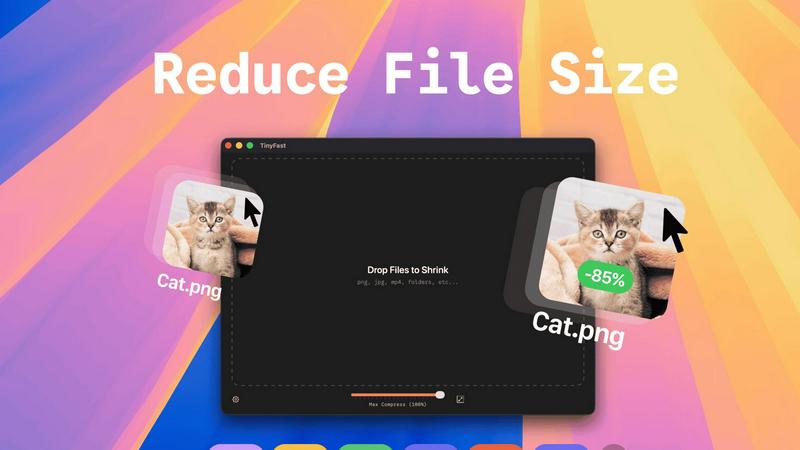
Compress images, videos, and PDFs on your Mac instantly and privately with a simple drag and drop using TinyFast.
About TinyFast
TinyFast is the ultimate macOS app designed for those who refuse to compromise on speed and privacy when compressing files. Whether you're a developer, designer, or digital creator, TinyFast is tailored to fit seamlessly into your workflow. This powerful application allows you to compress an array of file types—images, videos, documents, and audio—without any online hassles. Forget the slow uploads and the anxiety of trusting your sensitive assets to unknown servers. With TinyFast, all processing happens locally on your Mac, ensuring that your files remain confidential and your compression is lightning-fast. Imagine dragging and dropping your files and watching them shrink in seconds without sacrificing quality. Join the tribe of over 500 Mac users who have revolutionized their file management with TinyFast. It’s time to ditch the clunky online tools and embrace a solution that respects your time and privacy.
Features of TinyFast
Batch & Drag-Drop Shrink
With TinyFast, you can drop entire folders into the app and get optimized files in mere seconds. This batch processing feature is a game changer, eliminating the need for tedious one-by-one compression, so you can focus on what really matters.
Blazing-Fast Compression
Experience the thrill of reducing large files in seconds with TinyFast's optimized native engines. Say goodbye to waiting for uploads and downloads, and hello to instant results that keep your workflow flowing smoothly.
Resize Resolution
Need to tweak the resolution of your images or videos? TinyFast allows you to automatically resize them during compression, ensuring that your files are not just smaller but also perfectly tailored to your needs.
100% Local & Private
Your files are your business, and TinyFast gets that. That's why this app keeps everything on your device. No uploads, no cloud servers—just pure, unadulterated privacy. Perfect for those who deal with sensitive information and want peace of mind.
Use Cases of TinyFast
Designers Optimizing Visual Assets
Graphic designers can use TinyFast to compress their PNGs, JPEGs, and SVGs without losing quality. This ensures faster loading times for websites and apps, ultimately enhancing user experience and boosting performance.
Video Editors Streamlining Projects
Video editors can streamline their workflow by compressing MP4 and MOV files quickly, allowing them to share previews or upload to editing software without the hassle of large file sizes slowing them down.
Developers Managing Code Files
For developers, TinyFast is a lifesaver when it comes to compressing JS, CSS, and JSON files. This feature not only saves bandwidth but also speeds up website loading times, giving users a seamless browsing experience.
Musicians Preparing Audio Files
Musicians can take advantage of TinyFast to compress their MP3 files for easier sharing and distribution. Whether it’s for music streaming or sending tracks to collaborators, TinyFast makes it easy and efficient.
Frequently Asked Questions
How does TinyFast ensure my files remain private?
TinyFast processes all files locally on your Mac, meaning nothing is uploaded to external servers. Your sensitive information stays secure and confidential throughout the compression process.
What file types does TinyFast support?
TinyFast supports a wide range of file types, including images (PNG, JPG, GIF), videos (MP4, MOV), documents (PDF, DOCX), code files (JS, CSS), and audio (MP3), making it a universal tool for all your compression needs.
Can I compress multiple files at once?
Absolutely! TinyFast allows you to drag and drop entire folders, enabling batch compression that saves you valuable time. You can optimize multiple files in seconds without breaking a sweat.
Is there a free version of TinyFast?
Yes! TinyFast offers a free version that allows you to compress up to 5 files per day. This gives you access to all core features, perfect for those who want to try out the app before committing to a paid plan.
Explore more in this category:
Similar to TinyFast

AI Email Filter
AI Email Filter sorts incoming mail into folders using plain-language prompts you write. Works with any IMAP mailbox; bring your own LLM if you want.

Remove Background Online
Free background remover that runs entirely in your browser — zero uploads, full resolution, no watermark. Your photos never leave your device.

Memwyre
Memwyre is an AI memory platform that gives every AI tool, agent, and conversation a persistent, shared memory you can search and reuse.

Sprite Sheet Maker
A free browser-based toolkit for creating, cutting, converting, and previewing sprite sheet animations.

Kody Tools
Free collection of online developer utilities, code formatters, and digital converters designed to streamline your daily workflow.

Map to GPS
Free GPX generator — draw a route on a map in your browser.

HomeAnswerBook
Practical, independent guides to home repairs, maintenance, costs, troubleshooting, and everyday fixes.

Reduce Image Quality
Free browser-based tool that lowers image quality and shrinks JPG, PNG and WebP files. No upload, no signup, no watermark.