

Tinyart.io
Unleash your creativity with TinyArt.io, the AI tool that transforms your ideas into stunning images effortlessly.
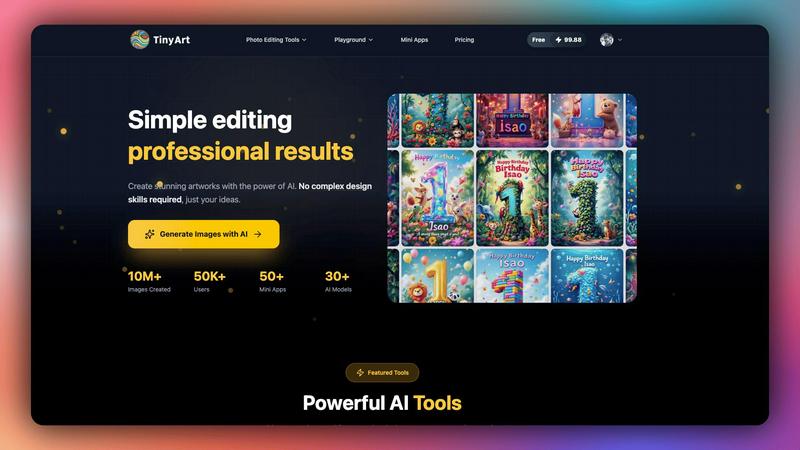
About Tinyart.io
Tinyart.io is your ultimate AI-powered creative sidekick, designed for developers, marketers, and creators who are fed up with the endless design grind. Say goodbye to the frustration of navigating complex editing software! Tinyart.io transforms your raw, unfiltered ideas into stunning, ready-to-publish marketing visuals in mere minutes. Unlike other AI tools that simply generate images and leave you hanging, Tinyart.io offers a complete visual workshop where you can generate, tweak, and perfect your assets seamlessly. The magic lies in its developer-first editor, boasting smart templates, brand color detection, and one-click resizing for every social platform imaginable. This means you can slash your visual production costs by up to 90% without compromising on quality. Join the ranks of over 50,000 users who are already cranking out pro-level visuals at lightning speed. With your ideas and our AI wizardry, it’s time to create something epic!
Features of Tinyart.io
Powerful Image Generation
Dive into the world of creativity with our advanced image generator that allows you to create stunning visuals from simple text prompts. Whether you're crafting social media posts or designing marketing materials, this feature transforms your ideas into eye-catching graphics in seconds.
Background Remover
Eliminate distractions with our automatic background remover, making it a breeze to isolate your image subject. You can process multiple files at once, saving hours of tedious manual editing. This tool ensures that your images are clean, professional, and ready for action in no time.
Upscale Image
Never settle for low-quality visuals again! Our upscale image feature enhances the resolution of your images, ensuring they look sharp and vibrant. Perfect for e-commerce sites or any scenario where quality matters, this tool takes your visuals to the next level effortlessly.
Smart Mini Apps
Unlock a suite of small utility applications tailored for specific needs. From creating professional ID photos to restoring old memories with AI, our mini apps are designed to streamline your workflow and make complex tasks simple and fun.
Use Cases of Tinyart.io
Social Media Marketing
Tinyart.io is a game-changer for social media managers. Quickly generate engaging posts and stories that capture attention, leverage the background remover for clean product shots, and maintain brand consistency with smart templates—all in one place.
E-commerce Product Visuals
Turn your product photos into stunning marketing assets with ease. Use the background remover and upscale image features to create professional-looking images that convert, all while cutting down on editing time and costs.
Content Creation for Blogs
Bloggers and content creators can enhance their articles with eye-catching visuals. Use the image generator and photo editing tools to create compelling graphics that complement your written content, driving more engagement and shares.
Event Promotions
Whether it’s a concert, workshop, or launch party, create striking visuals that promote your events. With Tinyart.io, you can whip up promotional materials in minutes, ensuring you never miss a chance to grab your audience's attention.
Frequently Asked Questions
What kind of images can I create with Tinyart.io?
With Tinyart.io, you can create a wide range of images including social media posts, marketing materials, e-commerce product photos, and more. The AI-powered tools are designed to help you bring any creative vision to life effortlessly.
Do I need design skills to use Tinyart.io?
Absolutely not! Tinyart.io is designed for everyone, regardless of design experience. The intuitive interface and smart features make it easy for anyone to create professional-quality visuals without any prior knowledge.
Can I edit images once they are generated?
Yes! Tinyart.io not only generates images but also provides a robust set of editing tools. You can tweak, resize, and customize your images to fit your specific needs before publishing.
Is there a free trial available for Tinyart.io?
Yes! You can start creating with Tinyart.io for free. There’s no credit card required, and you can cancel anytime, allowing you to explore all the features without any financial commitment.
Explore more in this category:
Similar to Tinyart.io

AI Email Filter
AI Email Filter sorts incoming mail into folders using plain-language prompts you write. Works with any IMAP mailbox; bring your own LLM if you want.

Memwyre
Memwyre is an AI memory platform that gives every AI tool, agent, and conversation a persistent, shared memory you can search and reuse.

Kody Tools
Free collection of online developer utilities, code formatters, and digital converters designed to streamline your daily workflow.

Map to GPS
Free GPX generator — draw a route on a map in your browser.

HomeAnswerBook
Practical, independent guides to home repairs, maintenance, costs, troubleshooting, and everyday fixes.

BlazePDF
Highlight faster. Study in flow with custom shortcuts and a workflow built around you. Print smarter, or turn any page into a tiled poster.


AI STL Generator
The fastest AI STL generator to turn prompts and images into 3D printable STL files.