
Sketch To
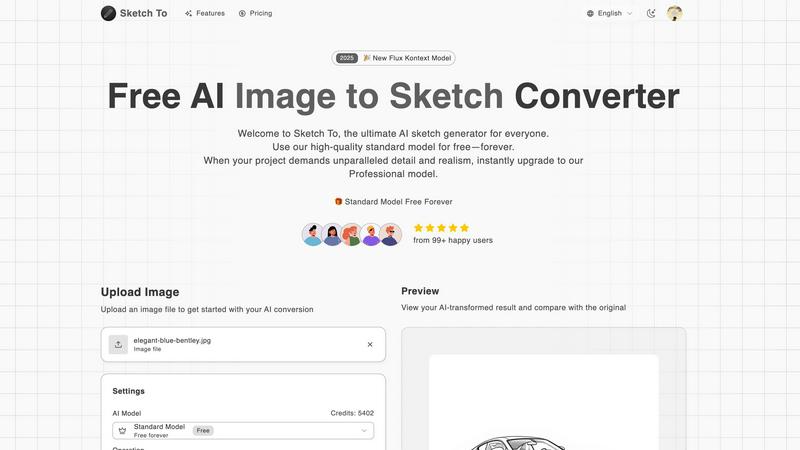
Sketch To transforms your images into stunning sketches, blending creativity and detail with powerful AI technology.
About Sketch To
Sketch To is the ultimate AI-powered tool that redefines creativity by transforming your images into stunning sketches and vice versa. Designed for both aspiring artists and casual creators, this platform makes it super easy to add some artistic flair to your portfolio or social media posts. With just a few clicks, you can convert any photo into a captivating sketch, allowing your imagination to run wild. But that’s not all; Sketch To also empowers you to elevate your hand-drawn sketches into photorealistic images, dazzling your audience and taking your art to the next level. The Standard model is always free, ensuring that anyone can dive into the world of sketching without breaking the bank. For those who demand the highest quality and detail, the Professional model is the go-to option, unlocking a realm of unparalleled realism. With millions of conversions processed and a thriving community of over 500,000 creators, Sketch To is not just a tool; it's a creative revolution waiting for you to join.
Features of Sketch To
Image to Sketch Conversion
Transform your photos into beautiful pencil sketches with Sketch To's advanced AI technology. This feature is perfect for artists and designers looking to add unique sketches to their work, enhancing their creative projects with stunning visuals.
Sketch to Image AI
Elevate your hand-drawn sketches into realistic images using the Professional model. This feature offers incredible detail and accuracy, allowing professionals to bring their artistic visions to life in high-resolution formats ideal for commercial use.
Instant Processing
Say goodbye to long waits! Sketch To's powerful AI processing engine allows you to convert images or sketches instantly. Get your artistic creations in mere seconds, making it perfect for fast-paced environments or last-minute design needs.
High Resolution Output
When quality matters, Sketch To has you covered. Download your creations in high resolution, suitable for both print and digital use. This feature guarantees that your art looks pristine whether it’s for a social media post or a gallery display.
Use Cases of Sketch To
Enhancing Social Media Posts
Whether you're a social media influencer or just looking to spice up your personal feed, Sketch To lets you create eye-catching content that stands out. Turn regular photos into captivating sketches to engage your followers and boost your online presence.
Creative Hobbies and Projects
Are you a hobbyist or a student? Use Sketch To to add a creative twist to your projects. Transform your everyday photos into beautiful sketches or enhance your art assignments by converting your sketches into realistic images, turning them into impressive submissions.
Professional Artistic Portfolios
For professional artists, Sketch To is a game changer. Use the Pro model to create high-quality, photorealistic images from your sketches. This feature helps you build a stunning portfolio that showcases your artistic skills and attracts potential clients.
Marketing and Branding
Businesses can leverage Sketch To for unique marketing materials. Create stunning visuals for ads, brochures, or social media campaigns by converting images into artistic sketches, making your brand more memorable and visually appealing.
Frequently Asked Questions
How does the image to sketch conversion work?
The image to sketch conversion uses advanced AI algorithms to analyze your photo and recreate it as a sketch. You simply upload your image, select your desired style, and let the AI do the magic.
Is there a limit to the file size I can upload?
Yes, Sketch To allows you to upload image files up to a maximum size of 5MB. This ensures fast processing times and efficient AI performance.
Can I use Sketch To for commercial purposes?
Absolutely! While the Standard model is perfect for personal use, the Professional model is designed specifically for commercial projects, providing unparalleled detail and quality.
How do I access the trial credits for new users?
New users can sign up for Sketch To to receive trial credits. This allows you to explore the features of the Standard model without any cost, giving you a taste of the creative possibilities.
Similar to Sketch To


Burning Bridges AI
Turn one photo into the chandelier-party video: pick a moment, get an 8-second clip with sound.

AIClothesChanger
Free AI clothes changer online. Swap outfits and try on clothes from a photo in minutes — create a free account to start, no card required.

ColdCrow
AI cold email writer with a deliverability score - describe a prospect, get a personalized draft in seconds.

Tapetide
AI-first stock research for India. Ask TapeAi about any NSE or BSE stock, or connect Claude, ChatGPT and Cursor to Tapetide's MCP server.

Zachai
Host exams for any class: handwritten papers, quizzes, essays and OMR sheets. AI drafts grades against your rubric; you edit and publish.

Verla AI
Verla is an AI academic assistant for university and college students, combining AI essay writing, academic research, AI detection, AI humanization, p

PromptMafia
Real AI prompts from founders, with the result