

Seedream 5.0
Transform your words into breathtaking visuals in seconds with Seedream 5.0, your free AI image creation powerhouse.
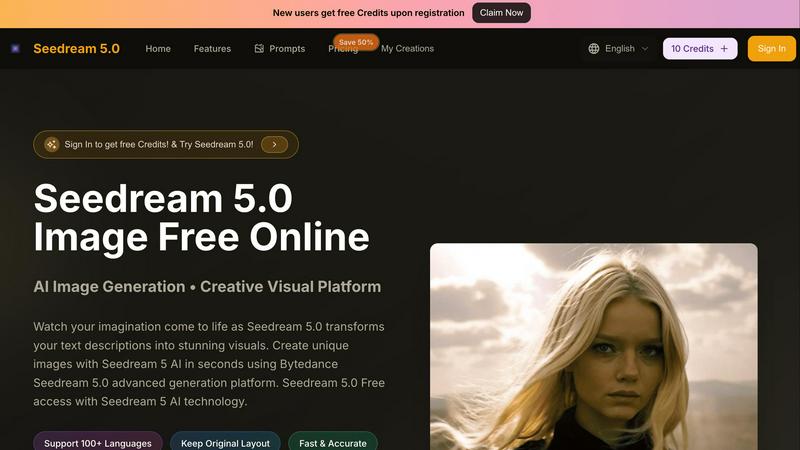
About Seedream 5.0
Forget everything you thought you knew about AI image generation. Seedream 5.0 isn't just another tool; it's your personal reality-bending engine, powered by the heavyweight tech of Bytedance. This is where your wildest text descriptions get a one-way ticket to becoming jaw-dropping, high-res visuals. No skills, no waiting, no cap. Whether you're a content creator chasing the next viral graphic, a marketer needing instant ad magic, or just someone with a killer idea trapped in their head, Seedream 5.0 is your launchpad. Its core value is pure, unadulterated creative freedom: describe anything in over 100 languages, hit generate, and watch as the advanced Seedream 5 AI and 4K technology cook up unique, professional-grade art in seconds. It's fast, it's accurate, and with a free tier to start, it's literally putting limitless visual creation in your pocket. This platform is for the dreamers who want to build, the builders who need to dream, and anyone ready to skip the learning curve and go straight to making fire.
Features of Seedream 5.0
Instant AI Image Generation
Seedream 5.0 offers lightning-fast AI image generation, allowing you to transform simple text prompts into stunning visuals in seconds. No need for complex design skills or software. Just type your idea, and watch it come to life effortlessly.
Multilingual Support
With support for over 100 languages, Seedream 5.0 breaks down barriers and allows users from different backgrounds to express their creative visions. Whether you're describing a tranquil sunset or a bustling cityscape, Seedream 5.0 understands you, no matter your language.
High-Resolution Output
Experience the magic of 4K resolution with Seedream 5.0. Every image generated is not just unique but also of professional quality, making it perfect for everything from social media posts to marketing campaigns. Quality visuals have never been so accessible.
User-Friendly Interface
Seedream 5.0 features an intuitive and streamlined interface that makes it easy for anyone to navigate. Whether you're uploading an existing image to edit or generating new art from scratch, the seamless workflow ensures a frustration-free creative process.
Use Cases of Seedream 5.0
Social Media Content Creation
Content creators can leverage Seedream 5.0 to generate eye-catching visuals that grab attention on platforms like Instagram and TikTok. With just a few words, you can create stunning graphics that elevate your brand's presence online.
Marketing Campaigns
Marketers needing quick, high-quality visuals for ads and promotions can rely on Seedream 5.0. The ability to generate unique images on demand means you can adapt your strategy and create compelling content that resonates with your audience instantly.
Personal Projects and Gifts
Whether you're crafting a unique gift for a friend or creating personal artwork for your home, Seedream 5.0 allows you to bring your ideas to life. Just describe your vision, and within seconds, you have a custom piece of art ready to share or display.
Concept Art and Prototyping
Designers and artists can use Seedream 5.0 to quickly visualize concepts and ideas. The rapid generation of images allows for effective brainstorming and prototyping, making it a perfect tool for anyone in the creative industry looking to innovate.
Frequently Asked Questions
How does Seedream 5.0 work?
Seedream 5.0 uses advanced AI algorithms to interpret your text descriptions and generate high-quality images. Simply input your desired prompts, and the AI takes care of the rest, producing visuals in seconds.
Is there a cost to use Seedream 5.0?
Seedream 5.0 offers a free tier for users to explore its capabilities. For those looking for more features, premium plans are available, providing additional credits and enhanced functionalities.
Can I edit images after generating them?
Absolutely! Seedream 5.0 includes an integrated editor that allows you to refine and modify your generated images. This feature ensures that you can get the perfect look for your visuals.
What formats does Seedream 5.0 support for uploads?
You can upload images in JPG, PNG, and WEBP formats, with a maximum file size of 10MB. This flexibility allows you to work with various types of images while creating your masterpieces.
Similar to Seedream 5.0

Budgetpixel AI
Create and edit AI images, videos, music, and designs in one workspace, with multiple models, reusable characters, and API access.

Try OC Maker
Create OCs from text or images, customize their look, and turn them into animated videos with AI.

Turbotools
Free online web tools: PDF converter, image compressor, word counter, text reverse, JSON formatter & generator. 100% free with no sign-ups!

Artcraft AI
AI image and video studio in your browser: generate and edit images, turn photos into videos, edit clips by sentence.

ImageGenerator
Create and edit AI images online with multiple models, text-to-image, image-to-image, background removal, and upscaling.

pixelartcolorbynumber
Turn any photo into a custom Pixel Color by Number page in seconds. Choose your grid size and color palette, color online in your browser, or downloa

AIPetGen
AIPetGen turns a photo of your dog, cat, or other pet, or a written description, into a new picture or a short animation.

Contact Sheets Maker
Create professional contact sheets from your images in just a few clicks.