

OrderPost
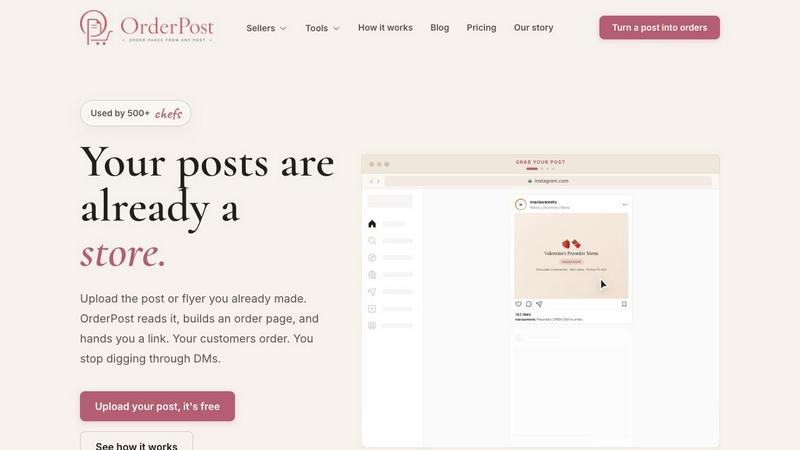
Upload your social post and get a live order page instantly no store setup, no DMs, just orders.
About OrderPost
OrderPost is the savage shortcut every meal prepper, baker, and side-hustler has been waiting for. It is a no-code, no-hassle platform that turns your existing social media posts, flyers, or screenshots into a fully functional order page in under 60 seconds. No store setup. No catalog building. No product photography. No digging through endless DMs to figure out who wants what. You already made the post. You already did the work. OrderPost reads that post using advanced AI-powered OCR (optical character recognition) to extract every item, price, pickup window, and seller detail automatically. It then builds a clean, mobile-friendly order page that you can tweak, customize, and publish with a single click. The target audience is anyone selling food or goods through social media: meal preppers, home bakers, small-batch sellers, cottage food operators, and pop-up vendors. They are tired of manual order management and chaotic DMs. OrderPost gives them a professional storefront that matches the effort they already put into their marketing. The main value proposition is speed and simplicity. You upload a post you already made, review the details we extracted, customize the flow, and share the link. Your customers order instantly. You stop chasing messages. You stop losing sales. It is the fastest way to go from post to profit, and it is built for people who want to sell, not code.
Features of OrderPost
AI-Powered OCR Extraction
OrderPost uses cutting-edge OCR technology to scan your uploaded image and automatically identify every critical piece of information. It reads item names, prices, pickup dates, and seller handles from your Instagram posts, Facebook photos, story screenshots, or even paper flyers. This is not a simple text grab. The AI verifies its own extraction logic to ensure accuracy, flagging anything that looks off or missing. It can distinguish between a product name and a price, a pickup window and a decorative caption, and a seller name and a hashtag. The result is a near-perfect first draft of your order page, ready for your final review. This saves you from manually typing out every single detail, which is the biggest time suck of traditional store setup.
Instant Order Page Generation
Once the AI has extracted your data, OrderPost instantly generates a fully styled, mobile-optimized order page. You get a unique, shareable link that you can post in your bio, send to customers, or add to your stories. The page includes every item with its price, a clear pickup or delivery schedule, and a simple order button. Customers can browse, select quantities, and submit their order without ever leaving the page. There is no complex checkout flow, no account creation required, and no confusing navigation. It is a one-page wonder built for speed. The page is live in seconds, not hours. You can edit the page anytime, but the initial generation is instantaneous, giving you a professional storefront before your coffee finishes brewing.
Customizable Order Flow and Settings
OrderPost does not lock you into a rigid template. After the AI extracts your data, you enter a powerful customization screen where you have full control. You can adjust prices, add or remove items, set pickup windows, and configure your preferred order mode. Choose from three distinct flows: Drop mode for limited-quantity, first-come-first-served drops; Instant mode for immediate confirmation; or Request mode where you approve each order manually. You can also require deposits, set the exact deposit amount, and add custom questions for customers, like "Cake message?" or "Any allergies?" Every detail is editable, and nothing goes live until you hit publish. This flexibility ensures your page matches your specific business model, whether you are running a weekly meal prep drop or a holiday preorder event.
Unified Dashboard for Orders and Analytics
After your page is live and orders start rolling in, OrderPost provides a clean, centralized dashboard to manage everything. The Orders tab shows every incoming order with customer details, item selections, pickup times, and any custom answers. You can mark orders as fulfilled, message customers, or cancel orders directly from the dashboard. The Analytics tab gives you real-time data on page views, order volume, popular items, and revenue. You can see exactly which products are selling out and which pickup windows are most popular. This data is invaluable for planning future drops and optimizing your menu. The Settings tab lets you update your store name, payment preferences, and shipping or pickup details at any time. It is a complete back office for your micro-business, all from the same tool that built your store.
Use Cases of OrderPost
Meal Prep Sellers Running Weekly Drops
Meal preppers who sell weekly batches of prepared meals can use OrderPost to turn their Sunday social media post into a live order page instantly. They upload a photo of their weekly menu with prices and pickup dates. OrderPost extracts the items and builds the page. The seller sets Drop mode to manage limited quantities, requires a deposit to secure orders, and adds a custom question asking about dietary restrictions. Customers click the link, order their meals, and the seller picks up the orders on pickup day without any DM chaos. This eliminates the manual counting and back-and-forth that kills productivity for small-scale food businesses.
Home Bakers Handling Holiday Preorders
A home baker running a Valentine's Day or Christmas preorder can upload a single Instagram post featuring their special menu. OrderPost reads the items like "Chocolate strawberries (6pc)" and "Mini heart cake" along with their prices and the preorder pickup windows. The baker then customizes the page with a deposit requirement and a question asking for the cake message. They share the link in their bio and stories. Customers order in minutes, and the baker sees exactly how many of each item to bake. No more guessing, no more lost DMs, and no more frantic spreadsheets. The entire preorder process is streamlined into one upload and one link.
Pop-Up Vendors Managing Limited Inventory
Pop-up vendors who sell at farmers markets or events can use OrderPost to create a quick order page for their next pop-up. They upload a flyer or a photo of their product lineup with prices. OrderPost extracts the details, and the vendor sets up Instant mode for immediate orders with a limited inventory count. They share the link with their followers a day before the event. Customers pre-order their items and pick them up at the pop-up. The vendor knows exactly what to bring and how much to prepare, reducing waste and ensuring they do not sell out of popular items before everyone gets a chance.
Small-Batch Sellers with Cottage Food Operations
Cottage food operators selling items like jams, sauces, or baked goods from home can use OrderPost to bypass the need for a full ecommerce website. They take a simple photo of their product list with handwritten prices and upload it. OrderPost reads the handwritten text and builds a clean order page. The seller sets Request mode so they can approve each order, ensuring they have enough stock. They add a custom question about delivery preferences. The order page becomes their sole storefront, replacing the need for a complex website or a third-party marketplace. It is a zero-cost, zero-code solution for getting their products to customers.
Frequently Asked Questions
What kind of images can I upload to OrderPost?
You can upload any image that contains text related to your products, prices, and pickup details. This includes Instagram posts and stories, Facebook photos, screenshots from your phone, paper flyers, handwritten menus, and even photos of printed signs. The AI is designed to handle a wide variety of formats and text styles. For best results, ensure the text is clear, legible, and not heavily distorted or covered by other graphics. The AI will still attempt to read messy or stylized text, but clarity improves accuracy.
How accurate is the AI extraction and can I fix mistakes?
The AI is highly accurate for standard text, but it is not perfect. It may occasionally misread a price, miss an item, or misinterpret a decorative element as text. That is why OrderPost includes a mandatory review screen before your page goes live. You can see every detail the AI found, correct any mistakes, add missing items, adjust prices, and fill in blanks. Nothing is published until you click the "Looks good" button. This human-in-the-loop approach ensures your order page is always accurate and professional, combining the speed of AI with your own knowledge of your menu.
Do my customers need to create an account to order?
No. Your customers do not need to create an account, sign up, or log in to place an order. They simply click the link you share, browse your menu, select their items, choose a pickup time, answer any custom questions, and submit their order. The process is frictionless and designed for impulse purchases. The only information they provide is their name, contact details, and order preferences, which you can see in your Orders dashboard. This low-barrier approach maximizes conversion rates, especially on social media where attention spans are short.
Can I use OrderPost for delivery instead of pickup?
Yes. OrderPost is flexible enough to handle both pickup and delivery models. When you customize your page, you can specify whether you offer pickup, delivery, or both. You can set different windows for each option and add custom questions to collect delivery addresses or special instructions. The order mode (Drop, Instant, or Request) works the same regardless of the fulfillment method. This makes OrderPost suitable for a wide range of businesses, from local bakers doing contactless pickup to meal prep services offering neighborhood delivery.
Similar to OrderPost


ChariotAds
ChariotAds is an online advertising platform connecting advertisers with publishers through flexible digital advertising campaigns.

Medrecords AI
Medical record review with cited chronologies, summaries and report drafts. Every line links to its source page. From 10 cents per deduplicated page.

EarnedBacklinks
An AI agent that finds articles that should mention your product and pitches their authors from your mailbox.

AnyRedact
Free online auto redaction tool with AI for PDFs, images, Word, PowerPoint, Excel, text and audio. Files are never stored.

Nevisible
Nevisible is an AI-sourced pipeline platform that makes suppliers readable to AI, uncovers AI-sourced buyers and tracks AI answers for manufacturers.

Zipic
Native image compression for Mac and Windows (Windows beta), with a local CLI and AI skill for automated image workflows.

ButterShare
Realtime peer-to-peer file transfer in the browser. Send files directly between devices, no account and no upload to a server.