

Glitches
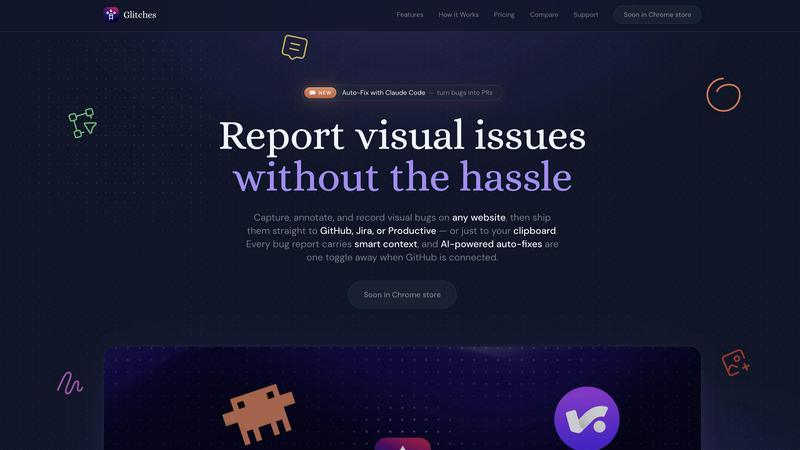
Glitches turns messy visual bugs into annotated screenshots, recordings, and instant tickets for GitHub, Jira, or Productive.
About Glitches
Glitches is a Chrome extension that turns the tedious, soul-crushing process of bug reporting into a slick, high-speed operation. It lets you capture, annotate, and record visual bugs on any website, then ship those reports straight to the tools your team already lives in: GitHub, Jira, or Productive. Forget copying and pasting screenshots into a Slack thread or writing a novel to describe what broke. With Glitches, every bug report comes packed with smart context: DOM snapshots, console errors, network failures, viewport size, browser info, and even Shopify shop data. For devs, designers, QA, PMs, and agencies, this is the missing link between "this looks wrong" and "here's the fix." The real kicker is the AI auto-fix feature. When connected to GitHub, you can toggle on Claude Code to analyze the report and the codebase, then open a pull request with a proposed fix. No more back-and-forth. No more "can you reproduce this?" Glitches is built with privacy in mind: your tokens stay on your device, and captures go only to your own workspace. White-label themes let agencies brand the experience for clients. It's free to start, just connect a token and go. This isn't just a bug reporting tool, it's a communication superpower for anyone who ships software.
Features of Glitches
Select and Highlight
Draw color-coded regions over any part of the page to pinpoint exactly what you are talking about. No more vague bug reports or ambiguous screenshots that leave devs guessing which pixel is wrong. You can layer multiple highlights on a single capture to show a sequence of issues or a complex interaction. It's the fastest way to turn a "this feels off" into a "fix this specific button."
Canvas Annotations
Go beyond simple boxes. Draw arrows, circle problem areas, add text callouts, or paste images from your clipboard directly onto the capture. Everything lands in the issue as a single, annotated image that tells the complete story. This is perfect for designers who need to communicate visual hierarchy issues or PMs who want to mock up a quick suggestion without leaving the browser.
DOM Inspector
Click any element on the page to instantly capture its HTML, CSS classes, computed dimensions, and exact selector. Developers get the precise information they need to identify and fix the bug, right inside the ticket. No more asking "which element?" or "what's the class name?" This feature bridges the gap between visual feedback and technical execution, saving hours of back-and-forth.
Auto-Fix with Claude Code
The crown jewel of Glitches. Let Claude analyze the bug report, the DOM context, and your connected codebase, then automatically open a pull request with a proposed fix. Powered by Claude Code, this feature turns a bug report into a potential solution in one click. It's not magic, it's AI doing the grunt work so your devs can focus on the hard stuff. This is the future of QA, and it's here now.
Use Cases of Glitches
Rapid Bug Triage for Development Teams
A QA engineer finds a layout break on the checkout page. They use Select to highlight the broken area, fire up the DOM Inspector to grab the element's selector, and record a 15-second screen capture with mic narration explaining the expected behavior. They ship the report to GitHub with a single click, and Claude Code analyzes the codebase to open a PR with a fix. The entire cycle, from discovery to potential solution, takes under two minutes.
Design Handoff and Visual Review
A designer is reviewing a newly built feature on a staging site. They spot a padding inconsistency and a wrong color value. Using Canvas Annotations, they draw arrows to the problem areas, add text callouts with the correct hex codes, and paste a reference image from their design tool. The annotated capture gets copied to their clipboard and pasted directly into a Figma comment or a Jira ticket, providing crystal-clear visual feedback.
Client Feedback for Agencies
An agency is presenting a Shopify storefront to a client. The client sees an issue with product image alignment on mobile. The agency can use Glitches to capture the bug, annotate it with their white-labeled theme, and file it directly into their project management system (Jira or Productive). The client sees a professional, branded bug report that requires zero explanation. No more confusing email threads or vague screenshots.
Cross-Functional Collaboration on Bug Bashes
During a company-wide bug bash, PMs, designers, and even marketing folks can all use Glitches to report issues. A PM can highlight a confusing button label, a marketer can record a broken email signup flow, and a designer can inspect the DOM to see if a font is loading correctly. Every report, regardless of who created it, lands in the same tracker with consistent, rich context. This democratizes bug reporting and ensures nothing slips through the cracks.
Frequently Asked Questions
How does Glitches handle my data and privacy?
Your tokens stay on your device and are never sent to Glitches servers. All captures, whether they are screenshots, recordings, or annotations, go directly to your own workspace in GitHub, Jira, or Productive. Glitches does not store your data on its own infrastructure. This means your bug reports are as secure as your project management tools.
Can I use Glitches without connecting a tracker?
Absolutely. Glitches offers an Annotation-only mode. You can capture, annotate, and then copy the result straight to your clipboard as a single image. This is perfect for designers, agencies, or anyone who needs to share visual feedback quickly without the overhead of a formal issue tracker. You get all the annotation tools without the integration.
Does the screen recording include audio and annotations?
Yes. You can record your screen for up to 60 seconds with optional microphone narration. You can toggle the mic on and off mid-recording. The best part is that you can keep using the Select, Canvas, and Inspect tools while the recording rolls, so every annotation you make is captured live in the video. The video embeds inline in GitHub issues and attaches to Jira and Productive tickets, playable without a download.
What integrations are currently supported?
Glitches connects directly to GitHub, Jira, and Productive. You can use one or combine them. For GitHub, you can set labels, assignees, and target branches. For Jira, you can define projects, issue types, and components. For Productive, you can assign tasks, boards, and projects. Environment data, console errors, and network state are automatically attached to every report in your chosen tracker.
Pricing of Glitches
Glitches is free to start. You simply connect a token and go. There are no upfront costs or hidden fees to begin capturing and shipping bug reports. The base functionality, including capturing, annotating, recording, and shipping to your trackers, is available from the start. For advanced features like AI auto-fixes with Claude Code, white-label themes for agencies, and workspace credential sharing for teams, Glitches offers premium tiers. Specific pricing details for these advanced plans are available on the Glitches website under the Pricing section. You can start with the free tier and upgrade as your team's needs grow.
Similar to Glitches

TrueProxies
Premium Residential & Datacenter Proxies with 15M+ IPs

Sprite Sheet Maker
A free browser-based toolkit for creating, cutting, converting, and previewing sprite sheet animations.


laya.tools
A free directory of 950+ projects built on Laya, the open-source decision model. Updated daily.

Codersera AI Agent Task Manager
A workstream per session — Claude Code, Codex, Cursor. Queue tasks, connect an agent with a copy-paste prompt

FormsPlugin
AI form builder for Framer. Generate multi-step forms with conditional logic, 30+ fields, CRM integrations, and CAPTCHA from a plain English prompt.

