Cybersecurity Readiness Game vs Website-Blocker
Side-by-side comparison to help you choose the right AI tool.

Cybersecurity Readiness Game
Level up your team's cyber skills with immersive breach simulations that sharpen decision-making and boost readiness against real threats.
Last updated: March 18, 2026

Website-Blocker
Take charge of your family's online safety with Website-Blocker, the ultimate parental control extension for a secure.
Last updated: February 26, 2026
Visual Comparison
Cybersecurity Readiness Game
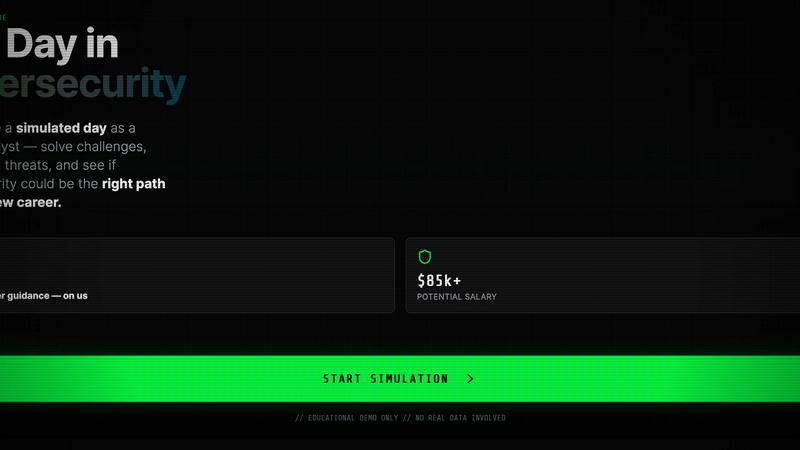
Website-Blocker

Feature Comparison
Cybersecurity Readiness Game
Real-World Scenarios
Dive into immersive, authentic scenarios that mimic actual cybersecurity threats. Experience the pressure of decision-making in real time, enhancing your ability to respond effectively to incidents.
No Registration Required
Forget tedious sign-ups and get straight to the action! This game is 100% free and requires no registration, making it accessible for anyone looking to sharpen their cybersecurity skills without barriers.
Performance Insights
Receive detailed feedback on your decisions and actions throughout the game. These performance metrics pinpoint your strengths and highlight areas for improvement, ensuring continuous growth in your cybersecurity readiness.
Scenario-Based Learning
Engage in hands-on problem-solving with scenario-based challenges. This approach not only reinforces knowledge but also builds practical skills that are essential for navigating the cybersecurity landscape.
Website-Blocker
Comprehensive Site Blocking
Website-Blocker allows you to block specific websites, categories of content, or even create custom filters tailored to your family's needs, ensuring a safe browsing experience for your kids.
Real-Time Synchronization
Once you've set your blocking rules on one device, they sync instantly across all devices linked to your account. No need for repetitive setups; your family's safety is always up to date.
User-Friendly Management Portal
The online portal and mobile app provide a sleek interface to monitor and manage your settings easily. You can view blocked sites, adjust rules, and check usage stats, all from the palm of your hand.
Customizable Alerts and Notifications
Stay informed with real-time alerts about attempted access to blocked sites. Customize notifications to ensure you know when your kids try to venture into restricted online territory.
Use Cases
Cybersecurity Readiness Game
Team Training Sessions
Use the Cybersecurity Readiness Game for team-building exercises that elevate your team's collective skills. Foster collaboration and critical thinking as team members tackle challenges together.
Individual Skill Development
Perfect for individuals looking to break into cybersecurity or advance their careers. The game provides a platform to practice decision-making skills and gain actionable insights into personal readiness.
Organizational Assessment
Organizations can leverage the game to assess their overall cybersecurity posture. Identify knowledge gaps among employees and tailor training programs to enhance readiness and resilience.
Recruitment Tool
Employers can utilize the game during the hiring process to evaluate candidates' decision-making abilities in realistic scenarios, ensuring they select individuals who can perform under pressure in the cybersecurity realm.
Website-Blocker
Protecting Young Browsers
Parents can use Website-Blocker to shield their little ones from inappropriate content, ensuring they only access age-appropriate websites that foster learning and creativity.
Reducing Digital Distractions
For older kids or teens, this tool helps eradicate distracting sites that lead them away from homework or productive activities, promoting a balanced approach to screen time.
Instilling Healthy Online Habits
Website-Blocker is perfect for parents looking to establish consistent and healthy screen time limits for their children, helping to create a structured digital routine.
Monitoring Online Activities
With all settings easily accessible, parents can regularly check and adjust what their children can access online, ensuring peace of mind while they surf the web.
Overview
About Cybersecurity Readiness Game
Step into the heat of the moment with the Cybersecurity Readiness Game, the ultimate training tool for aspiring and seasoned cybersecurity professionals alike! This cutting-edge simulation drops you into real-world threat scenarios, allowing you to make critical decisions that could mean the difference between safeguarding data and facing a breach. No registration? No problem! Just jump right in and engage with authentic challenges designed to shake off complacency. Analyze your choices and their impacts while gaining clear performance insights that guide your growth. This game is not just about theory; it's about closing the human error gap, honing vital skills, and gaining a practical understanding of your cybersecurity readiness status. With cybercrime costs projected to hit a staggering $10.5 trillion annually, this tool is your frontline defense against the evolving landscape of digital threats. Get ready to empower your team and elevate your organization's resilience!
About Website-Blocker
Website-Blocker is your ultimate digital bodyguard against the chaotic web, designed specifically for parents who refuse to compromise on their family's online safety. This powerful Chrome extension isn’t just a tool; it’s a game-changer, allowing you to take total control over the online environment your kids navigate every day. Forget about merely blocking a few undesirable sites; Website-Blocker empowers you to create a comprehensive digital landscape that promotes healthy browsing habits. Whether you're shielding your children from inappropriate content, banishing time-wasting distractions, or establishing solid screen time routines, this extension is your tech-savvy ally. It combines robust local browser capabilities with cloud-based synchronization, ensuring your protective measures are consistent across all devices in real time. With a sleek Progressive Web App (PWA) and an intuitive online portal, managing your family's digital safety has never been easier. Transform online anxiety into unshakeable peace of mind with Website-Blocker as your command center.
Frequently Asked Questions
Cybersecurity Readiness Game FAQ
What is cybersecurity readiness?
Cybersecurity readiness refers to an organization’s ability to prepare for, respond to, and recover from cyber threats. It encompasses training, awareness, and incident response strategies.
Why is cybersecurity readiness important?
With global cybercrime costs projected to soar, robust cybersecurity readiness mitigates risks and limits potential financial losses, protecting both data and reputation.
How can I start using the Cybersecurity Readiness Game?
Simply choose a scenario and begin your assessment session. No registration is needed, allowing you to dive right into the action and start learning!
What skills can I develop through this game?
Participants enhance decision-making, strategic thinking, and risk assessment skills. The practical experience gained prepares you for real-world cybersecurity challenges, making you more effective in your role.
Website-Blocker FAQ
How does Website-Blocker work?
Website-Blocker functions as a Chrome extension that allows you to block specific websites or categories of content. It syncs across all devices to maintain the same rules everywhere.
Can I customize the blocking rules?
Absolutely! You can create custom filters based on specific sites or categories, tailoring the online experience to fit your family's unique needs and values.
Is there a mobile app for managing settings?
Yes! Website-Blocker offers a user-friendly mobile app that allows parents to manage settings and monitor online activities directly from their smartphones.
What happens if my child tries to access a blocked site?
If a blocked site is attempted, you will receive an instant notification, allowing you to stay informed about your child's online activity and adjust settings if necessary.
Alternatives
Cybersecurity Readiness Game Alternatives
In the realm of cybersecurity training, the Cybersecurity Readiness Game stands tall as an innovative tool that immerses users in the heart of real-world threat scenarios. This experience belongs to the Productivity & Management category, specifically designed to sharpen decision-making skills during potential breaches. Users often scout for alternatives driven by factors like pricing, unique features, or specific platform requirements that better align with their team's needs. When searching for an alternative, look for solutions that deliver engaging simulations, actionable insights, and the ability to adapt to your organization’s specific cybersecurity challenges.
Website-Blocker Alternatives
Website-Blocker is your ultimate digital shield, designed to give parents the upper hand in managing their kids' online experiences. As a powerful Chrome extension, it falls squarely into the Productivity & Management category, combining local browser capabilities with cloud-based control to create a fortress of safety and focus. Users often seek alternatives for various reasons, including pricing, specific feature needs, or compatibility with different platforms. When hunting for a worthy alternative, consider what aspects matter most to you—whether it's the ability to customize filters, the ease of use across devices, or the robustness of parental controls. A solid alternative should empower you to build a secure and balanced digital environment for your kids, just like Website-Blocker does.