Lyria 3 Pro vs The Ultimate Piano
Side-by-side comparison to help you choose the right AI tool.

Lyria 3 Pro
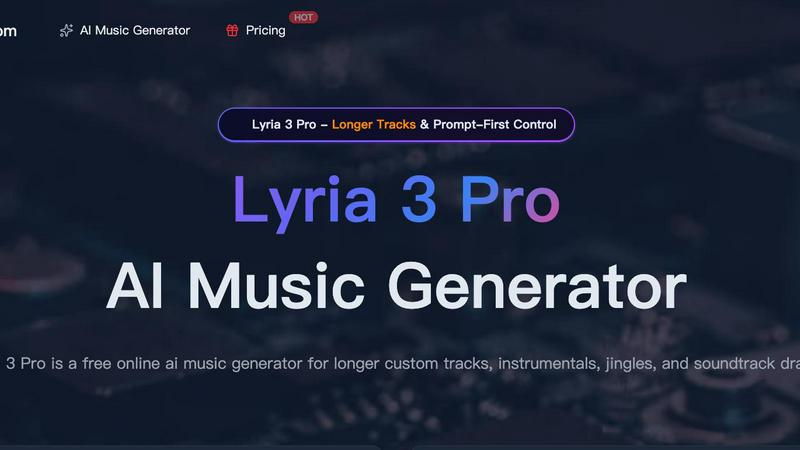
Lyria 3 Pro is your AI music studio for crafting longer, pro-level tracks with simple prompts for videos and creator content.
Last updated: April 4, 2026

The Ultimate Piano
Master piano online with insane realism, MIDI support, and AI-powered learning tools.
Last updated: March 4, 2026
Visual Comparison
Lyria 3 Pro
The Ultimate Piano

Feature Comparison
Lyria 3 Pro
Prompt-First Control Engine
This is your direct line to the AI's brain. Ditch vague ideas and speak its language: genre, mood, specific instruments, BPM, key, and even structure labels like [intro] or [chorus]. The more concrete your brief, the harder Lyria 3 Pro slaps, delivering a track that lands precisely where your imagination pointed. It’s about precision, not guesswork, giving you unparalleled creative control over the final output.
Longer, Structured Track Generation
Tired of AI music that just loops and dies? Lyria 3 Pro builds real songs. We're talking tracks up to three minutes with proper intros, verses, choruses, bridges, and endings. This is for when you need a film score draft, a full background piece, or a song structure that actually feels complete and dynamic, not just a repetitive sketch.
Visual Inspiration Input
Stuck for a vibe? Upload up to 10 images to guide the AI. Whether it's cover art inspiration, a color palette, or just a mood board, Lyria 3 Pro uses those visuals to influence the overall feel, tone, and texture of your generated track. It’s a next-level hack for sparking creativity and ensuring the music matches your visual project’s aesthetic.
Dual-Mode Output (Instrumental & Lyrics)
Flip the switch based on your needs. Need a killer background bed for your podcast or tutorial? Go instrumental. Want a full song with vocal melodies and lyrics? Switch to lyric mode. This flexibility makes it the Swiss Army knife for content creation, handling everything from study session soundscapes to full-blown pop song demos.
The Ultimate Piano
Browser-Based Powerhouse
Ditch the install. Fire up your browser and you're instantly at a pro-grade digital piano with stunningly realistic sounds. Use your mouse, smash your computer keys, or plug in a real MIDI keyboard for that authentic feel. It's the zero-friction, maximum-flexibility way to play, making serious practice possible from your couch, a coffee shop, or anywhere you get the urge to create.
Intelligent Chord & Scale Dojo
This is where theory meets the streets. Play anything, and the real-time chord detection instantly names what you're laying down, unlocking the secrets of harmony as you play. Dive into the Scale Trainer with 14+ scale types—select "Blues Scale in Ab" and watch it light up the keyboard, guiding your fingers and drilling muscle memory until those complex patterns are second nature.
Multimedia Practice Fusion
Why practice in silence? Load any MP3, MIDI file, or paste a YouTube URL directly into the tool. Slow down the tempo, set A-B loops on tricky sections, and watch the falling notes on the keyboard show you exactly what to play. It's like having the ultimate practice buddy who can slow down any song, highlight every note, and help you steal those licks flawlessly.
Full Customization & Mobile Freedom
Make it yours. Change colors, note labels, key ranges, and even whitelabel the splash screen. Then, take your personalized piano on the go—it's fully optimized for tablets and smartphones with touch support. Connect a sustain pedal via MIDI for expressive playing, and use the metronome with speed training to lock in your timing, anywhere in the world.
Use Cases
Lyria 3 Pro
Video & Content Creator Soundtracks
You're editing a vlog, a reel, or a tutorial and need a unique, copyright-free track that matches the pace and emotion of your visuals. Lyria 3 Pro lets you generate a custom, polished soundtrack in minutes—no more digging through generic libraries. Get the perfect energetic intro or melancholic background bed tailored to your content.
Songwriting & Musical Brainstorming
Hit a creative wall? Use Lyria 3 Pro as your ultimate collaborator. Feed it a prompt for a "synthwave ballad with melancholic vocals" or "upbeat funk bassline" and use the generated output as a starting point, a demo, or a source of inspiration to break through writer's block and explore new musical directions fast.
Jingle & Brand Audio Production
Small businesses and indie creators can now craft professional, memorable audio branding without a studio budget. Need a 10-second intro jingle for your podcast, a sonic logo, or background music for your website? Iterate quickly with precise prompts until you land on the perfect sound that represents your brand.
Film & Game Scoring Drafts
Indie filmmakers and game developers can prototype complex musical scores and atmospheric soundscapes. Describe the scene—"tense, orchestral, 90 BPM, creeping strings"—and Lyria 3 Pro will generate a compelling draft score. It’s perfect for pitching ideas, creating temp tracks, or building a library of thematic motifs.
The Ultimate Piano
The Bedroom Producer's Sketchpad
Got a fire melody in your head at 2 AM? Boot up Ultimate Piano, connect your MIDI keyboard, and capture it instantly with the built-in MIDI recorder. Use the chord explorer to find the perfect harmonic vibe and the audio player to jam over a beat. It's the fastest way to go from idea to a downloadable MIDI file, no massive DAW required.
The Music Student's Theory Gym
Struggling to connect scales to the actual keyboard? Visualize them in real-time with the Scale Trainer. Need to train your ears for that upcoming exam? Hit the dedicated ear training module for intervals and chords. Watch your own playing appear on a grand staff in the sheet music display, turning abstract theory into tangible, playable knowledge.
The Cover Artist's Learning Lab
Want to learn that insane piano solo from a YouTube video? Paste the link into the YouTube Player, slow it down without changing the pitch, and loop the hardest four bars. The falling notes from a loaded MIDI file of the song act as your personal guide, lighting up the keys so you can follow along and nail every single note.
The Teacher's Interactive Toolkit
Make lessons engaging and fun. For kids, switch on Kids Mode with adorable animal icons on the keys. For any student, demonstrate chords and scales with instant visualization, record their practice for review, and assign songs via MIDI files. It's a dynamic, all-in-one teaching aid that works in-person or remotely.
Overview
About Lyria 3 Pro
Forget those AI music toys that spit out generic 30-second loops. Lyria 3 Pro is the game-changer, the heavyweight champion of AI music generation built for creators who mean business. This isn't about random beats; it's about commandeering a powerful AI orchestra to bring your exact sonic vision to life, from a whisper to a full-blown symphony. Whether you're a filmmaker needing a tense score, a YouTuber crafting the perfect vlog anthem, or a marketer designing a catchy jingle, Lyria 3 Pro hands you the conductor's baton. Its core power lies in "Prompt-First Control" – you steer the AI with concrete, detailed musical language. Feed it genre, mood, BPM, key, and even timestamped section cues, and watch as it delivers longer, structurally-sound tracks that feel like complete songs, not just fragments. It's the ultimate tool for turning creative pressure into polished audio, fast.
About The Ultimate Piano
Forget clunky downloads and boring practice routines. The Ultimate Piano is your all-access pass to leveling up your music game, straight from your browser. This isn't just another virtual keyboard; it's a full-blown, dojo for pianists and producers who want to shred, learn, and create without limits. Whether you're a total newbie trying to decode your first chord or a seasoned player looking to dissect a complex solo, this platform has your back. Connect your MIDI controller, plug in your headphones, and dive into a world where real-time chord detection spells out the magic you're making, a scale trainer drills your technique, and an ear training module fine-tunes your musical intuition. Practice alongside your favorite tracks or YouTube tutorials, watch notes fall in real-time from MIDI files, and capture every moment of genius with the built-in recorder. It’s the ultimate fusion of music theory visualization and hands-on, gritty practice—all wrapped in a sleek, customizable interface that works anywhere, anytime. No excuses, just progress.
Frequently Asked Questions
Lyria 3 Pro FAQ
What makes Lyria 3 Pro different from other AI music generators?
Most AI music tools are loop machines. Lyria 3 Pro is a song architect. The difference is in longer, structurally complete tracks and our "Prompt-First Control" system. We prioritize your detailed direction—genre, BPM, structure—to give you cleaner, more usable results that feel like real songs, not just repetitive snippets. It's built for practical creator workflows.
Do I need to be a musician to use Lyria 3 Pro?
Absolutely not. The intuitive interface is designed for everyone. If you can describe the music you hear in your head (e.g., "chill lofi beat with piano and rain sounds at 70 BPM"), you can create it. It democratizes music production. For pros, the advanced controls offer the depth needed for serious projects.
Can I use the music I generate for commercial projects?
Yes, but pay attention to the tiers. The platform starts with free credits for testing. When you move into production and need tracks for commercial use—like in videos you monetize or client work—you'll need to upgrade to a paid plan that includes the appropriate commercial licensing. Always check the specific terms of your plan.
How do I get the best results from the AI?
Talk to it like a bandmate. Use clear, concrete musical language. Instead of "a happy song," try "upbeat 120 BPM pop punk with distorted guitars and a driving drum line." Reference genres, instruments, tempo (BPM), and desired song structure (e.g., "include a guitar solo at the 2-minute mark"). The better your brief, the harder the AI goes.
The Ultimate Piano FAQ
Do I need to install anything to use Ultimate Piano?
Nope, zero installs. It's a 100% browser-based tool. Just head to the website, and you're ready to play. Whether you're on a laptop, tablet, or phone, you get instant access to the full piano and all its features without downloading a single megabyte of software.
Can I connect my real MIDI keyboard?
Absolutely! This tool is built for it. Plug your MIDI keyboard in via USB, give the browser permission, and you're set. You'll get the authentic weighted-key feel controlling the premium piano sounds, and you can even connect a sustain pedal for full expressive control, just like a real piano.
What chords and scales can I learn?
You get the full spectrum. The chord detection works in real-time for whatever you play. The scale library includes all the essentials (major, minor, pentatonic) and advanced types (like blues, harmonic minor, and modes)—over 14 types in total. Select any root and type, and it's instantly visualized on the keyboard for practice.
Can I practice along with my own songs?
For sure! Use the Audio Player to upload any MP3 from your computer, or use the YouTube Player to paste in a link to any tutorial or song. You can slow down the playback, loop specific sections, and practice at your own tempo while the tool helps you figure out the key and timing.
Alternatives
Lyria 3 Pro Alternatives
Lyria 3 Pro is a heavyweight in the AI music generator scene, a tool that lets you spit out full-length tracks with just a prompt. It’s for creators who want to boss the AI around, dictating every vibe, instrument, and beat from the jump. This category is all about turning your wildest sonic ideas into reality without needing a studio full of gear. But let’s keep it a buck—no single tool is the perfect fit for every creator. Maybe the price tag has you side-eyeing your budget, or you need something that plays nicer with your specific workflow or platform. Sometimes you just wanna test the waters with a different vibe or feature set before you fully commit. When you’re scouting for other options, don’t just chase the shiny object. Get real about what you need. Crunch the numbers on pricing and subscription models. Peep the core features: can you still get that granular, prompt-first control, or is it more of a guided vibe? Check the output quality and track length, and make sure it jives with where you create, whether that’s desktop, mobile, or straight in your browser.
The Ultimate Piano Alternatives
The Ultimate Piano is that slick, browser-based practice pad for keyboard warriors and music learners. It lives in the digital dojo of online music tools and learning apps, letting you jam with MIDI, crush scales, and train your ears without any clunky downloads. It's for the pianist who wants everything in one tab. But let's keep it a buck, no single app is everyone's vibe. Maybe the price tag doesn't sing to your wallet, or you're craving features it doesn't drop. Perhaps you need a dedicated mobile app, a different teaching style, or just want to shop the scene before you commit. It's all valid. When you're scouting for other options, think about your non-negotiables. Do you need robust MIDI support or are you just keyboard mashing? Is deep music theory or just fun, instant play more your tempo? Always check the platform compatibility, the learning curve, and if the value slaps for the features you actually need.