swiftRMS vs Tickari
Side-by-side comparison to help you choose the right AI tool.

swiftRMS
Transform your safety reporting with swiftRMS, generating compliant risk assessments in just minutes for construction.
Last updated: February 26, 2026

The no-nonsense task manager that actually helps you get things done. No clutter. No complexity. Just you and your tasks.
Visual Comparison
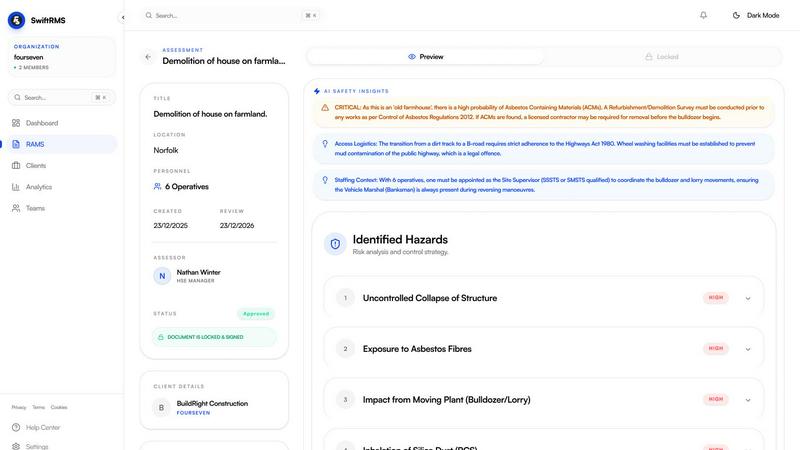
swiftRMS
Tickari

Overview
About swiftRMS
swiftRMS is the ultimate game-changer in the realm of risk assessments and method statements, specifically tailored for the construction and security sectors. Say goodbye to the tedious, time-consuming paperwork that plagues the industry. With swiftRMS, you can effortlessly transform a simple video upload or a quick outline into a comprehensive RAMS document in under five minutes. This revolutionary tool is designed with UK health and safety legislation in mind, ensuring that every generated document is compliant by automatically citing relevant laws and standards. Whether you are a site manager, a health and safety officer, or a security contractor, swiftRMS empowers you to create professional documents swiftly and efficiently. With features like version control, team collaboration, and AI-powered generation, swiftRMS eliminates the grunt work and elevates your operational efficiency, saving you both time and money while keeping your team safe and compliant.
About Tickari
Tickari is a deliberately minimal, no-nonsense task manager designed for people who are tired of overcomplicated productivity tools and just want to get things done. Instead of overwhelming you with features like complex boards, AI-generated suggestions, or endless customization, Tickari focuses on a simple, frictionless workflow: write a task, tick it off, and move on.
The product embraces a “less but better” philosophy—eliminating clutter, reducing cognitive overhead, and removing the need for onboarding tutorials or setup processes. There are no distractions, no unnecessary decisions, and no feature bloat—just a clean interface that works instantly the moment you open it. This makes it particularly effective for users who feel stuck organizing tasks instead of actually completing them.