Preuve AI vs SVG to 3D
Side-by-side comparison to help you choose the right AI tool.

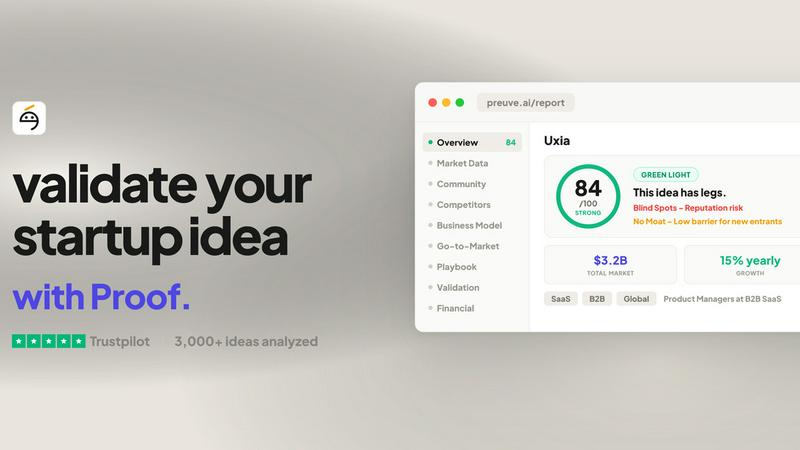
Preuve AI transforms your startup idea into a data-driven powerhouse, revealing market viability and competitive insights in just 60 seconds.
Last updated: April 4, 2026

SVG to 3D
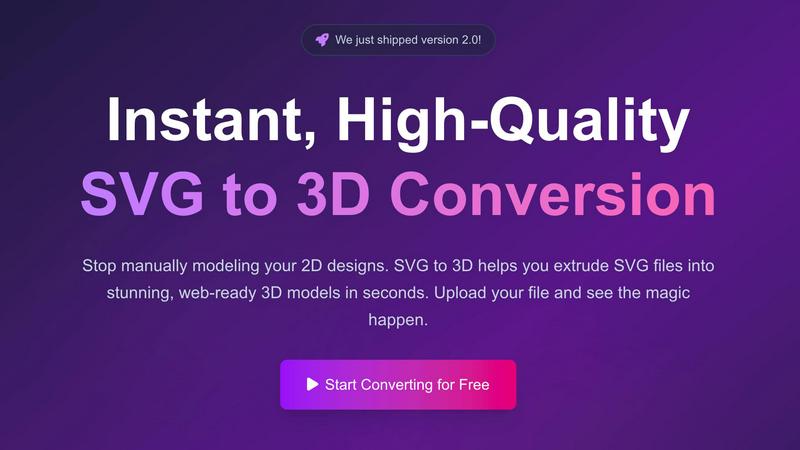
Easily transform your 2D SVG designs into stunning, web-ready 3D models in seconds with SVG to 3D's advanced tools.
Last updated: February 26, 2026
Visual Comparison
Preuve AI
SVG to 3D
Feature Comparison
Preuve AI
Rapid Viability Scanning
With a free scan that takes just 60 seconds, Preuve AI provides a quick overview of your idea's viability score and two competitor previews. This feature is designed to give founders an immediate sense of their concept's potential without the need for extensive research.
Comprehensive Founder Report
For a one-time fee of $29, the Founder Report delves deeper into the analysis with 13 detailed sections. This includes a go-to-market playbook, mapping up to 15 competitors with insights on their pricing and weaknesses, and three AI-generated pivot recommendations to refine your strategy.
Continuous Monitoring with Founder Radar
At $19 per month, the Founder Radar keeps an eye on your scanned idea even after the initial report. It provides monthly re-scans, competitor alerts for new market players or funding activities, and tracks your viability score over time, ensuring you stay ahead of the curve.
Multi-Idea Management with Builder
For $49 per month, the Builder plan allows you to monitor up to five ideas simultaneously and conduct three new scans each month. This is perfect for serial entrepreneurs or teams exploring multiple concepts, giving them the flexibility to pivot as needed.
SVG to 3D
One-Click to GLB for the Web
Exporting your designs has never been easier. With just one click, you can generate lightweight, web-ready GLB files that are perfect for Three.js or React Three Fiber projects. This feature is a dream for web developers, allowing you to add that extra 3D flair to your websites without the usual headaches.
3D-Print Ready
Don’t just stop at digital; take your creations into the physical world! SVG to 3D supports clean STL exports, ensuring that your designs are fully optimized for 3D printing. This means you can turn your logos, art, and custom parts into tangible objects without needing complex CAD software.
Modeling in the Browser
Why limit yourself to simple extrusion? Our browser-based tool allows you to adjust thickness, add complex bevels, and apply realistic PBR materials right before your eyes. You can see all adjustments in real-time, making the modeling process intuitive and engaging.
Developer-Friendly Exports
Flexibility is key, and SVG to 3D has got you covered. Export your models in multiple formats such as GLB, GLTF, OBJ, and STL, all while ensuring clean and optimized geometry. This feature guarantees seamless integration with popular 3D frameworks and engines, making it easier than ever to incorporate your designs into various applications.
Use Cases
Preuve AI
Startup Founders Seeking Validation
Entrepreneurs can use Preuve AI to validate their startup ideas before investing significant resources. By receiving a viability score and competitor analysis, they can make informed decisions on whether to move forward or pivot.
Investors Evaluating Opportunities
Venture capitalists and angel investors can leverage Preuve AI to assess the attractiveness of potential investments. The comprehensive reports provide critical insights into market demand and competitive landscapes, allowing for smarter investment choices.
Business Students and Researchers
Students studying entrepreneurship can utilize Preuve AI as a learning tool to understand market dynamics and validation processes. It serves as a practical application of their theoretical knowledge, preparing them for real-world challenges.
Companies Exploring New Markets
Established companies looking to launch new products or services can benefit from Preuve AI's detailed market insights. By identifying demand signals and competitor weaknesses, they can strategically position themselves in the market for greater success.
SVG to 3D
Create Interactive 3D Logos and Icons for Web
Elevate your online presence and impress your audience by converting SVG icons into interactive 3D models. With SVG to 3D, you can create eye-catching visuals that enhance user experience and engagement on your websites.
Transform 2D Designs into Physical Objects
Bring your digital creations into the real world through 3D printing. Our tool streamlines the process by allowing users to convert SVG files into STL format, making it easy to fabricate everything from art pieces to custom parts without the need for cumbersome software.
Enhance UI/UX Presentations
Make your designs pop with depth and realism by using SVG to 3D for UI/UX mockups. You can quickly transform flat designs into engaging 3D models that impress clients and stakeholders, showcasing your creative vision in an innovative way.
Rapid Prototyping for Designers
Speed up your design process by using SVG to 3D for rapid prototyping. Whether you’re working on branding, product designs, or interactive elements, you can quickly generate and iterate on 3D models, allowing for more efficient workflows and timely project deliveries.
Overview
About Preuve AI
Preuve AI, previously known as Test Your Idea, is a cutting-edge startup validation tool designed to empower entrepreneurs and innovators. It takes your wildest business ideas and puts them through a rigorous analysis using advanced AI technology. By simply describing your concept in layman's terms, Preuve AI deploys 10 specialized AI agents that scour over 40 live data sources to generate a comprehensive viability report in less than five minutes. This tool is perfect for founders, startups, and anyone looking to assess the potential of their ideas without the usual exhaustive market research. The main value proposition? To help you avoid the costly mistakes that lead to startup failures, giving you data-driven insights about competitor landscapes, market demand, pricing benchmarks, and much more, all backed by sourced data. With over 3,500 ideas already analyzed across 13 industries, Preuve AI is the go-to platform for smart, savvy entrepreneurs ready to take their ideas from concept to reality.
About SVG to 3D
Welcome to SVG to 3D, the ultimate game-changer for designers and developers looking to elevate their creative projects! This innovative tool takes your 2D SVG vector graphics and transforms them into stunning, high-quality 3D models in a flash. Say goodbye to the hassle of heavyweight software like Blender or C4D just to extrude a logo or icon. Our solution is tailored for web developers, designers, and 3D printing enthusiasts who crave speed and efficiency without sacrificing quality. With SVG to 3D, you can upload your SVG files, fine-tune every detail with a few clicks, and download them as web-optimized formats, ready to rock your projects. Whether it’s for interactive web designs, 3D printing, or UI/UX presentations, SVG to 3D is here to streamline your workflow and unleash your creativity.
Frequently Asked Questions
Preuve AI FAQ
How accurate is the viability score provided by Preuve AI?
The viability score is generated based on a combination of data from over 40 live sources, ensuring a comprehensive analysis. While no tool can guarantee success, the score is a reliable indicator based on current market conditions and competitive analysis.
Can I use Preuve AI for multiple ideas?
Yes! With the Builder plan, you can monitor up to five ideas simultaneously and conduct three new scans each month. This is ideal for entrepreneurs exploring various concepts.
What happens if I don't get the results I expected?
Preuve AI offers a 14-day money-back guarantee on the Founder Report. If the insights do not meet your expectations, you can request a refund within this period, no questions asked.
Is Preuve AI suitable for all types of business ideas?
Absolutely! Preuve AI is designed for a wide range of business concepts, whether they are SaaS, retail, services, or marketplaces. Just paste your idea, and the AI agents will do the rest.
SVG to 3D FAQ
How do I convert my SVG file to 3D?
To convert your SVG file, simply upload it to the SVG to 3D tool. From there, you can adjust the 3D settings such as thickness and bevels, and preview the changes in real-time. Once satisfied, download your model in your desired format.
What file formats can I export my 3D model to?
SVG to 3D allows you to export your models in multiple formats, including GLB, GLTF, OBJ, and STL. This flexibility ensures that your designs can be used in various applications, whether for web development or 3D printing.
Is there a limit on the file size I can upload?
Yes, you can upload SVG files up to a maximum size of 5 MB. This limit ensures optimal processing speed and performance while maintaining high-quality output for your 3D models.
Is my data secure when using SVG to 3D?
Absolutely! Your files are processed locally in your browser when possible, meaning your designs remain private and secure. We prioritize your privacy and do not upload your files to external servers, safeguarding your creative work.
Alternatives
Preuve AI Alternatives
Preuve AI is your go-to tool for validating startup ideas with real data instead of mere opinions. This innovative platform falls under the categories of AI Assistants, Business Intelligence, and Productivity & Management. Users flock to this service to gain insights quickly, but they often seek alternatives for various reasons, including pricing structures, feature sets, or specific platform needs that better align with their unique workflows. When hunting for an alternative, consider factors like the comprehensiveness of data sources, the speed of report generation, and overall user experience. It’s essential to find a platform that not only meets your budget but also delivers actionable insights tailored to the specific requirements of your project or industry.
SVG to 3D Alternatives
SVG to 3D is a cutting-edge tool that transforms your 2D designs into stunning 3D models, revolutionizing how designers and developers approach graphics. As part of the AI Assistants category, it tackles the hassle of using heavyweight software like Blender or C4D, making 3D modeling accessible and efficient for everyone. Users often seek alternatives due to factors like pricing, specific feature sets, or compatibility with their existing platforms. When searching for an alternative, consider the ease of use, export options, and how well it integrates with your workflow. The ideal solution should not only meet your technical needs but also enhance your creative process.