AssiPilot vs SVG to 3D
Side-by-side comparison to help you choose the right AI tool.

AssiPilot
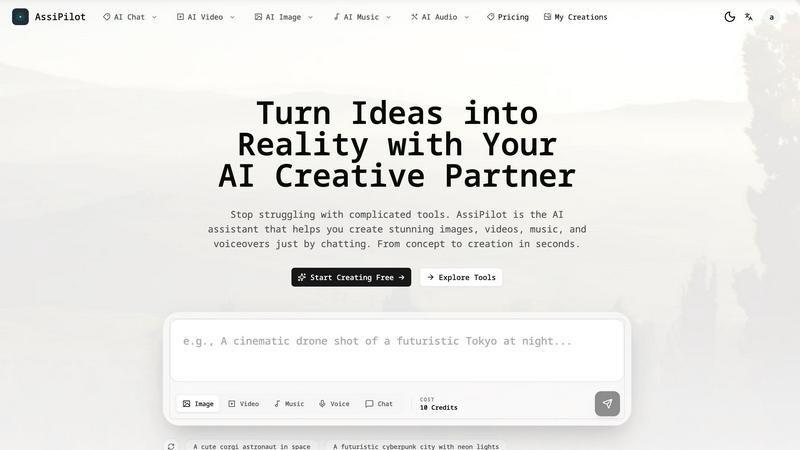
AssiPilot is your AI creative partner that instantly generates images, videos, music, and voice just by chatting.
Last updated: March 11, 2026
SVG to 3D
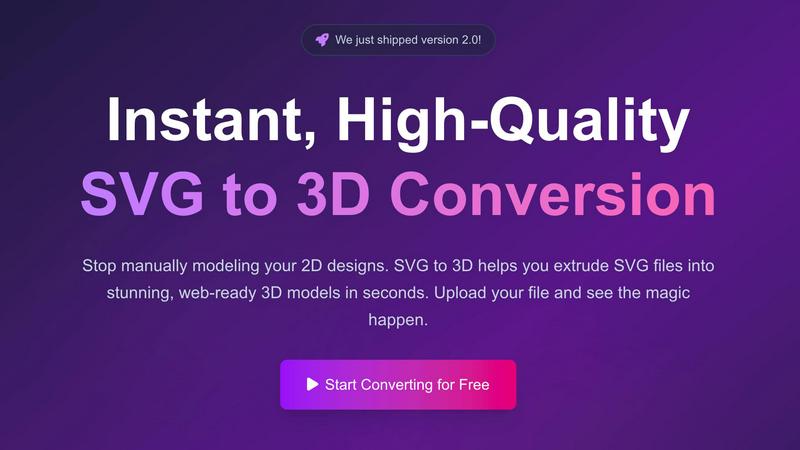
Easily transform your 2D SVG designs into stunning, web-ready 3D models in seconds with SVG to 3D's advanced tools.
Last updated: February 26, 2026
Visual Comparison
AssiPilot
SVG to 3D
Feature Comparison
AssiPilot
Unified AI Creative Suite
Ditch the subscription chaos. AssiPilot is your mission control for generative AI, packing professional-grade image, video, music, and voice generation into one slick platform. It intelligently routes your requests to the best-in-class models, so you get top-tier results without ever needing to know which engine is powering your masterpiece. Seamlessly move assets between tools—turn a generated image into a video scene, then add a custom voiceover and soundtrack.
Chat-First, Intuitive Workflow
Forget mastering cryptic prompt syntax. With AssiPilot, you just chat. Start with a simple idea like "I need a video for my travel vlog" and let the AI guide you. Refine your vision through conversation, asking for changes like "make it brighter" or "add more suspenseful music." It’s like having a creative partner who never sleeps, turning vague concepts into polished, production-ready assets in minutes.
Full Commercial Rights & HD Export
Everything you create is yours, period. AssiPilot grants you 100% commercial ownership, so you can confidently use generated content for client projects, monetized YouTube channels, or global ad campaigns. Export your work in stunning high-definition—videos in crisp 1080p or 4K and high-res images perfect for print or digital displays, ensuring your creations look pro everywhere.
Smart Cloud Gallery & Organization
Your creative vault, automatically organized. Every image, video, audio track, and voiceover you generate is instantly saved to your personal cloud gallery. Access your entire portfolio from any device, redownload assets anytime, and keep your workflow clutter-free. Never lose a creation again and manage all your projects from one centralized, searchable hub.
SVG to 3D
One-Click to GLB for the Web
Exporting your designs has never been easier. With just one click, you can generate lightweight, web-ready GLB files that are perfect for Three.js or React Three Fiber projects. This feature is a dream for web developers, allowing you to add that extra 3D flair to your websites without the usual headaches.
3D-Print Ready
Don’t just stop at digital; take your creations into the physical world! SVG to 3D supports clean STL exports, ensuring that your designs are fully optimized for 3D printing. This means you can turn your logos, art, and custom parts into tangible objects without needing complex CAD software.
Modeling in the Browser
Why limit yourself to simple extrusion? Our browser-based tool allows you to adjust thickness, add complex bevels, and apply realistic PBR materials right before your eyes. You can see all adjustments in real-time, making the modeling process intuitive and engaging.
Developer-Friendly Exports
Flexibility is key, and SVG to 3D has got you covered. Export your models in multiple formats such as GLB, GLTF, OBJ, and STL, all while ensuring clean and optimized geometry. This feature guarantees seamless integration with popular 3D frameworks and engines, making it easier than ever to incorporate your designs into various applications.
Use Cases
AssiPilot
Rapid Prototyping for Indie Products
Indie hackers and SaaS founders can instantly generate logo concepts, app interface mockups, and feature explainer videos just by describing their vision. Test marketing angles and create landing page visuals in hours, not weeks, allowing for lightning-fast iteration and validation before a single line of code is finalized.
Dynamic Content for Social Media
Content creators and influencers can pump out a week's worth of engaging content in an afternoon. Generate eye-catching thumbnails, short-form video clips for Reels/TikTok, custom background scores, and even voiceovers for narration—all tailored to the latest trends and your unique brand aesthetic.
Agile Marketing & Ad Creative Testing
Marketing teams can move at the speed of culture. Quickly brainstorm, generate, and A/B test dozens of ad variations—different visuals, video hooks, and audio cues—without blowing the budget on expensive production agencies. Instantly see what resonates with your audience and optimize campaigns in real-time.
Professional Media Production
Podcasters, educators, and small studios can produce high-quality audio and video content without a sound booth or film crew. Create realistic voiceovers in multiple languages and emotions, compose unique, royalty-free intro music and sound effects, and generate B-roll or illustrative video segments to elevate any project.
SVG to 3D
Create Interactive 3D Logos and Icons for Web
Elevate your online presence and impress your audience by converting SVG icons into interactive 3D models. With SVG to 3D, you can create eye-catching visuals that enhance user experience and engagement on your websites.
Transform 2D Designs into Physical Objects
Bring your digital creations into the real world through 3D printing. Our tool streamlines the process by allowing users to convert SVG files into STL format, making it easy to fabricate everything from art pieces to custom parts without the need for cumbersome software.
Enhance UI/UX Presentations
Make your designs pop with depth and realism by using SVG to 3D for UI/UX mockups. You can quickly transform flat designs into engaging 3D models that impress clients and stakeholders, showcasing your creative vision in an innovative way.
Rapid Prototyping for Designers
Speed up your design process by using SVG to 3D for rapid prototyping. Whether you’re working on branding, product designs, or interactive elements, you can quickly generate and iterate on 3D models, allowing for more efficient workflows and timely project deliveries.
Overview
About AssiPilot
Tired of juggling a dozen different apps just to make a single video? Welcome to AssiPilot, your new AI creative co-pilot. This isn't just another tool; it's your all-in-one creative studio that obliterates the barrier between your wildest ideas and jaw-dropping reality. Simply chat with it in plain English—no complicated prompts, no steep learning curves. Need a slick demo video, a viral social clip, a banging soundtrack, or a professional voiceover? AssiPilot handles it all in one seamless, browser-based workflow. It’s built for the movers and shakers: indie hackers bootstrapping the next big thing, SaaS founders crafting killer demos, content creators pumping out fire daily, and marketers who need to test ad concepts at the speed of light. By consolidating the world's top AI models (think Flux for images, Kling for video, ElevenLabs for voice) into a single command center, AssiPilot slashes production time and costs, letting you focus on what actually matters—building and promoting your digital empire. Stop switching tabs and start creating.
About SVG to 3D
Welcome to SVG to 3D, the ultimate game-changer for designers and developers looking to elevate their creative projects! This innovative tool takes your 2D SVG vector graphics and transforms them into stunning, high-quality 3D models in a flash. Say goodbye to the hassle of heavyweight software like Blender or C4D just to extrude a logo or icon. Our solution is tailored for web developers, designers, and 3D printing enthusiasts who crave speed and efficiency without sacrificing quality. With SVG to 3D, you can upload your SVG files, fine-tune every detail with a few clicks, and download them as web-optimized formats, ready to rock your projects. Whether it’s for interactive web designs, 3D printing, or UI/UX presentations, SVG to 3D is here to streamline your workflow and unleash your creativity.
Frequently Asked Questions
AssiPilot FAQ
What can I actually create with AssiPilot?
You can create virtually any digital media asset: photorealistic images and art, promotional and social media videos, human-like voiceovers in various languages and tones, and original music tracks or sound effects. It's designed for marketing visuals, product demos, social content, podcasts, and more—all from text or chat descriptions.
Do I own the content I generate?
Absolutely. You retain 100% commercial rights to all assets you create on AssiPilot. You are free to use them in client work, commercial projects, monetized platforms, and advertising campaigns without any attribution or licensing fees.
How does the "chat" interface work?
Instead of writing technical prompts, you interact with AssiPilot like a colleague. Describe what you want in simple language (e.g., "a cyberpunk cityscape at night"). The AI will ask clarifying questions if needed and handle the complex prompt engineering behind the scenes, delivering results you can then refine through further conversation.
What AI models does AssiPilot use?
AssiPilot aggregates top-tier models to give you the best output for each task. This includes state-of-the-art models for image generation (like Flux), video creation (like Kling), voice synthesis (like ElevenLabs), and music generation. The platform constantly updates to integrate the latest and most powerful AI technologies available.
SVG to 3D FAQ
How do I convert my SVG file to 3D?
To convert your SVG file, simply upload it to the SVG to 3D tool. From there, you can adjust the 3D settings such as thickness and bevels, and preview the changes in real-time. Once satisfied, download your model in your desired format.
What file formats can I export my 3D model to?
SVG to 3D allows you to export your models in multiple formats, including GLB, GLTF, OBJ, and STL. This flexibility ensures that your designs can be used in various applications, whether for web development or 3D printing.
Is there a limit on the file size I can upload?
Yes, you can upload SVG files up to a maximum size of 5 MB. This limit ensures optimal processing speed and performance while maintaining high-quality output for your 3D models.
Is my data secure when using SVG to 3D?
Absolutely! Your files are processed locally in your browser when possible, meaning your designs remain private and secure. We prioritize your privacy and do not upload your files to external servers, safeguarding your creative work.
Alternatives
AssiPilot Alternatives
AssiPilot is your all-in-one AI creative suite, a powerhouse for generating images, videos, music, and voice from simple text prompts. It's the ultimate wingman for creators who want to ditch the app-hopping chaos and build their entire vibe in one streamlined workflow. Even the dopest tools aren't a perfect fit for everyone. Maybe the pricing model doesn't vibe with your bootstrapped budget, or you need a specific feature that's still in beta. Some users might be locked into another ecosystem, or they're just hunting for a different flavor of AI magic to match their unique creative process. When scouting for a different solution, keep your non-negotiables front and center. Crunch the numbers on value versus cost, scrutinize the quality and limits of the AI outputs, and test the workflow to see if it actually speeds you up or just adds new headaches. The goal is finding a tool that amplifies your hustle, not complicates it.
SVG to 3D Alternatives
SVG to 3D is a cutting-edge tool that transforms your 2D designs into stunning 3D models, revolutionizing how designers and developers approach graphics. As part of the AI Assistants category, it tackles the hassle of using heavyweight software like Blender or C4D, making 3D modeling accessible and efficient for everyone. Users often seek alternatives due to factors like pricing, specific feature sets, or compatibility with their existing platforms. When searching for an alternative, consider the ease of use, export options, and how well it integrates with your workflow. The ideal solution should not only meet your technical needs but also enhance your creative process.