SupaSidebar vs Tickari
Side-by-side comparison to help you choose the right AI tool.

SupaSidebar
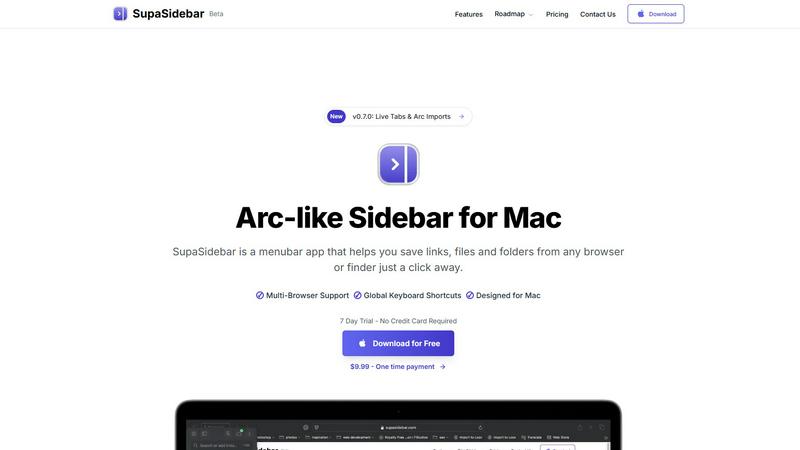
SupaSidebar turns your Mac into a powerful command hub, saving links and files with a click for instant access.
Last updated: February 26, 2026

The no-nonsense task manager that actually helps you get things done. No clutter. No complexity. Just you and your tasks.
Visual Comparison
SupaSidebar
Tickari

Overview
About SupaSidebar
Tired of the chaos that comes with juggling multiple tabs, endless bookmarks, and a cluttered digital workspace? Say hello to SupaSidebar, your new digital command center designed specifically for Mac users. This isn’t just another app; it's a beautifully crafted sidebar that draws inspiration from the sleek aesthetics of Arc. Whether you're a researcher, creator, developer, or multitasker, SupaSidebar is built to cater to your fast-paced lifestyle, providing instant access to everything you need without disrupting your flow. Nestled quietly in your menubar, it only makes its presence known when you summon it with a slick keyboard shortcut. Its core superpower? Unifying your entire digital workspace into one gorgeous, distraction-free sidebar. Save links, files, and folders from any browser or Finder in seconds, and effortlessly access them from any major browser, including Safari, Chrome, Firefox, and Brave. SupaSidebar is lightweight, native, and ensures that all your data remains securely on your Mac. Ditch the chaos and embrace the command of your workflow with SupaSidebar.
About Tickari
Tickari is a deliberately minimal, no-nonsense task manager designed for people who are tired of overcomplicated productivity tools and just want to get things done. Instead of overwhelming you with features like complex boards, AI-generated suggestions, or endless customization, Tickari focuses on a simple, frictionless workflow: write a task, tick it off, and move on.
The product embraces a “less but better” philosophy—eliminating clutter, reducing cognitive overhead, and removing the need for onboarding tutorials or setup processes. There are no distractions, no unnecessary decisions, and no feature bloat—just a clean interface that works instantly the moment you open it. This makes it particularly effective for users who feel stuck organizing tasks instead of actually completing them.