
SparkPix.ai vs Vidofy
Side-by-side comparison to help you choose the right AI tool.

SparkPix.ai
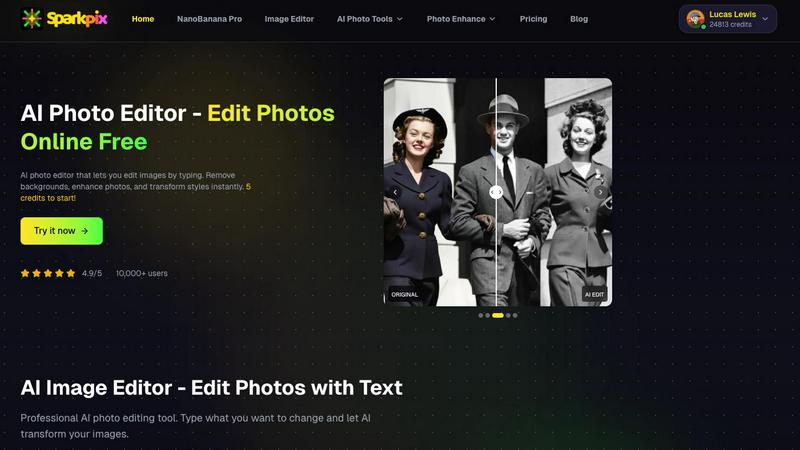
Transform your photos effortlessly with SparkPix, the AI editor that brings your vision to life by just typing your.
Last updated: February 28, 2026

Vidofy
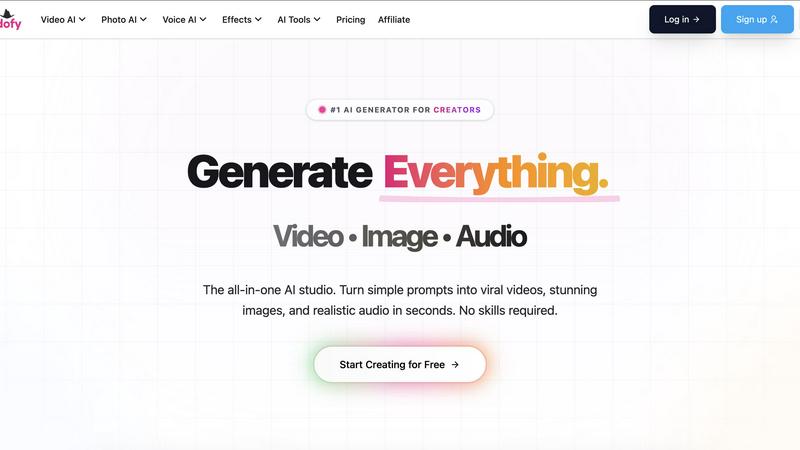
Vidofy is your all-in-one AI studio to create videos, images, and audio from simple prompts in seconds, no skills.
Last updated: February 26, 2026
Visual Comparison
SparkPix.ai
Vidofy
Feature Comparison
SparkPix.ai
Text-Based Editing
This feature is a game-changer for anyone tired of traditional editing. Just type what you want to change, like "make the sky blue," and watch as SparkPix's AI works its magic, delivering the results almost instantly. It's as easy as texting a friend.
Smart Removal & Cutout
Need to ditch unwanted elements from your photo? With just one click, you can remove passersby, unwanted watermarks, or even switch up the background entirely. This tool is perfect for creating clean, professional images without the fuss.
Old Photo Restoration
Bring your cherished memories back to life with SparkPix's old photo restoration feature. It expertly repairs damage and revitalizes black-and-white photos, adding natural colors and making them look as good as new. Perfect for family archives!
Style Transfer
Ever wanted your portrait to look like a masterpiece? With the style transfer feature, you can transform your images into stunning anime, oil paintings, or 3D cartoon styles. It’s a fun way to give your photos a unique flair that stands out.
Vidofy
Text to Video
Bring your imagination to life with Vidofy’s Text to Video feature. Just type a description of any scene, character, or action, and watch as the AI transforms your words into stunning, high-definition videos. Whether you want cinematic shots or dynamic animations, your creative vision is just a sentence away.
Image to Video
Unlock the potential of your static images with the Image to Video feature. Simply upload any image, and Vidofy’s AI will infuse it with lifelike motion, creating captivating video clips that bring your portraits, landscapes, or concept art to life with just a click.
Video to Video
Reimagine your existing footage with the Video to Video feature. Upload a clip and use a text prompt to completely transform its aesthetic. Change live-action scenes into animations, apply unique styles, or enhance the overall look while maintaining the original motion and timing.
AI Animation Generator
Take your storytelling to the next level with the AI Animation Generator. This feature allows you to create dynamic 2D and 3D animations from text inputs, complete with character movements and scene transitions. Perfect for ads, shorts, and engaging explainers, the possibilities are limitless.
Use Cases
SparkPix.ai
E-commerce Product Photography
SparkPix is a lifesaver for online sellers. Create professional-grade product images for platforms like Amazon without the need for an expensive studio setup. Just snap a pic, and let SparkPix enhance it with stunning backgrounds to drive conversions.
Social Media Content Creation
Make your social media profiles pop! Whether you're crafting eye-catching covers for TikTok or Instagram, SparkPix helps you generate unique visual effects that will capture your audience's attention and elevate your online presence.
Family Photo Restoration
Turn back time by restoring those old family photos that have seen better days. SparkPix can repair scratches and fading, allowing you to preserve your family's history in vibrant color, making it a must-have for sentimental keepsakes.
Quick Design Transformations
For graphic designers, SparkPix is the perfect tool to swiftly turn 2D sketches into 3D renders. This feature streamlines the design process, allowing you to focus on creativity while leaving the tedious editing to AI.
Vidofy
Social Media Content
For social media managers and influencers, Vidofy is a game-changer. Quickly convert ideas into engaging video content that captures attention and drives engagement. Generate multiple clips in seconds to keep your feed fresh and exciting without spending hours on editing.
Educational Videos
Teachers and educators can create compelling instructional videos effortlessly. Transform lesson plans or complex topics into easy-to-understand visual narratives that enhance learning and retention, making education more interactive and fun.
Marketing Campaigns
Marketers can leverage Vidofy to craft eye-catching ads and promotional videos that stand out in crowded marketplaces. Quickly iterate on concepts and generate multiple variations to test which resonates best with the target audience, all while maintaining high-quality production values.
Creative Projects
Artists and creators can use Vidofy to explore new mediums. Whether it’s for personal projects, portfolio pieces, or collaborative works, Vidofy allows for rapid experimentation with visuals and storytelling, unlocking new avenues for creativity.
Overview
About SparkPix.ai
Welcome to SparkPix.ai, the ultimate AI-powered photo editing tool that transforms your ordinary images into stunning visuals with just a few keystrokes. Designed for both novice users and professional creatives, SparkPix lets you unleash your imagination without the hassle of complex software. Whether you want to restore old family photos, create eye-catching product images, or simply jazz up your social media feeds, SparkPix has your back. Its intelligent tools allow you to edit images by typing commands such as "change hair color to golden" or "remove the background," making it an intuitive choice for anyone looking to elevate their visual content. With SparkPix, you can achieve high-quality edits in mere seconds, saving you time and effort while delivering results that pop. Say goodbye to clunky software and hello to fast, efficient, and creative editing!
About Vidofy
Welcome to Vidofy, the ultimate web-based creative studio that transforms your wildest ideas into share-ready AI-generated videos, images, and audio with zero hassle. Forget the tedious frame-by-frame editing; all you need to do is describe your scene, and Vidofy’s powerful AI will conjure up cinematic clips complete with motion, lighting, and even synchronized sound when needed. Perfectly designed for creators, marketers, educators, and teams aiming to produce stunning content swiftly, Vidofy allows you to repurpose your existing content effortlessly—turning long blog posts into dynamic, reel-style scripts and generating multiple short clips that stitch together seamlessly. Plus, if you have your own footage, Vidofy’s innovative video-to-video feature can restyle your clips into everything from anime to cinematic looks, preserving the original gestures and timing. With cloud processing, you can create breathtaking visuals right from your browser without the need for high-end GPUs or software installations.
Frequently Asked Questions
SparkPix.ai FAQ
How does SparkPix.ai work?
SparkPix uses advanced artificial intelligence to interpret your text commands and apply them to your images. Simply upload a photo, type what you want to change, and let the AI do the rest.
Is there a learning curve to using SparkPix.ai?
Not at all! SparkPix is designed for everyone, from beginners to pros. If you can type, you can edit. The intuitive interface means you can start creating stunning images right away.
What kind of output quality can I expect?
Expect nothing less than high-quality results with rich details and natural lighting. SparkPix supports 4K output, so your images will look sharp and professional, no matter where you use them.
Are there any costs associated with using SparkPix.ai?
You can start with 5 free credits to explore SparkPix's features, and additional credits can be purchased as needed. No credit card is required for the initial trial, making it easy to test the waters!
Vidofy FAQ
How does Vidofy generate videos from text?
Vidofy uses advanced AI algorithms to analyze your text prompts and generate corresponding videos. The AI interprets your description and creates high-definition visual content that aligns with your vision.
Can I use my own footage with Vidofy?
Absolutely! Vidofy’s video-to-video feature allows you to upload your existing clips and restyle them using various aesthetics, ensuring your original gestures and timing remain intact while giving your footage a fresh look.
Is Vidofy suitable for beginners?
Yes! Vidofy is designed for users of all skill levels. With its intuitive interface and powerful AI capabilities, you can create stunning videos, images, and audio without any prior experience in video editing or design.
What types of content can I create with Vidofy?
With Vidofy, you can create a wide range of content including social media videos, educational tutorials, marketing ads, and artistic animations. The platform empowers you to bring any idea to life in visually striking ways.
Alternatives
SparkPix.ai Alternatives
SparkPix.ai is an innovative AI-powered photo editing tool that falls into the image and photo category. It’s designed to transform everyday photos into breathtaking visuals with minimal effort. Users are often on the hunt for alternatives due to various reasons, such as pricing structures, feature sets, or compatibility with different platforms. The desire for more tailored options, especially for specific editing needs or budget constraints, drives this search. When choosing an alternative to SparkPix, consider factors like the user interface, editing capabilities, speed, and the level of AI integration. Look for tools that offer intuitive editing processes, similar or enhanced features, and ensure they fit your workflow, whether you’re a casual user or a seasoned professional. The right choice can take your photo editing game to the next level.
Vidofy Alternatives
Vidofy is a cutting-edge all-in-one AI studio that transforms creativity into dynamic video, images, and audio with just a few simple prompts. Operating in the cloud, it empowers creators, marketers, and educators by streamlining content production and repurposing ideas into captivating visuals that can be shared across platforms. However, users often seek alternatives due to reasons like pricing structures, specific feature sets, or compatibility with different workflows and preferences. When hunting for an alternative, consider what features matter most to you. Are you looking for unique styles and advanced editing options, or perhaps a more budget-friendly solution? Assess the platform's ease of use and whether it meets your content creation needs, ensuring it aligns with your creative vision and production goals.