Seedance 3.0 AI vs Tickari
Side-by-side comparison to help you choose the right AI tool.

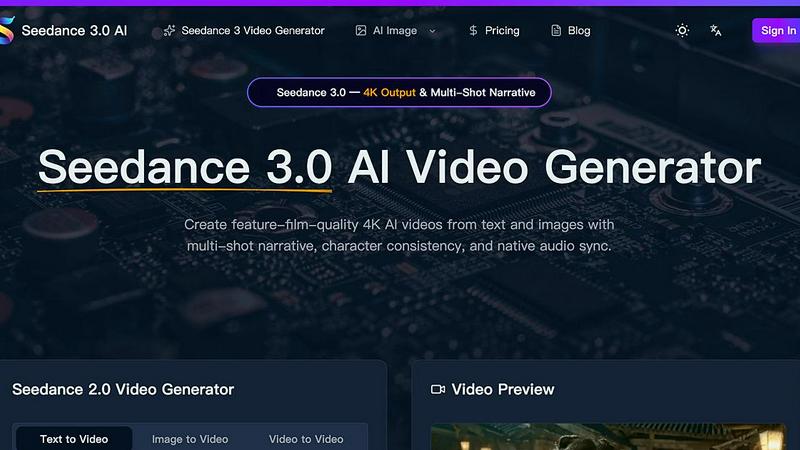
Seedance 3.0 AI
AI Video Creation: From Text & Images to Stunning 4K Films.

The no-nonsense task manager that actually helps you get things done. No clutter. No complexity. Just you and your tasks.
Visual Comparison
Seedance 3.0 AI
Tickari

Overview
About Seedance 3.0 AI
Introducing Seedance 3.0 AI, the revolutionary artificial intelligence platform that empowers you to effortlessly create feature-film quality 4K videos directly from text and images. Say goodbye to complex video editing software and hello to a streamlined, AI-powered video creation experience. Seedance 3.0 AI delivers stunning visual results, captivating narratives, and professional-grade audio, all with minimal effort.
Our cutting-edge AI engine intelligently interprets your input, generating dynamic video sequences that are both visually appealing and narratively coherent. You simply provide the text and images, and Seedance 3.0 AI handles the rest. We generate multi-shot narratives, ensuring a seamless flow and engaging storyline.
What truly sets Seedance 3.0 AI apart is its unparalleled character consistency. Our advanced AI models meticulously track and maintain character appearances, voices, and actions throughout the entire video, resulting in a polished and believable final product. This eliminates the tedious work of manual character animation and ensures a cohesive viewing experience.
About Tickari
Tickari is a deliberately minimal, no-nonsense task manager designed for people who are tired of overcomplicated productivity tools and just want to get things done. Instead of overwhelming you with features like complex boards, AI-generated suggestions, or endless customization, Tickari focuses on a simple, frictionless workflow: write a task, tick it off, and move on.
The product embraces a “less but better” philosophy—eliminating clutter, reducing cognitive overhead, and removing the need for onboarding tutorials or setup processes. There are no distractions, no unnecessary decisions, and no feature bloat—just a clean interface that works instantly the moment you open it. This makes it particularly effective for users who feel stuck organizing tasks instead of actually completing them.