Omnesuite AI Generator Tools vs ScreenDemos
Side-by-side comparison to help you choose the right AI tool.

Omnesuite AI Generator Tools
Unleash your creativity with Omnesuite AI Generator Tools—create stunning images, videos, music, and text in seconds with 20 free credits!.
Last updated: March 18, 2026

ScreenDemos
Create stunning product demos in minutes with ScreenDemos' automatic effects and seamless recording right from your.
Last updated: February 26, 2026
Visual Comparison
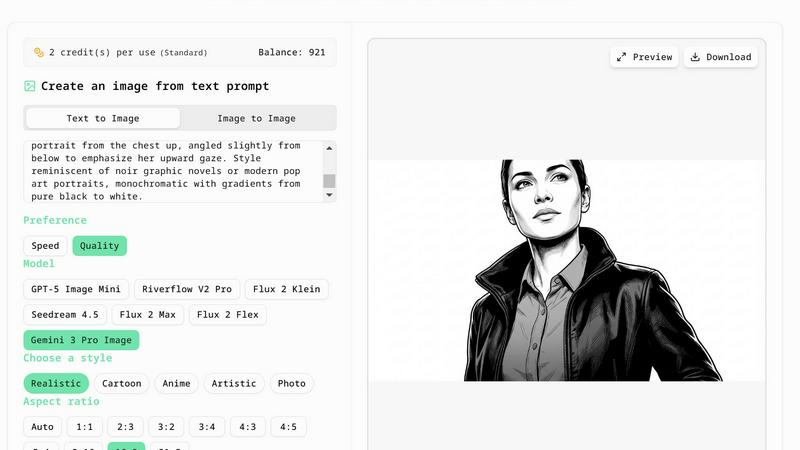
Omnesuite AI Generator Tools
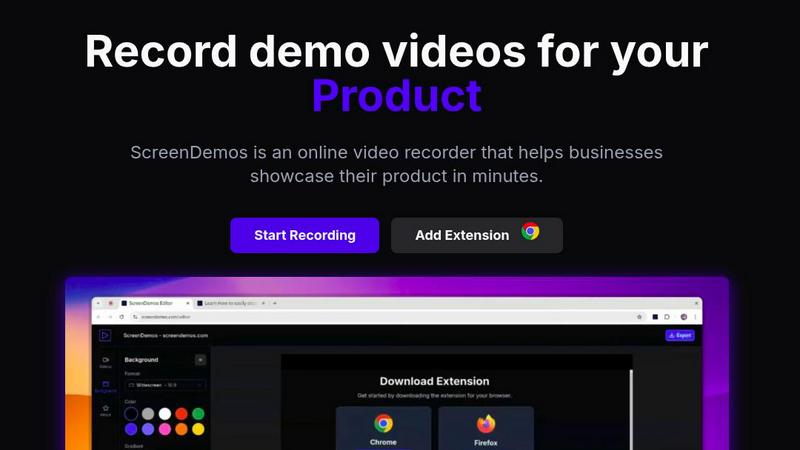
ScreenDemos
Feature Comparison
Omnesuite AI Generator Tools
AI Image Generator
Transform your words into breathtaking visuals with our AI Image Generator. This tool takes simple text inputs and converts them into stunning images, whether you need realistic photos or artistic masterpieces. No design skills are required, making it perfect for everyone from hobbyists to professionals.
AI Voice Generator
Create lifelike speech effortlessly with our AI Voice Generator. With a variety of voices and languages to choose from, you can generate clear and engaging voiceovers for videos, podcasts, or presentations. Say goodbye to robotic tones and hello to natural-sounding audio that captivates your audience.
AI Video Script Generator
Need a compelling narrative for your next video project? Our AI Video Script Generator crafts engaging scripts in seconds. Just input your ideas, and watch as the tool churns out a polished script that flows beautifully, making your video production process smoother than ever.
AI Music Generator
Unleash your inner songwriter with our AI Music Generator. Whether you’re looking for catchy lyrics or melodic lines, this tool helps you create unique music content that resonates with your audience. Perfect for musicians, marketers, or anyone wanting to add a musical flair to their projects.
ScreenDemos
Automatic Zoom Effects
Engage your audience like never before with ScreenDemos' automatic zoom effects. This feature produces smooth, cinematic zooms and pans that guide viewers' attention precisely where you want it. No more awkward cuts or clunky transitions; just seamless visuals that make your content pop.
Smooth Animated Cursor
Transform your videos into easy-to-follow guides with the smooth animated cursor feature. With a larger, fluidly moving cursor, viewers can effortlessly track your actions, enhancing their understanding of your content. It's like having a virtual tour guide for your demo videos.
Shortcuts Hints
Elevate the viewer experience by showcasing keyboard shortcuts onscreen. This feature not only improves comprehension but also empowers your audience to follow along effortlessly. It's perfect for teaching, demos, and presentations where every keystroke matters.
Custom Backgrounds
Personalize your videos to align perfectly with your brand identity using custom backgrounds. Whether you want a sleek corporate look or a fun, vibrant theme, this feature lets you tailor your video style to resonate with your audience, making your content uniquely yours.
Use Cases
Omnesuite AI Generator Tools
Content Creation for Social Media
Boost your social media game by crafting eye-catching images and engaging scripts effortlessly. Whether you're posting on Instagram, TikTok, or YouTube, our tools help you create content that stands out and captures attention.
Marketing Campaigns
Design stunning visuals for ads, generate compelling copy, and create engaging videos all in one place. Use our AI tools to streamline your marketing efforts and elevate your campaigns to new heights without breaking a sweat.
Personal Branding
Need a professional headshot for your LinkedIn profile or business website? Our AI Headshot Generator creates high-quality images that give you that polished look. Plus, you can generate unique logos and branding materials without any design skills.
Creative Projects
Artists, writers, and musicians can find inspiration and produce high-quality work using our AI tools. From crafting a captivating story to generating lyrics for your next hit song, Omnesuite empowers your creativity in ways you've never imagined.
ScreenDemos
Recording Product Demos
Need to showcase your product's features in a captivating way? ScreenDemos allows you to record professional-grade product demos that highlight what sets you apart from the competition. Perfect for onboarding new users or enticing potential customers.
Creating Onboarding Tutorials
Simplify user onboarding with quick and engaging tutorials. ScreenDemos empowers you to produce high-quality instructional videos that reduce the learning curve and get users up to speed in no time. Make your onboarding process as smooth as possible.
Announcing New Features
Got a hot new feature? Use ScreenDemos to create stunning announcement videos that inform and excite your audience. With automatic enhancements, your videos will look polished and professional, making every new feature feel like a blockbuster release.
Sharing on Social Media
Transform your social media presence with eye-catching video content. ScreenDemos lets you whip up short clips that grab attention and drive engagement, making it easier to connect with your audience and grow your following across platforms.
Overview
About Omnesuite AI Generator Tools
Omnesuite AI Generator Tools is your ultimate digital playground, designed for creators, marketers, and anyone who craves instant creativity without the fuss. Whether you're a budding artist, a savvy content creator, or a business owner looking to spice up your brand, this platform has got your back. With a suite of free AI tools at your fingertips, you can whip up eye-catching images, engaging video scripts, catchy music lyrics, and even lifelike voiceovers—all in mere seconds. Register now and kickstart your journey with 20 free credits valid for 7 days, no strings attached! Say goodbye to complex software and hello to hassle-free creativity with tools that transform simple text prompts into stunning results. From crafting compelling narratives to generating professional headshots, Omnesuite is the one-stop hub for all your AI creative needs. No design skills? No problem! It’s all about turning your ideas into reality, fast and easy.
About ScreenDemos
Welcome to the future of video creation with ScreenDemos, the ultimate browser-based tool for crafting stunning video content in a flash. Say goodbye to the tedious, drawn-out processes that once defined video production. ScreenDemos is engineered for the go-getters—marketers, product managers, designers, and support teams—who crave efficiency without sacrificing quality. This all-in-one video studio transforms your screen into a captivating visual experience with zero technical know-how required. With a simple extension activation, you can start recording demos, tutorials, and social media clips, all enhanced with automatic professional effects like smooth zooms and animated cursor trails. Forget about spending days editing; with ScreenDemos, you can record, polish, and publish your content in mere minutes. It’s time to elevate your visual communication game and make your message hit harder than ever before.
Frequently Asked Questions
Omnesuite AI Generator Tools FAQ
What is an AI generator and how does it work?
An AI generator uses advanced algorithms to create content based on user input. By simply entering a prompt, you can generate anything from images to text in seconds, making creativity accessible to everyone.
Are your AI generator tools really free?
Absolutely! You can register for free and receive 20 credits valid for 7 days, allowing you to explore all our AI tools without any hidden fees or credit card requirements.
Which AI generator tools do you offer?
Omnesuite offers a variety of tools, including AI Image Generator, AI Voice Generator, AI Video Script Generator, and AI Music Generator, among others. Each tool is designed to meet different creative needs.
How fast is the AI generator?
Our AI generators are designed for speed, delivering results in seconds. Whether you're generating an image or a video script, you can expect quick turnaround times, allowing you to keep your creative flow uninterrupted.
ScreenDemos FAQ
Is ScreenDemos privacy-friendly?
Absolutely! ScreenDemos prioritizes user privacy by never collecting or storing user data. All recordings are processed locally on your device, ensuring that you control your content. You can choose to save videos directly on your device or on the ScreenDemos website.
What devices are supported?
ScreenDemos is compatible with all major browsers that support extensions, including Chrome and Firefox. It works seamlessly across various operating systems, including Windows, macOS, and Linux, making it accessible to everyone.
Why do I need to give permission to the extension?
The ScreenDemos extension requires permission to access your screen in order to record videos. This is essential for the software to function properly, allowing you to create demo videos and tutorials without any hassle.
Can I edit my videos after recording?
Yes! After recording, you can preview and edit your videos directly within ScreenDemos. This makes it easy to fine-tune your content and ensure it meets your standards before sharing it with your audience.
Alternatives
Omnesuite AI Generator Tools Alternatives
Omnesuite AI Generator Tools is your go-to playground for unleashing creativity with a powerhouse of free AI tools designed for image, video, music, voice, and text generation. This digital wonderland allows anyone, regardless of design prowess, to whip up stunning visuals, catchy tunes, and compelling narratives in mere seconds. With 20 free credits to kickstart your journey, it’s a treasure trove for the modern creator looking to elevate their game. But hey, it’s common to seek alternatives. Users often dive into the quest for other tools due to factors like pricing, a specific feature set, or compatibility with their preferred platforms. When shopping around for a substitute, keep your eyes peeled for user-friendly interfaces, diverse functionalities, and robust support systems that can cater to your creative whims.
ScreenDemos Alternatives
ScreenDemos is a revolutionary tool that falls into the realms of content creation and marketing, designed to help users craft stunning product demos and videos with ease. Forget about getting trapped in the labyrinth of tedious video editing; ScreenDemos empowers you to produce high-quality content at lightning speed right from your browser. As a go-to solution for marketers, designers, and support teams, it offers an incredible way to communicate effectively and showcase features without the tech headaches. However, not every user finds ScreenDemos to be the perfect fit. Whether it's due to pricing concerns, specific feature needs, or compatibility with different platforms, many are on the hunt for alternatives that align better with their unique requirements. When searching for a replacement, consider the ease of use, the range of features offered, and how well the tool integrates with your existing workflow. A solid alternative should not only provide the functionality you need but also enhance your content creation process without adding complexity.