
Genstory vs ScreenDemos
Side-by-side comparison to help you choose the right AI tool.

Genstory
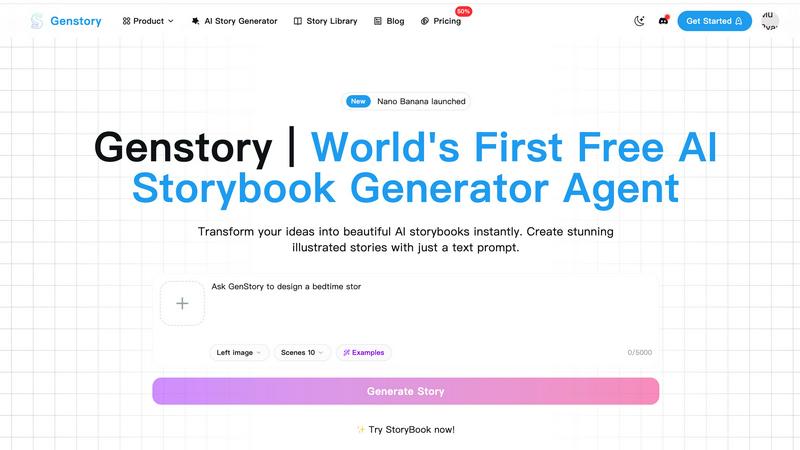
Unleash your creativity with Genstory, the ultimate AI tool for crafting novels, comics, and stunning animated videos.
Last updated: February 27, 2026

ScreenDemos
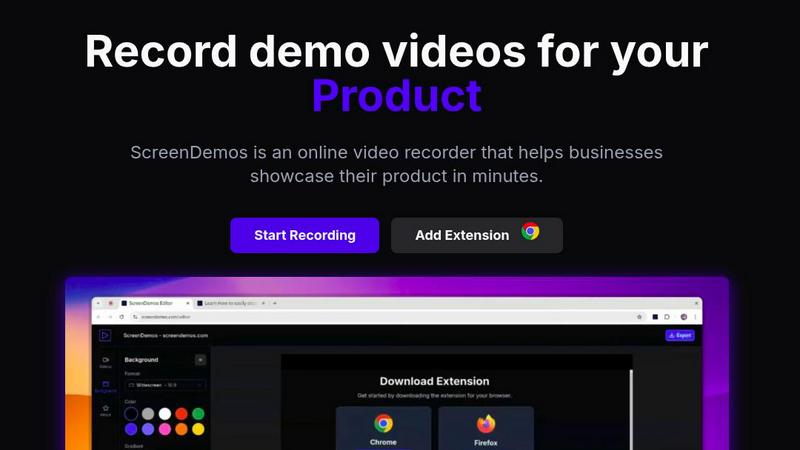
Create stunning product demos in minutes with ScreenDemos' automatic effects and seamless recording right from your.
Last updated: February 26, 2026
Visual Comparison
Genstory
ScreenDemos
Feature Comparison
Genstory
Lightning-Fast Generation
With Genstory, you can complete the entire creation process—from text to stunning illustrations—in mere seconds. This rapid generation means you spend less time waiting and more time enjoying the creative output.
Simple and Intuitive Interface
No tech wizardry required! Genstory makes it easy with a user-friendly interface that allows you to communicate naturally. Just type your ideas in everyday language and watch the magic unfold.
Multi-Dimensional Output
Genstory goes beyond just generating stories. You can choose to create PDF versions for printing or interactive web stories that are perfect for sharing online. This versatility makes it easy to reach your audience, regardless of their preference.
Beautiful Illustrations
Each story generated by Genstory is accompanied by AI-created artwork that perfectly complements your narrative. These vibrant illustrations bring characters and settings to life, making every reading experience visually engaging.
ScreenDemos
Automatic Zoom Effects
Engage your audience like never before with ScreenDemos' automatic zoom effects. This feature produces smooth, cinematic zooms and pans that guide viewers' attention precisely where you want it. No more awkward cuts or clunky transitions; just seamless visuals that make your content pop.
Smooth Animated Cursor
Transform your videos into easy-to-follow guides with the smooth animated cursor feature. With a larger, fluidly moving cursor, viewers can effortlessly track your actions, enhancing their understanding of your content. It's like having a virtual tour guide for your demo videos.
Shortcuts Hints
Elevate the viewer experience by showcasing keyboard shortcuts onscreen. This feature not only improves comprehension but also empowers your audience to follow along effortlessly. It's perfect for teaching, demos, and presentations where every keystroke matters.
Custom Backgrounds
Personalize your videos to align perfectly with your brand identity using custom backgrounds. Whether you want a sleek corporate look or a fun, vibrant theme, this feature lets you tailor your video style to resonate with your audience, making your content uniquely yours.
Use Cases
Genstory
For Parents: Unique Bedtime Stories
Parents can easily create personalized bedtime stories, making their child the star of the show. Imagine your little one embarking on adventures with their favorite animal sidekick in a magical world crafted just for them.
For Educators: Engaging Learning Materials
Educators can leverage Genstory to create visual narratives that simplify complex concepts or inspire creativity in students. It's a fantastic tool for ESL teachers or special education professionals looking to make learning interactive and fun.
For Aspiring Authors: Overcoming Writer's Block
If you're an aspiring author struggling with writer's block, Genstory is your secret weapon. It helps kickstart your creativity by generating ideas, plots, and entire storylines, letting you focus on refining your narrative.
For Content Creators: Fresh Story Ideas
Whether you're a blogger, YouTuber, or social media influencer, Genstory can be an invaluable asset. Generate unique story concepts that can be transformed into engaging content, keeping your audience entertained and coming back for more.
ScreenDemos
Recording Product Demos
Need to showcase your product's features in a captivating way? ScreenDemos allows you to record professional-grade product demos that highlight what sets you apart from the competition. Perfect for onboarding new users or enticing potential customers.
Creating Onboarding Tutorials
Simplify user onboarding with quick and engaging tutorials. ScreenDemos empowers you to produce high-quality instructional videos that reduce the learning curve and get users up to speed in no time. Make your onboarding process as smooth as possible.
Announcing New Features
Got a hot new feature? Use ScreenDemos to create stunning announcement videos that inform and excite your audience. With automatic enhancements, your videos will look polished and professional, making every new feature feel like a blockbuster release.
Sharing on Social Media
Transform your social media presence with eye-catching video content. ScreenDemos lets you whip up short clips that grab attention and drive engagement, making it easier to connect with your audience and grow your following across platforms.
Overview
About Genstory
Genstory is the ultimate AI story generator that takes your wildest ideas and turns them into captivating, illustrated storybooks at lightning speed. Imagine being able to create an entire digital picture book just by typing a simple prompt—no need for advanced writing skills or artistic talent. Genstory caters to a diverse audience, from parents wanting to craft unique bedtime tales to educators looking for engaging narratives that make learning come alive. The core value proposition of Genstory lies in its seamless blend of storytelling and technology, allowing anyone to unleash their creativity without the usual barriers. With stunning illustrations accompanying each story, Genstory transforms the storytelling experience into something magical, making imagination accessible to everyone, anytime.
About ScreenDemos
Welcome to the future of video creation with ScreenDemos, the ultimate browser-based tool for crafting stunning video content in a flash. Say goodbye to the tedious, drawn-out processes that once defined video production. ScreenDemos is engineered for the go-getters—marketers, product managers, designers, and support teams—who crave efficiency without sacrificing quality. This all-in-one video studio transforms your screen into a captivating visual experience with zero technical know-how required. With a simple extension activation, you can start recording demos, tutorials, and social media clips, all enhanced with automatic professional effects like smooth zooms and animated cursor trails. Forget about spending days editing; with ScreenDemos, you can record, polish, and publish your content in mere minutes. It’s time to elevate your visual communication game and make your message hit harder than ever before.
Frequently Asked Questions
Genstory FAQ
How does Genstory create stories?
Genstory utilizes advanced AI technology to analyze your prompts and generate complete storybooks, including both text and illustrations, almost instantaneously.
Can I customize the stories created by Genstory?
Absolutely! After the AI generates a story, you can review and adjust the content or style to better suit your preferences or the needs of your audience.
What formats can I export my stories in?
With Genstory, you have the flexibility to export your generated stories as PDFs for easy printing or as interactive web stories that can be shared online with friends and family.
Is Genstory suitable for all ages?
Yes! Genstory is designed for a broad audience, making it ideal for parents, educators, and anyone with a passion for storytelling, regardless of age or skill level.
ScreenDemos FAQ
Is ScreenDemos privacy-friendly?
Absolutely! ScreenDemos prioritizes user privacy by never collecting or storing user data. All recordings are processed locally on your device, ensuring that you control your content. You can choose to save videos directly on your device or on the ScreenDemos website.
What devices are supported?
ScreenDemos is compatible with all major browsers that support extensions, including Chrome and Firefox. It works seamlessly across various operating systems, including Windows, macOS, and Linux, making it accessible to everyone.
Why do I need to give permission to the extension?
The ScreenDemos extension requires permission to access your screen in order to record videos. This is essential for the software to function properly, allowing you to create demo videos and tutorials without any hassle.
Can I edit my videos after recording?
Yes! After recording, you can preview and edit your videos directly within ScreenDemos. This makes it easy to fine-tune your content and ensure it meets your standards before sharing it with your audience.
Alternatives
Genstory Alternatives
Genstory is a groundbreaking AI tool that allows users to effortlessly craft novels, comics, and cinematic videos, all while providing stunning illustrations. As a member of the design tools category, it targets creators, educators, and parents looking to transform their ideas into engaging stories. However, users often seek alternatives for various reasons, including pricing, feature sets, and specific platform compatibility. When searching for an alternative to Genstory, consider the range of features offered, ease of use, and the versatility of outputs. You’ll want to find a solution that aligns with your creative needs—whether you’re looking for intricate illustrations, user-friendly interfaces, or the capability to generate multiple formats. A good alternative should enhance your storytelling experience without compromising on quality or accessibility.
ScreenDemos Alternatives
ScreenDemos is a revolutionary tool that falls into the realms of content creation and marketing, designed to help users craft stunning product demos and videos with ease. Forget about getting trapped in the labyrinth of tedious video editing; ScreenDemos empowers you to produce high-quality content at lightning speed right from your browser. As a go-to solution for marketers, designers, and support teams, it offers an incredible way to communicate effectively and showcase features without the tech headaches. However, not every user finds ScreenDemos to be the perfect fit. Whether it's due to pricing concerns, specific feature needs, or compatibility with different platforms, many are on the hunt for alternatives that align better with their unique requirements. When searching for a replacement, consider the ease of use, the range of features offered, and how well the tool integrates with your existing workflow. A solid alternative should not only provide the functionality you need but also enhance your content creation process without adding complexity.