ResponseHub vs Tickari
Side-by-side comparison to help you choose the right AI tool.

ResponseHub
ResponseHub turns security questionnaire chaos into streamlined, AI-powered answers so you can focus on what truly.
Last updated: February 26, 2026

The no-nonsense task manager that actually helps you get things done. No clutter. No complexity. Just you and your tasks.
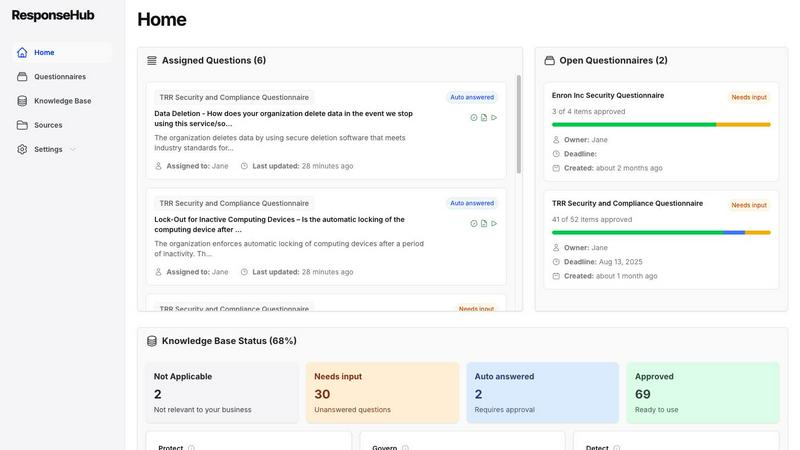
Visual Comparison
ResponseHub
Tickari

Overview
About ResponseHub
ResponseHub is not just another tool; it's a revolution in the realm of security questionnaire automation. Designed for organizations that find themselves drowning in the complexities of vendor security assessments and compliance inquiries, ResponseHub leverages cutting-edge AI technology to simplify the entire process. No more sifting through endless spreadsheets or losing sleep over ambiguous questions. This platform is all about efficiency and accuracy. Whether you're a nimble startup or a sprawling enterprise, ResponseHub empowers your team to tackle security questionnaires with unprecedented speed and confidence. By allowing users to upload policy documents, SOPs, and other internal docs, it generates precise answers that are directly referenced, ensuring you always know where your information is coming from. With an intelligent knowledge base that evolves with your input, ResponseHub transforms the chaotic world of security compliance into a streamlined operation, freeing up your team to focus on what really matters—growing your business and enhancing your reputation. Wave goodbye to spreadsheet hell; ResponseHub is your ultimate ally in the battle against tedious security inquiries.
About Tickari
Tickari is a deliberately minimal, no-nonsense task manager designed for people who are tired of overcomplicated productivity tools and just want to get things done. Instead of overwhelming you with features like complex boards, AI-generated suggestions, or endless customization, Tickari focuses on a simple, frictionless workflow: write a task, tick it off, and move on.
The product embraces a “less but better” philosophy—eliminating clutter, reducing cognitive overhead, and removing the need for onboarding tutorials or setup processes. There are no distractions, no unnecessary decisions, and no feature bloat—just a clean interface that works instantly the moment you open it. This makes it particularly effective for users who feel stuck organizing tasks instead of actually completing them.