Proofapp vs Qwen Image AI
Side-by-side comparison to help you choose the right AI tool.

Proofapp
Stop endless email chains by pinning visual feedback directly on your live website.
Last updated: March 4, 2026

Qwen Image AI
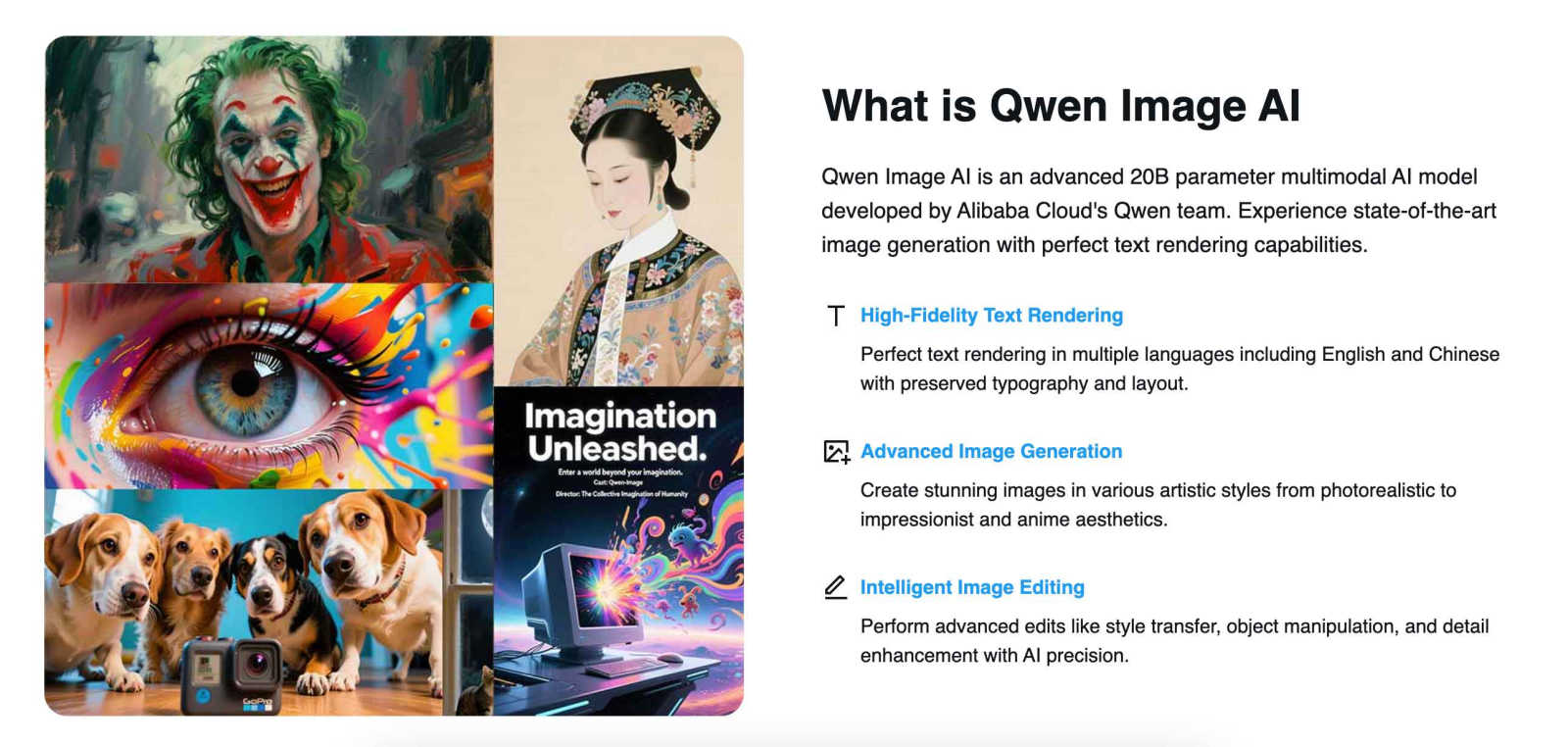
Qwen Image AI revolutionizes visuals with stunning edits and flawless text in English and Chinese, all at your.
Last updated: February 26, 2026
Visual Comparison
Proofapp

Qwen Image AI
Feature Comparison
Proofapp
Visual Commenting
Forget describing where something is with "top left, under the nav, next to the blue thing." Proofapp's visual commenting lets you and your reviewers click directly on the live screenshot to drop a pin and leave feedback. It's context on steroids. Every comment is visually anchored to the exact pixel, eliminating all guesswork and turning vague notes into crystal-clear, actionable tasks. Threaded replies keep the conversation organized right where it matters.
Multi-Breakpoint Testing
Your site needs to look fire on every device. Proofapp gets this. The moment you paste a URL, it automatically captures crisp screenshots at both desktop and mobile breakpoints. Reviewers can seamlessly switch between views to leave feedback specific to each layout. This means you catch responsive design issues early, ensuring your client doesn't text you a blurry mobile screenshot with a sad face emoji after launch.
Secure, Account-Free Sharing
Chasing clients to create yet another account is a vibe-killer. With Proofapp, you just generate a secure, shareable link and send it. Your clients click, review, and comment—no login, no password, no friction. You can even set links to expire for extra security. It’s professional, polished, and removes every barrier to getting the feedback you need, fast.
Real-Time Collaboration & Notifications
Watch feedback roll in live, like a group chat for your project. When a teammate or client drops a comment, you see it instantly—no refreshing the page needed. Get pinged with real-time notifications and stay in the loop with Slack integration. Reply, resolve threads, and track progress together in a single source of truth. It turns slow, staggered email loops into a dynamic, synchronous conversation.
Qwen Image AI
Perfect Text Rendering
Experience flawless text rendering that handles English and Chinese with elegance. Qwen preserves typography, layout, and artistic integrity, ensuring that your visuals not only look great but communicate effectively.
Advanced Image Generation
Dive into a world of artistic possibilities with Qwen’s ability to create images across diverse styles. Whether you crave photorealism, impressionism, or a dash of anime, this AI delivers visuals that align perfectly with your vision.
Intelligent Image Editing
Transform your existing images with surgical precision! Qwen’s advanced editing tools allow you to manipulate styles, enhance details, perform object changes, and execute style transfers, all powered by cutting-edge AI algorithms.
Multi-Platform Access
With Qwen Image AI, flexibility is key. Access your creative suite through Qwen Chat, Hugging Face, or ModelScope, allowing for seamless integration into your existing workflows. Wherever you are, your creative toolkit is just a click away.
Use Cases
Proofapp
Freelancers Managing Client Approvals
As a freelancer, your time is money, and looking pro is everything. Proofapp lets you ditch the messy email chains and shared Google Docs full of confusing notes. Send a clean Proofapp link to your client for feedback. They click to comment visually, which saves hours of back-and-forth decoding. You get precise, actionable feedback that makes revisions a breeze, helping you deliver faster and look like a total rockstar.
Design Teams Iterating on UI/UX
Internal design reviews can get messy with opinions flying everywhere. Proofapp gives your design team a centralized, visual hub for critique. Pin feedback directly on the latest mockup or live prototype. Discuss in threaded comments, attach inspiration files, and resolve issues as you go. It streamlines the iteration process, ensuring everyone is literally on the same page and reducing revision rounds dramatically.
Development Teams Handling QA & Bug Reports
Trying to describe a visual bug in a ticket is the worst. "The button is misaligned on mobile" is not helpful. With Proofapp, QA testers or product managers can capture the live site and pin comments directly on the glitch. They can attach console logs or videos. Developers get a perfect visual bug report with exact location and context, slashing the time spent reproducing issues and fixing them.
Marketing Agencies Reviewing Campaign Pages
When launching a new campaign, feedback comes from all directions: copy, design, CRO, the client. Proofapp consolidates this chaos. Share the landing page link with the entire team and client. Everyone can leave targeted feedback on specific elements—hero image, CTA button, form layout—in one organized place. It ensures the final page is polished and on-brand before it ever hits the public.
Qwen Image AI
Digital Art Creation
Artists can leverage Qwen Image AI to craft stunning visuals that push the boundaries of creativity. With its text rendering capabilities, you can design bilingual art pieces that resonate with global audiences.
Marketing and Branding
Marketers can generate impeccable branded graphics that stand out in a crowded digital space. Qwen’s ability to create images that reflect brand identity while integrating text seamlessly is a game-changer for campaigns.
Content Creation
For content creators, Qwen provides a means to produce eye-catching visuals that complement blog posts, social media updates, and more. The AI's advanced editing features empower creators to refine their images effortlessly.
Game Development
Developers can utilize Qwen Image AI for generating unique assets and textures for games. The multi-style generation capability allows for the creation of immersive environments that enhance gameplay and storytelling.
Overview
About Proofapp
Proofapp is the visual feedback platform that slays the chaos of website reviews. It's built for designers, developers, freelancers, and agencies who are tired of playing endless games of screenshot tennis over email. You know the drill: vague "can you move that thing?" notes, 20-email-deep chains, and feedback that gets totally lost in translation. Proofapp cuts through that noise. You simply drop in a URL, and it auto-magically captures desktop and mobile screenshots of your site. Then, anyone—clients, teammates, stakeholders—can click directly on those screenshots to pin comments, start threads, attach files, and resolve issues. No accounts needed for reviewers. It keeps everything visual, organized, and actionable in one sleek dashboard. With real-time collab, Slack integration, and a killer free tier, Proofapp transforms messy feedback loops into a streamlined, professional workflow. It's not just a tool; it's your secret weapon for shipping projects faster without the miscommunication headaches.
About Qwen Image AI
Qwen Image AI is the revolutionary tool that’s redefining the landscape of digital imagery, crafted by Alibaba Cloud’s Qwen team. With its whopping 20 billion parameters, this advanced multimodal AI model excels in generating stunning visuals that seamlessly integrate perfect text rendering, setting a new standard for image generation. Whether you're a digital artist, a marketer, or a developer, Qwen caters to all, providing an intuitive platform for creating breathtaking images from your boldest prompts. The model's ability to handle complex bilingual text in both English and Chinese makes it a game-changer for global projects. Forget the clutter of traditional image generators; with Qwen, you’re equipped to unleash your creativity with precision and flair, creating everything from photorealistic visuals to anime-inspired designs. Plus, it’s open-source and easily accessible on platforms like Hugging Face and ModelScope, making it a versatile choice for anyone looking to elevate their visual content.
Frequently Asked Questions
Proofapp FAQ
How do reviewers leave comments without an account?
It's stupid simple. You, as the project owner, create a review link in Proofapp. You send that link to anyone you want feedback from—clients, teammates, your grandma. They click the link, your website screenshots load, and they can immediately start clicking and commenting. No sign-up, no password, no barrier. They're in and giving feedback in under 10 seconds.
What happens after I resolve a comment?
When you mark a comment as "Resolved," it gets neatly tucked away in a resolved section, cleaning up your active feedback view. But it's not gone forever! You and your team can always go back to view the entire history of the conversation. This gives you a perfect audit trail of all decisions and changes, which is golden for onboarding new team members or justifying choices to a client later.
Can I use Proofapp on a local development site?
Yes, but with a quick workaround. Since Proofapp needs a public URL to capture screenshots, you'll need to use a local tunneling tool (like ngrok or LocalTunnel) that exposes your localhost to the internet with a temporary public URL. Paste that generated URL into Proofapp, and you're good to go! It's perfect for getting early feedback before you even push to staging.
Is there a limit on projects or comments?
The free tier is seriously generous, designed to let you truly test the workflow. You get a solid number of active projects and unlimited reviewers and comments. If you're a power user managing tons of concurrent projects for multiple clients, you'd look at the paid Solo plan. It lifts those limits, giving you unlimited active projects and more advanced features to scale your workflow.
Qwen Image AI FAQ
What is Qwen Image AI?
Qwen Image AI is an advanced AI model developed by Alibaba Cloud, designed for generating and editing high-quality images with perfect text rendering across multiple languages.
How does Qwen handle text rendering?
Qwen excels at rendering text by preserving its typography and layout, ensuring that both English and Chinese texts look professionally designed within generated images.
Can I edit existing images with Qwen?
Absolutely! Qwen Image AI offers intelligent editing features that allow you to enhance details, manipulate objects, and apply style transfers on existing images with remarkable precision.
Is Qwen Image AI open-source?
Yes, Qwen Image AI is open-source and available for developers to use and integrate into their projects, with comprehensive documentation and community support to assist you along the way.
Alternatives
Proofapp Alternatives
Proofapp is your go-to design review sidekick, slashing through the chaos of client feedback. It lives in the design tools arena, letting teams and freelancers drop visual comments directly on live website screenshots. It’s all about killing vague email chains and making feedback pop, literally. But let’s be real, no single tool is everyone’s perfect match. You might be hunting for a different vibe—maybe the price tag doesn’t vibe with your budget, you need deeper integrations with your project management stack, or you’re craving more advanced features like video annotations or developer handoff. The search for an alternative is totally valid. When you’re scoping out the competition, keep your non-negotiables front and center. Think about your squad's workflow, the must-have features that’ll save you hours, and how much you’re willing to invest. The goal is to find a platform that feels like an extension of your team, not another annoying app to manage.
Qwen Image AI Alternatives
Qwen Image AI is a cutting-edge tool that's redefining the landscape of image and photo generation. This powerhouse, boasting a staggering 20 billion parameters from Alibaba Cloud, specializes in crafting jaw-dropping visuals and flawlessly rendered text in both English and Chinese. As a full-spectrum creative studio, it caters to artists, marketers, and developers alike, allowing them to whip up stunning imagery from their wildest ideas. But why are users on the hunt for alternatives? Often, it boils down to pricing, feature sets, or specific platform compatibility. As the digital landscape evolves, users are looking for tools that fit seamlessly into their workflows while offering unique functionalities. When hunting for an alternative, consider factors like ease of use, the range of artistic styles, editing capabilities, and of course, the quality of text rendering.