Preuve AI vs Prompt Builder
Side-by-side comparison to help you choose the right AI tool.

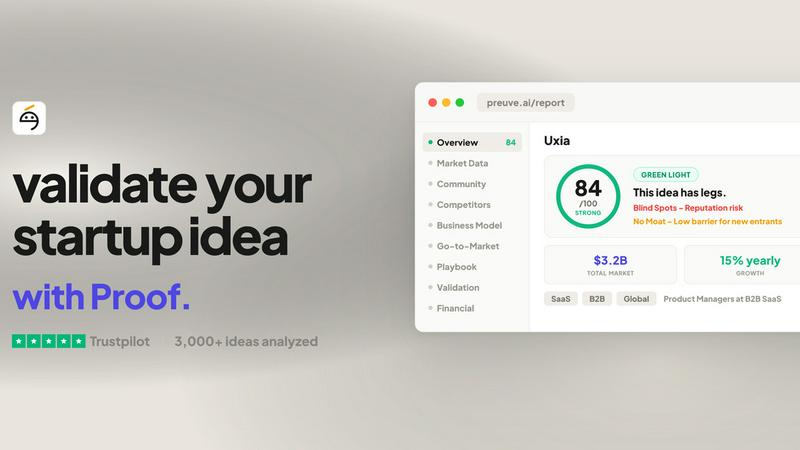
Preuve AI transforms your startup idea into a data-driven powerhouse, revealing market viability and competitive insights in just 60 seconds.
Last updated: April 4, 2026

Prompt Builder
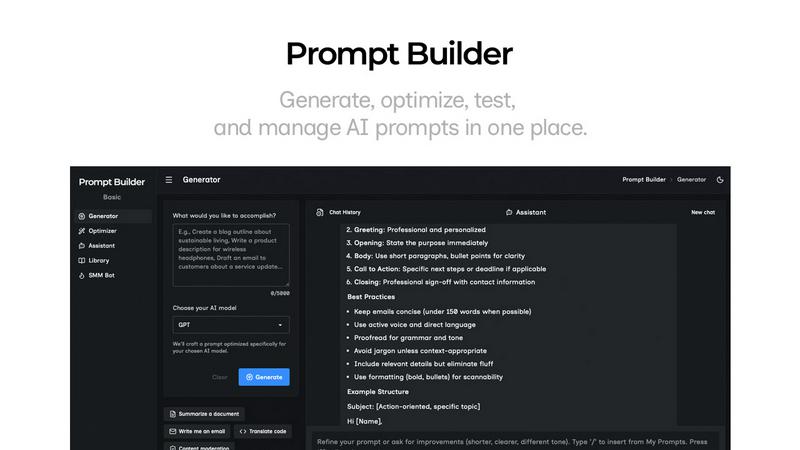
Generate, optimize, test, and manage AI prompts in one place. Turn an idea into a ready-to-use prompt in seconds.
Visual Comparison
Preuve AI
Prompt Builder
Overview
About Preuve AI
Preuve AI, previously known as Test Your Idea, is a cutting-edge startup validation tool designed to empower entrepreneurs and innovators. It takes your wildest business ideas and puts them through a rigorous analysis using advanced AI technology. By simply describing your concept in layman's terms, Preuve AI deploys 10 specialized AI agents that scour over 40 live data sources to generate a comprehensive viability report in less than five minutes. This tool is perfect for founders, startups, and anyone looking to assess the potential of their ideas without the usual exhaustive market research. The main value proposition? To help you avoid the costly mistakes that lead to startup failures, giving you data-driven insights about competitor landscapes, market demand, pricing benchmarks, and much more, all backed by sourced data. With over 3,500 ideas already analyzed across 13 industries, Preuve AI is the go-to platform for smart, savvy entrepreneurs ready to take their ideas from concept to reality.
About Prompt Builder
Prompt Builder is a prompt engineering workspace for writing, testing, and saving prompts. Describe the task in plain English, and it helps you create a prompt that matches the model you choose. Start with a draft, refine it in chat, save or pin versions, then run them when you are ready. It works with GPT, Claude, Gemini, Llama, Mistral, DeepSeek, Grok, Perplexity, and more. You also get an Optimizer, an assistant for quick tests, and a library of reusable prompts and templates from the community. Turn an idea into a ready-to-use prompt in seconds. Refine it in chat, save it to your Library, and run it anytime.