Patrivox vs Playwriter
Side-by-side comparison to help you choose the right AI tool.

Patrivox
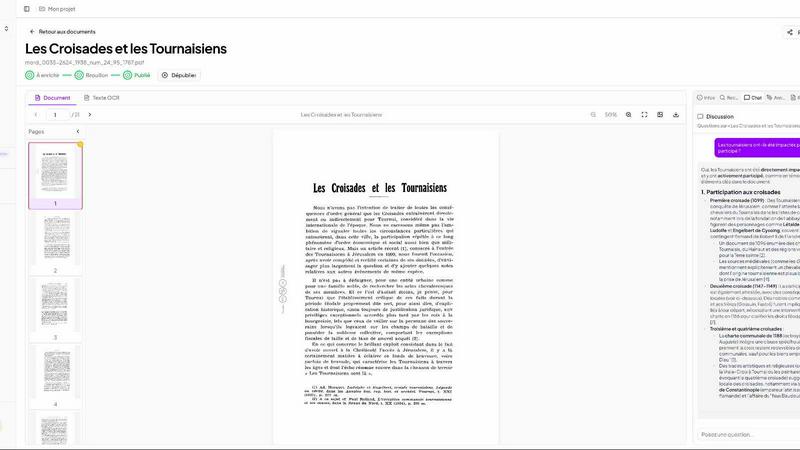
Transform your dusty archives into a searchable treasure trove with Patrivox's lightning-fast AI digitization.
Last updated: March 4, 2026

Playwriter
Give your AI agents the keys to your actual Chrome browser, complete with logins and extensions, via a single powerful command.
Last updated: March 18, 2026
Visual Comparison
Patrivox
Playwriter

Feature Comparison
Patrivox
Automated Document Processing
Say goodbye to the cumbersome manual indexing! With Patrivox, you can drop your PDFs, and in minutes, Mistral AI reads, classifies, and connects them. This feature ensures that every page is analyzed automatically, turning your archives into a treasure trove of searchable data without lifting a finger.
Instant Search Capabilities
Ever spent hours searching for a single piece of information? With Patrivox, every word in your collection can be found in less than a second. Thanks to full-text search, typo tolerance, and filters by date or author, you can navigate through your archives like a pro. Plus, you can simply ask questions in plain language, and the AI will provide precise, sourced answers.
Interactive Knowledge Graph
Discover the unseen connections in your archives! Patrivox automatically identifies and links every person, place, and organization mentioned in your documents. This interactive knowledge graph allows users to explore relationships between entities, uncovering insights that may have gone unnoticed for years.
Shared Access and Collaboration
Collaboration is key! Patrivox supports unlimited readers and multiple administrators, making it the perfect solution for teams. Whether you're working with researchers, volunteers, or the public, everyone can access and explore your archives simultaneously, fostering a collaborative environment for discovery and learning.
Playwriter
Your Real Browser, Zero Setup
Forget spawning memory-hogging, headless browser instances. Playwriter attaches directly to your existing Chrome session via a simple extension click. Your agents instantly inherit everything: logged-in accounts, ad-blockers, password managers, and session cookies. This means no instant bot detection, no tedious re-logins, and no doubling your RAM usage. The agent operates in the exact digital environment you do, bypassing the biggest hurdles of web automation with elegant simplicity.
One Tool to Rule Them All
Other systems force agents to use a limited, pre-defined set of brittle tools. Playwriter flips the script by exposing the entire, powerful Playwright API through a single execute command. This means your agent can run any Playwright code—clicking, typing, scrolling, waiting for elements, taking snapshots—without being constrained by a wrapper. It leads to more robust automation and lower context usage, as there's no schema bloat from dozens of individual tool definitions.
Built for Human-AI Collaboration
This isn't about firing and forgetting an agent into the void. Playwriter is built for real-time teamwork. You watch the agent work live in your browser. When it hits a captcha, you solve it. When a cookie consent wall pops up, you click it. If the agent gets stuck, you can temporarily disable control, manually fix the page, and re-enable it so the agent picks up right where it left off. You're sharing the driver's seat, not just reading a crash report.
Deep Debugging & Lightweight Snapshots
Playwriter comes packed with professional-grade dev tools. Use the built-in debugger to set breakpoints and pause execution. Edit code live to test fixes on the fly. Intercept and modify network requests. Record videos of sessions. Plus, its accessibility snapshots are a revelation: instead of bulky 100KB+ screenshots, it captures the page's semantic structure in a tiny 5-20KB file, giving your agent perfect "sight" of buttons, links, and fields without the visual bloat.
Use Cases
Patrivox
Municipal Archives
Transform your municipal records into an accessible digital library! Patrivox helps digitize and showcase deliberations, registers, and correspondence, allowing citizens to explore their local history with ease.
Historical Societies
Historical societies can leverage Patrivox to make their bulletins and documentary collections searchable and explorable. This enhances public engagement and elevates the importance of local history in a digital era.
Heritage Libraries
Open your special collections to the world! Patrivox enables heritage libraries to digitize their archives, allowing researchers and the public to access valuable resources that were previously locked away.
Dioceses & Parishes
Preserve the sanctity of your ecclesiastical archives! Patrivox assists dioceses and parishes in indexing and preserving vital parish registers, ensuring that historical documents are available for future generations to explore.
Playwriter
Automated Research & Data Aggregation
Send your AI agent on a deep-dive research mission across sites where you're already a member. It can log into your academic journals, navigate paid news sites, extract data from complex dashboards, and compile reports—all using your existing subscriptions and bypassing paywalls. The agent handles the tedious gathering; you get the curated insights.
Streamlined Testing & QA
Frontend developers and QA engineers, rejoice. Use Playwriter to create and run complex, real-user testing flows on your web app. Because it uses your real browser, it can test logged-in states, third-party integrations, and extension behavior that are impossible to replicate in a clean environment. Debug flaky tests instantly with live editing and network interception.
Repetitive Task Automation
Automate the boring stuff on sites that normally block bots. Have your agent handle routine order status checks on e-commerce sites, post scheduled content to social media platforms, or fill out internal company forms. Since it operates from your authenticated session, these workflows are reliable and human-like.
AI-Powered Web Interaction
Build next-level AI applications that need to interact with the dynamic web. Imagine an AI travel agent that can actually check flight prices on your logged-in airline account, or a personal shopper that browses your favorite stores. Playwriter provides the reliable, real-browser interface that makes these agentic applications possible and practical.
Overview
About Patrivox
Patrivox is the ultimate game-changer for organizations looking to breathe life into their dusty archives. This revolutionary European SaaS platform is crafted specifically for heritage institutions, municipal services, associations, and enterprises eager to convert their mountains of scanned documents into a vibrant, fully searchable knowledge base. With an intuitive drag-and-drop interface, Patrivox allows users to upload their PDFs effortlessly. In mere minutes, the powerhouse Mistral AI kicks into gear, utilizing cutting-edge optical character recognition (OCR) technology to capture every word. It's not just about finding documents; Patrivox identifies key entities—think people, places, organizations—and weaves them together in an interactive knowledge graph. Whether you're a researcher in a hurry or a curious citizen, Patrivox guarantees instant access to information with typo tolerance and natural language queries, all while delivering sourced answers. It's about making the once inaccessible knowledge accessible and shareable, paving the way for groundbreaking research and public engagement.
About Playwriter
Tired of watching your AI agents trip over themselves in a sterile, sandboxed browser? Playwriter is the game-changer that finally gives them the keys to the real web. It's a Chrome extension and CLI that lets your AI agents—like Claude in Cursor or VS Code—control your actual, living browser session. No more fresh, cookie-less Chrome instances that scream "bot" and get blocked instantly. Playwriter plugs your agent directly into your browser, complete with all your logins, extensions, cookies, and settings already loaded. It's like giving your digital assistant a driver's license for your own car instead of making it learn on a broken-down simulator. It provides a full, unfiltered Playwright automation API through a single, powerful tool, enabling complex actions from performance profiling to network interception. Best part? It's open-source, runs locally on your machine, and turns browser automation from a frustrating chore into a seamless, collaborative dance between human intuition and AI execution.
Frequently Asked Questions
Patrivox FAQ
How does Patrivox ensure data security?
Patrivox is 100% hosted in Europe and is GDPR-native, ensuring that all data remains secure and compliant with European regulations. An audit log tracks activity, giving you peace of mind.
Can I try Patrivox before committing?
Absolutely! Patrivox offers a free trial where you can test the platform with 100 trial pages and explore its features without any credit card required.
What kind of support is available?
Patrivox provides tiered support options, including email support for all plans. The higher-tier plans also offer priority support, ensuring that you get help when you need it.
Is there a limit to the number of users?
Not at all! Patrivox allows unlimited readers across all plans, making it easy for your team or the public to access and engage with your digitized archives.
Playwriter FAQ
Is my browsing data sent to a remote server?
Absolutely not. Playwriter is designed with privacy first. Everything runs locally on your machine. The Chrome extension connects to a local WebSocket relay (on localhost:19988), and the CLI or your MCP client talks to that same local relay. No data, browsing history, or credentials are sent to any remote server. It's all in your control.
What happens if the agent gets stuck on a page?
This is where the collaboration shines. You can see the agent is stuck live in your browser. Simply click the Playwriter extension icon on that tab to turn it from green to gray, which detaches the agent. You can then manually navigate, solve a puzzle, or fix the page state. Once done, click the icon again to re-attach (turn it green), and the agent can continue its work from the new page state.
Can I use it with AI assistants other than Claude?
Yes! Playwriter works with any client that supports the Model Context Protocol (MCP), which includes Cursor, Claude Desktop, VS Code with extensions, and more. The core principle is providing a standard API (Playwright) that any capable agent can utilize through the local connection.
How is this different from just using Playwright directly?
Using Playwright directly typically means programmatically launching a separate, clean browser instance. Playwriter's magic is in attaching to your existing, authenticated browser session. This eliminates the huge problems of managing logins, avoiding detection, and replicating your unique browser environment (extensions, settings). It also adds the collaboration layer and lightweight snapshots that vanilla Playwright doesn't provide.
Alternatives
Patrivox Alternatives
Patrivox is a revolutionary SaaS platform tailor-made for anyone with a treasure trove of scanned documents looking to make sense of their chaos. By leveraging advanced AI technology, Patrivox transforms these documents into a searchable goldmine, allowing users to drag and drop PDFs and watch the magic happen in mere minutes. This platform is a game-changer for heritage institutions, municipal services, and enterprises that crave streamlined access to information. But why do users often seek alternatives to Patrivox? It can boil down to factors like pricing, specific feature sets, or unique platform requirements. When hunting for an alternative, it’s crucial to consider aspects like ease of use, the depth of AI capabilities, document handling efficiency, and overall scalability to ensure you find the perfect fit for your needs.
Playwriter Alternatives
Playwriter is a game-changer in the automation category, giving AI agents the power to control your actual Chrome browser session. It solves the core problem of AI web browsing by providing a logged-in, extension-loaded environment instead of a sterile, bot-detected tab. People hunt for alternatives for all the usual reasons. Maybe the pricing doesn't fit their budget, or they need a feature that's still on the roadmap. Some might be locked into a specific platform or ecosystem that demands a different integration method. The search is totally valid. When you're evaluating options, look beyond the hype. The real magic is in session persistence—can the tool use your real browser with all your logins and extensions? Check the depth of control: is it just clicking, or can you intercept networks and edit code live? Finally, consider the license and how it plays with your existing AI workflow tools.