
Phishly vs Zovo
Side-by-side comparison to help you choose the right AI tool.

Phishly
Phishly crushes phishing emails with AI scans, keeping your inbox locked down with just one click.
Last updated: February 26, 2026

Zovo delivers 20 privacy-first Chrome extensions for developers and writers, all for one low price—no data mining, just.
Last updated: February 28, 2026
Visual Comparison
Phishly
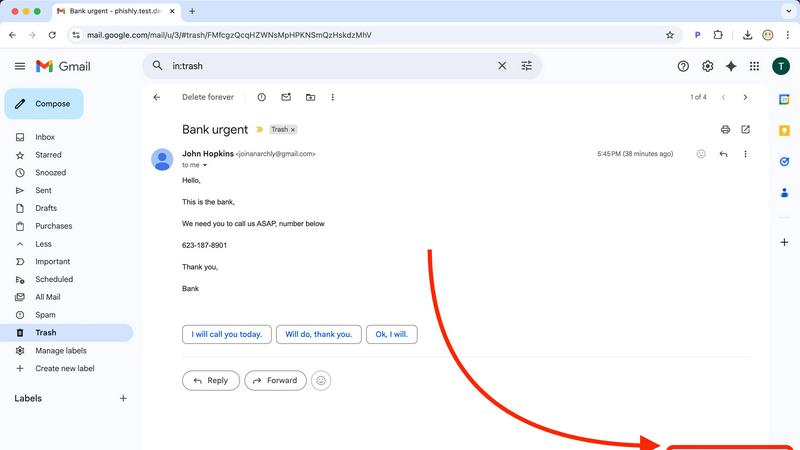
Zovo

Feature Comparison
Phishly
Instant Email Scanning
With just a click, Phishly scans any email in your Gmail inbox or suspicious messages pasted on our site. It quickly identifies potential threats, giving you peace of mind in seconds.
AI-Powered Threat Detection
Phishly harnesses the power of advanced AI technology to detect phishing attempts effectively. From dodgy domains to classic social engineering tactics, our system spots the sneaky signs that other tools might miss.
User-Friendly Risk Assessment
No tech jargon here! Phishly delivers clear risk assessments: Safe, Medium Risk, or High Risk. This straightforward approach helps you make informed decisions about your email without the headache.
Privacy-Centric Analysis
Your privacy is our priority. Phishly only analyzes the emails you choose to scan, meaning your sensitive data stays in your hands. We respect your space and keep your information confidential.
Zovo
BeLikeNative
BeLikeNative is your secret weapon for flawless writing. With a single keystroke, this extension instantly rewrites your text to sound like a native speaker, across 80 languages. It’s like having a personal editor in your pocket, ready to elevate your written communication whenever you need it. Perfect for students, professionals, and anyone who wants to impress with their language skills.
Tab Suspender Pro
Say goodbye to sluggish browsers! Tab Suspender Pro automatically suspends inactive tabs, freeing up your memory and boosting performance. This smart tool tracks your tab usage, ensuring you only keep the ones you need active. It's ideal for multitaskers who juggle numerous tabs but want to maintain a smooth browsing experience without draining resources.
Clipboard History Pro
Never lose your copied text again with Clipboard History Pro! This extension stores up to 10,000 clips, allowing you to search and paste your copied content instantly. Whether you're compiling research or drafting content, this tool is crucial for anyone who needs to manage multiple snippets of information effortlessly.
JSON Formatter Pro
Transform your JSON data into a readable format with JSON Formatter Pro! This extension not only beautifies and validates your JSON but also offers a tree explorer for easy navigation. It’s an absolute must-have for developers and data analysts who work with API responses and need to make sense of complex data structures in real-time.
Use Cases
Phishly
Personal Email Protection
Every day, individuals face phishing attempts in their inboxes. With Phishly, users can quickly identify potential scams, protecting their personal information and keeping their digital lives secure.
Small Business Security
Small businesses are prime targets for phishing attacks. Phishly equips business owners with the tools needed to safeguard their communications, ensuring that their operations run smoothly without falling prey to scams.
Quick Email Verification
When in doubt about an email's legitimacy, Phishly comes to the rescue. Simply paste the message or click on it to receive an instant analysis, saving users time and anxiety over fraudulent communications.
Cyber Awareness Education
Phishly serves as a practical tool for educating users about phishing tactics. By providing real-time analysis and clear risk assessments, it helps users learn to recognize red flags in emails, fostering a more cyber-aware community.
Zovo
Academic Writing
Students and researchers can leverage BeLikeNative to refine their academic papers, ensuring their writing is polished and coherent. With instant rewrites, it's easier than ever to communicate complex ideas clearly and convincingly, making a significant impact in the academic world.
Web Development
Web developers can utilize JSON Formatter Pro to debug and visualize complex JSON data effortlessly. By transforming messy data into structured formats, they can streamline their workflow and enhance productivity, making it easier to develop and test APIs.
Content Creation
Content creators can benefit from Clipboard History Pro by gathering and organizing snippets of inspiration or research material. This tool allows them to compile valuable content easily, making the writing process smoother and more efficient.
Browser Performance Optimization
For heavy internet users, Tab Suspender Pro is a game-changer. It helps optimize browser performance by suspending unnecessary tabs, allowing users to maintain a fast and responsive browsing experience. Perfect for those who conduct extensive research or manage multiple projects simultaneously.
Overview
About Phishly
Phishly is your ultimate digital bodyguard, expertly designed to navigate the treacherous waters of phishing attacks. This AI-powered powerhouse operates as a slick Chrome extension for Gmail and a versatile web tool, ensuring that top-notch protection is just a click away. Whether you're an individual trying to keep your personal information safe or a small business owner looking to shield your organization from cyber threats, Phishly has your back. With its lightning-fast scanning capabilities, this tool analyzes emails for red flags like sketchy domains, alarming language, and forged sender identities. It provides an easy-to-understand risk assessment—Safe, Medium Risk, or High Risk—so you can swiftly decide if that email is trustworthy or a trap. Phishly cuts through the corporate jargon, delivering straightforward phishing protection that everyone can understand. We prioritize your privacy by only analyzing the emails you choose to scan, ensuring your data stays yours. Plus, it’s free to use, making it an essential tool for anyone who wants to navigate their inbox safely and confidently.
About Zovo
Zovo is a powerhouse suite of 16 Chrome extensions crafted by a solo developer with over a decade of experience and an impressive $400K earned on Upwork—100% success rate, baby! This is not just another corporate tool; it’s the real deal. Zovo’s flagship extension, BeLikeNative, empowers more than 3,300 users to write like a native speaker in just one keystroke, supporting a staggering 80 languages. But that’s just scratching the surface. The entire suite includes must-have tools like Tab Suspender Pro, JSON Formatter Pro, and Clipboard History Pro, each designed with a privacy-first philosophy—your data never leaves your device, no shady data harvesting here. Zovo democratizes tool development; users vote on features and shape the roadmap, meaning you get what you actually need. With new extensions dropping every month, Zovo is a treasure trove for anyone looking to boost their browser’s capabilities without compromising privacy or performance.
Frequently Asked Questions
Phishly FAQ
What is Phishly and how does it work?
Phishly is an AI-powered tool designed to protect users from phishing attacks. It scans emails for signs of scams and provides a risk assessment based on its findings.
Is Phishly free to use?
Yes! Phishly is completely free, allowing anyone to access its powerful phishing protection without any hidden fees or subscriptions.
How does Phishly ensure my privacy?
Phishly respects your privacy by only analyzing the emails you choose to scan. Your data remains yours, and we do not access or store any personal information.
Can Phishly be used on non-Gmail accounts?
Currently, Phishly is designed primarily as a Chrome extension for Gmail. However, users can also paste suspicious emails into the web tool for analysis, making it versatile for different email scenarios.
Zovo FAQ
What is Zovo?
Zovo is a suite of 16 privacy-first Chrome extensions developed by a solo developer. It focuses on enhancing browser functionality while ensuring user data remains private and secure.
How do I request new features?
You can submit feature requests directly through the Zovo website. The developer personally reviews all requests, and the most popular features get prioritized for development.
Is my data safe with Zovo extensions?
Absolutely! Zovo prioritizes user privacy, ensuring that no data is harvested or stored outside your device. All processing happens locally, so your information remains yours.
How often are new extensions released?
Zovo releases new extensions every month! Members get early access, typically 1-2 weeks before the public release, allowing them to enjoy the latest tools first.
Alternatives
Phishly Alternatives
Phishly is your ultimate sidekick in the battle against phishing attacks, serving up AI-driven scans to keep your inbox squeaky clean. As a Chrome extension for Gmail and a handy web tool, it’s engineered for productivity and management, making it the go-to solution for those who want to dodge pesky scams with just a click. But let’s be real—sometimes users seek alternatives to Phishly for a variety of reasons. Whether it’s pricing, specific feature sets, or compatibility with different platforms, finding the right fit is key. When searching for an alternative, consider factors like user-friendliness, privacy policies, and the effectiveness of the scanning technology to ensure you’re still getting top-notch protection against those sneaky phishing attempts.
Zovo Alternatives
Zovo is a powerhouse suite of privacy-first Chrome extensions for developers and writers. It's the ultimate productivity hack, bundling tools for writing, tab management, and data handling into one slick package. This isn't just software; it's a curated toolkit built by a proven solo dev who gets what power users actually need. So why look elsewhere? Maybe the all-in-one bundle isn't your vibe, or you need tools for a different browser. Budget can be a factor, or perhaps you're hunting for one hyper-specialized feature that a broader suite doesn't cover. It's all about finding the perfect fit for your specific workflow chaos. When scouting for other options, keep your non-negotiables front and center. Privacy should be non-negotiable—ask where your data lives. Check if the tool's roadmap aligns with your needs, and see if it plays nice with your other apps. Performance is key; you want a speed boost, not more bloat. Ultimately, you need a setup that feels like an extension of your brain, not a burden.