Pathoura vs Prompt Builder
Side-by-side comparison to help you choose the right AI tool.

Pathoura delivers AI-driven audio guides that transform museum visits into multilingual storytelling experiences right.
Last updated: February 26, 2026

Prompt Builder
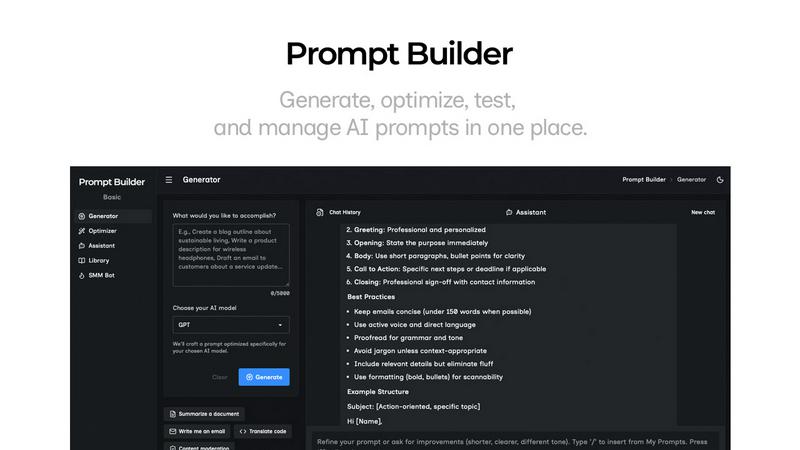
Generate, optimize, test, and manage AI prompts in one place. Turn an idea into a ready-to-use prompt in seconds.
Visual Comparison
Pathoura

Prompt Builder
Overview
About Pathoura
Forget everything you knew about awkward audio guides that weigh down your experience. Pathoura is here to flip the script, revolutionizing how museums, galleries, and heritage sites narrate their stories. Gone are the days of bulky hardware and expensive studio recordings that only serve to alienate visitors. Pathoura is an AI-powered platform that translates and narrates your content into over 20 languages, all accessible via a simple QR code that visitors can scan with their smartphones. This means no downloads, no lost devices, and no barriers to understanding. With a sleek web dashboard, institutions can effortlessly craft immersive audio guides that captivate audiences from around the globe. Whether you’re a sprawling national museum or an intimate local gallery, Pathoura empowers you to deliver rich, multilingual experiences that engage diverse audiences, streamline operations, and even unlock new revenue streams. This isn’t just an upgrade; it’s a cultural storytelling revolution that puts you ahead of the game.
About Prompt Builder
Prompt Builder is a prompt engineering workspace for writing, testing, and saving prompts. Describe the task in plain English, and it helps you create a prompt that matches the model you choose. Start with a draft, refine it in chat, save or pin versions, then run them when you are ready. It works with GPT, Claude, Gemini, Llama, Mistral, DeepSeek, Grok, Perplexity, and more. You also get an Optimizer, an assistant for quick tests, and a library of reusable prompts and templates from the community. Turn an idea into a ready-to-use prompt in seconds. Refine it in chat, save it to your Library, and run it anytime.