
Nani vs Picture to Drawing
Side-by-side comparison to help you choose the right AI tool.

Nani
Nani supercharges your AI art, organizing prompts and images so you can create without the chaos.
Last updated: February 28, 2026

Picture to Drawing
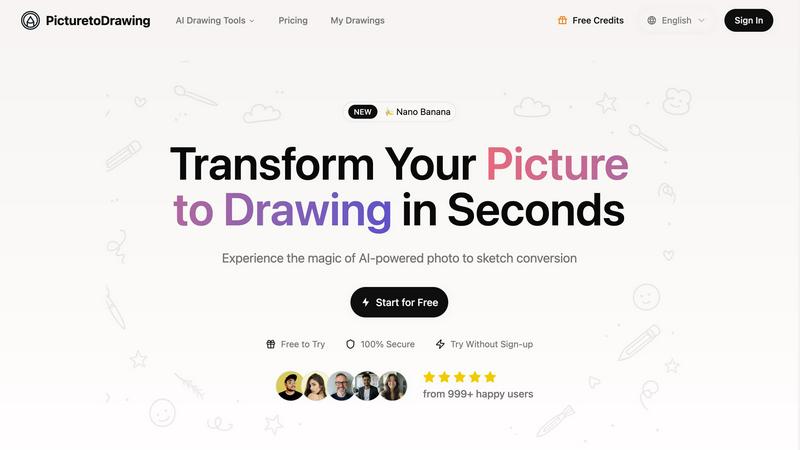
Turn your photos into stunning hand-drawn art in seconds with our AI-powered Picture to Drawing tool.
Last updated: February 28, 2026
Visual Comparison
Nani

Picture to Drawing
Feature Comparison
Nani
Nano Banana Pro Engine
This is your secret weapon. Powered by Google's cutting-edge Nano Banana Pro (Gemini), this engine is the muscle behind the magic. It translates your wildest prompts into stunning, high-quality images in mere seconds. Enjoy customizable aspect ratios and resolutions, and generate images without any visible watermarks, giving you pro-grade results ready for any project.
Reusable Prompt Sets
Stop the copy-paste madness. Nani's Sets feature lets you save and group your golden prompts for instant reuse. Perfect for maintaining consistent characters, art styles, or entire project workflows across countless generations. It's your personal style guide, baked directly into your creative process to ensure brand and visual consistency every single time.
Next-Level Organization
Tame the chaos of your AI art library. Create custom folders, filter your masterpieces by favorites, and bulk-select images for easy management. These aren't basic tools; they're a scalable organization system designed to grow with your output, keeping your digital workspace tidy and your best work always at your fingertips.
Seamless Collaborative Workflow
Supercharge your team projects or client shares. Drag and drop images as visual references for new prompts, share any creation with a simple public link, and even let others recreate your work in their own accounts. It breaks down creative silos and makes iterative design and collaboration incredibly fluid.
Picture to Drawing
Advanced AI Technology
Harnessing the power of advanced AI, Picture to Drawing meticulously analyzes every detail of your photos. This technology ensures that the artistic conversions maintain the emotional depth and essence of your original images, giving you results that look professionally crafted.
Multiple Artistic Styles
Dive into an expansive gallery of artistic styles that’ll blow your mind. From classic pencil sketches to modern watercolor paintings, you can choose the aesthetic that matches your vibe. This feature lets you unleash your creativity by transforming photos into any artistic style you desire.
High Resolution Output
Say goodbye to pixelated images! Picture to Drawing provides high-resolution outputs, ensuring that your artistic creations are crisp and clear. Whether you want to print, frame, or showcase them on social media, your artwork will always look stunning.
Privacy Protection
Your privacy matters. Picture to Drawing processes your photos securely and ensures that they are automatically deleted after conversion. Rest easy knowing that your personal images are never stored or shared, keeping your creative journey safe and secure.
Use Cases
Nani
Consistent Character Design for Comic Artists
Comic artists and illustrators can finally maintain perfect character consistency across an entire series. Save your hero's prompt as a Set, and regenerate them in any scene, action, or outfit without their face or style drifting. It locks in the details so you can focus on storytelling, not prompt engineering.
Rapid Social Media Content Creation
Content creators and social media managers drowning in the need for daily visuals can breathe easy. Whip up batches of on-brand graphics, campaign images, and engaging posts in minutes. Use Sets for your brand's color palette and style, organize them into campaign folders, and never miss a posting deadline again.
Streamlined Concept Art & Mood Boards
Game devs, filmmakers, and designers can rapidly iterate on concepts. Generate hundreds of environment or character sketches, drag and drop favorites as references for new variations, and organize them into project-specific folders. It accelerates the ideation phase from a slog to a lightning-fast creative sprint.
Efficient Client & Agency Workflows
Agencies can deliver stunning mockups and campaign assets with ruthless efficiency. Create client-specific Sets for their brand guidelines, generate options in bulk, and share curated folders via public links for seamless feedback. It cuts revision time and keeps every asset perfectly on-brand.
Picture to Drawing
Personalized Gifts
Transform your favorite family photos into unique artistic drawings that make for heartfelt gifts. Whether it's for anniversaries, birthdays, or just because, these personalized keepsakes will surely leave a lasting impression.
Social Media Content
Want to stand out in the crowded social media landscape? Use Picture to Drawing to create eye-catching art from your photos that captures attention and drives engagement. Your followers will love the fresh, artistic flair you bring to your feed.
Marketing Materials
Elevate your business branding with distinctive picture to drawing artwork. From brochures to websites, unique artistic visuals can set your marketing materials apart and create memorable impressions that resonate with your audience.
Home Decoration
Turn your beloved photographs into elegant wall art that reflects your personal style. With Picture to Drawing, you can create cohesive home decor by converting photos into artistic sketches or paintings that enhance your living space.
Overview
About Nani
Forget everything you know about clunky AI image generators. Nani is the game-changing sidekick built for the modern creator who's tired of the grind. It's not just a tool; it's your creative co-pilot, engineered to vaporize the annoying, time-sucking admin work that comes with AI art. Built on the raw power of Google's Nano Banana Pro (Gemini), Nani is for artists, designers, content creators, and anyone who generates images regularly and needs their workflow to be as smooth as their ideas are wild. Why waste hours rewriting prompts, digging through a chaotic feed, or losing your consistent character designs? Nani's genius lies in its seamless organization and powerful, reusable prompt sets that keep your style locked in and your process flowing. Its intuitive interface gets out of your way, so you can focus on pure creation. From generating stunning, watermark-free images in seconds to organizing them into folders and sharing them with a link, Nani handles the noise so you can amplify your signal. It's the end of creative friction and the beginning of a new era where bringing your vision to life is as simple as typing a prompt and hitting generate.
About Picture to Drawing
Picture to Drawing is your go-to AI-powered platform that transforms ordinary photos into breathtaking artistic drawings in mere seconds. Imagine taking your cherished snaps and converting them into stunning hand-drawn sketches, vibrant watercolor paintings, or modern line art. This innovative tool utilizes cutting-edge artificial intelligence that dives deep into the details of your images, ensuring that each transformation captures the essence, emotions, and subtleties of the original picture. Whether you’re an artist seeking inspiration, a parent wanting to turn your kid’s art into something special, or simply someone looking to jazz up their social media posts, Picture to Drawing has you covered. It’s perfect for anyone who values the blend of technology with art, making it easy to create professional-quality drawings without breaking a sweat.
Frequently Asked Questions
Nani FAQ
How much does it cost to generate an image?
Nani uses a simple, pay-as-you-go credit system. It costs about 30 cents per image generation for standard 1K or 2K resolutions. There are no monthly subscriptions or commitments. You only pay for what you create, and any credits you purchase never expire.
Is there a free trial?
Absolutely! You can start creating for free right away. Nani gives you 5 free credits to test the platform when you sign up, with no credit card required. This lets you fully experience the power of the Nano Banana Pro engine and all the organizational features before spending a dime.
What is included with the credits?
Every credit you use unlocks a full generation with the powerful Nano Banana Pro model, including web search context at no extra cost to enhance your prompts. All features—like Sets, Folders, and sharing—are unlocked from day one. There are no feature-gated tiers.
Can I collaborate with others on Nani?
Yes, collaboration is baked in! You can easily share any image you create via a public link. Even cooler, if you share a prompt from one of your Sets, others can use that exact prompt to recreate and riff on your work within their own Nani account, making collaborative ideation and iteration a breeze.
Picture to Drawing FAQ
How does Picture to Drawing work?
Picture to Drawing uses advanced AI algorithms to analyze your uploaded images and convert them into various artistic styles, preserving the original essence while adding an artistic flair.
What formats can I upload?
You can upload images in JPG, PNG, WEBP, or HEIC formats, making it easy to use your favorite photos for conversion. Just drag and drop or click to upload!
Is there a limit on daily free use?
Yes, Picture to Drawing offers daily free use, allowing you to experiment with your photos without any cost. However, additional features or premium styles may be available through a subscription or credits.
Can I use the artwork commercially?
While Picture to Drawing provides high-quality outputs, it's best to check specific usage rights if you plan to use the artwork commercially. Ensure you understand any licensing requirements to avoid issues.
Alternatives
Nani Alternatives
Nani is the ultimate sidekick for AI image generation, a powerhouse tool that organizes your prompts and images to cut through the creative chaos. It’s a game-changer for artists and creators who need to generate visuals fast, without the administrative grind. So why look elsewhere? Maybe the price tag doesn’t fit your budget, or you need a feature that’s on a different platform. Some creators crave more advanced editing tools, while others just want a simpler, bare-bones generator. The search for the perfect tool is all about matching your unique creative rhythm. When hunting for a different vibe, think about what makes your process tick. Do you need rock-solid organization, or is raw generation speed your top priority? Consider if you’ll be collaborating with a team or flying solo. The goal is to find a tool that gets out of your way and lets your ideas flow without friction.
Picture to Drawing Alternatives
Picture to Drawing is an innovative AI-powered platform that takes your ordinary photos and transforms them into stunning hand-drawn art in mere seconds. This tool falls under the category of AI Assistants and Image & Photo editing, appealing to a wide audience from artists to everyday users who want to add a creative flair to their images. However, many users find themselves on the hunt for alternatives to Picture to Drawing for various reasons. They might be looking for different pricing structures, unique features, or specific platform compatibility that better suits their needs. When searching for an alternative, it’s essential to consider factors like the range of artistic styles offered, output quality, ease of use, and additional features that can enhance your creative process.