Meet Lea vs Prompt Builder
Side-by-side comparison to help you choose the right AI tool.

Meet Lea supercharges your LinkedIn presence with smart commenting that guarantees visibility without daily posts.
Last updated: February 28, 2026

Prompt Builder
Generate, optimize, test, and manage AI prompts in one place. Turn an idea into a ready-to-use prompt in seconds.
Visual Comparison
Meet Lea
Prompt Builder
Overview
About Meet Lea
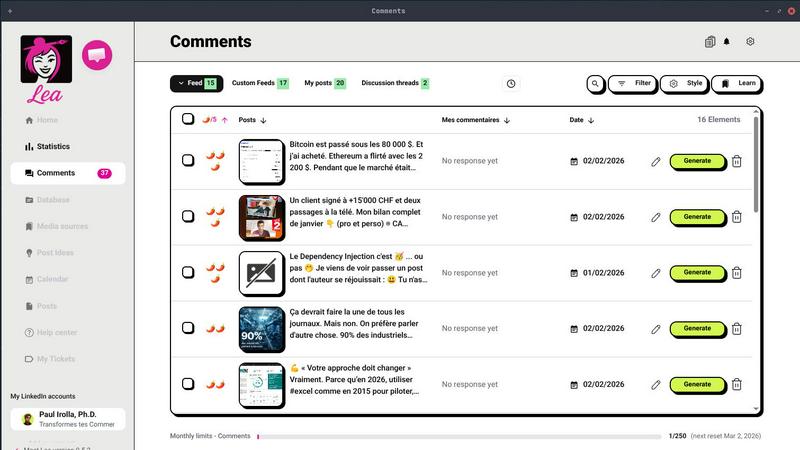
Meet Lea is your ultimate desktop AI sidekick, engineered to supercharge your LinkedIn presence like never before. Available on Windows, macOS, and Linux, this revolutionary application is designed for professionals, entrepreneurs, and founders who are tired of drowning in content fatigue. Forget the endless cycle of posting and hoping for engagement; Meet Lea shifts the paradigm, helping you expand your reach through authentic, strategic commenting. It meticulously analyzes your feed, pinpointing the most relevant posts from your target audience to craft comment suggestions that pop and generate organic visibility. You stay in control—review, edit, and approve every suggestion before it goes live. With tailored feed curation and robust analytics, you can measure the real-world impact of your engagement, such as increased profile visits and business leads. Say goodbye to the algorithm's whims and hello to genuine connections and steady growth!
About Prompt Builder
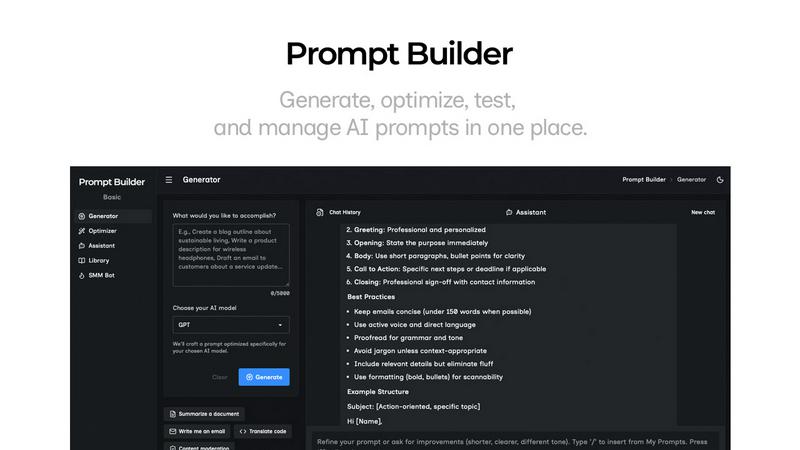
Prompt Builder is a prompt engineering workspace for writing, testing, and saving prompts. Describe the task in plain English, and it helps you create a prompt that matches the model you choose. Start with a draft, refine it in chat, save or pin versions, then run them when you are ready. It works with GPT, Claude, Gemini, Llama, Mistral, DeepSeek, Grok, Perplexity, and more. You also get an Optimizer, an assistant for quick tests, and a library of reusable prompts and templates from the community. Turn an idea into a ready-to-use prompt in seconds. Refine it in chat, save it to your Library, and run it anytime.