Marauder Bot vs Prompt Builder
Side-by-side comparison to help you choose the right AI tool.

Marauder Bot
Marauder Bot is your stealthy AI ally that instantly cracks technical interview questions to boost your confidence and.
Last updated: February 26, 2026

Prompt Builder
Generate, optimize, test, and manage AI prompts in one place. Turn an idea into a ready-to-use prompt in seconds.
Visual Comparison
Marauder Bot
Prompt Builder
Overview
About Marauder Bot
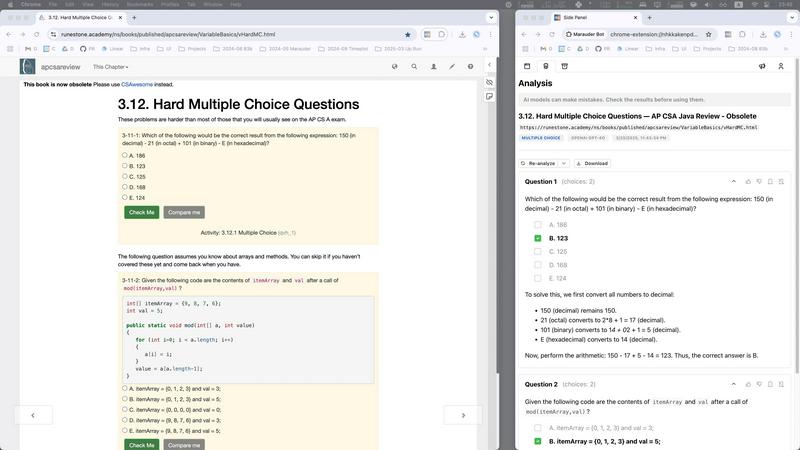
Welcome to the future of coding prep with Marauder Bot, the ultimate digital ally for engineers, developers, and tech candidates. Gone are the days of sweating bullets over complex algorithm questions and second-guessing your answers in high-stakes interviews. This sleek, stealth-powered Chrome extension is here to revolutionize your technical assessments. Marauder Bot operates discreetly, scanning all your open tabs and windows to deliver an at-a-glance overview of every problem. With just a click, it taps into cutting-edge AI models like GPT-5.2 and Claude Sonnet 4.5, empowering you to generate optimal code solutions, receive step-by-step breakdowns, and ace multiple-choice questions with full explanations. Its main value proposition? To supercharge your interview prep, reclaim your precious time, and boost your confidence, all while maintaining complete discretion. Whether you're a seasoned pro or a fresh grad, Marauder Bot is your unfair advantage in the competitive tech landscape.
About Prompt Builder
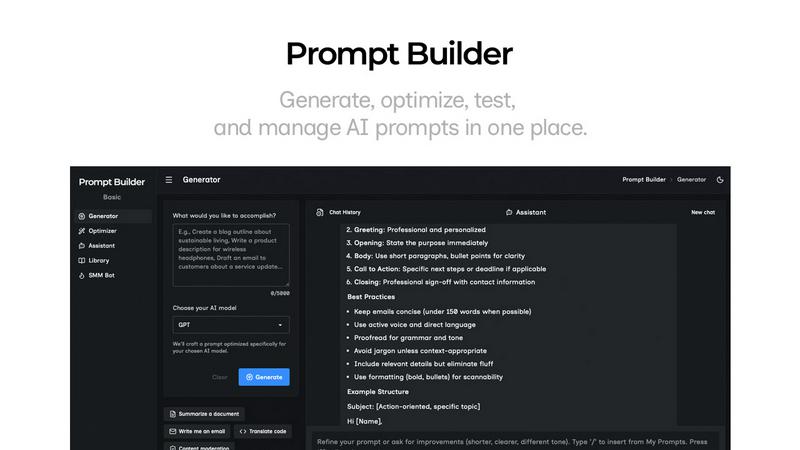
Prompt Builder is a prompt engineering workspace for writing, testing, and saving prompts. Describe the task in plain English, and it helps you create a prompt that matches the model you choose. Start with a draft, refine it in chat, save or pin versions, then run them when you are ready. It works with GPT, Claude, Gemini, Llama, Mistral, DeepSeek, Grok, Perplexity, and more. You also get an Optimizer, an assistant for quick tests, and a library of reusable prompts and templates from the community. Turn an idea into a ready-to-use prompt in seconds. Refine it in chat, save it to your Library, and run it anytime.