Mailopoly vs Prompt Builder
Side-by-side comparison to help you choose the right AI tool.

Mailopoly slashes your inbox clutter, prioritizes what matters, and drafts replies in your voice for a smarter, calmer.
Last updated: February 28, 2026

Prompt Builder
Generate, optimize, test, and manage AI prompts in one place. Turn an idea into a ready-to-use prompt in seconds.
Visual Comparison
Mailopoly

Prompt Builder
Overview
About Mailopoly
Mailopoly is not just another email client; it's your digital life reimagined. Imagine an inbox that knows you better than your best friend, automatically sifting through the chaos to present only what matters. In a world where your time is gold, Mailopoly helps you reclaim it by drastically reducing the noise. With its AI-driven capabilities, this tool extracts essential information from your emails, cutting down your inbox clutter by more than half. Designed for busy professionals, multitaskers, and anyone feeling buried under a mountain of messages, Mailopoly transforms your email experience into a powerful command center. Its integrated AI chatbot, Poly, is your personal assistant for everything from finances to event planning. With smart reply suggestions, instant unsubscription options, and comprehensive task management, Mailopoly is more than just an email tool; it's a lifestyle upgrade. Say goodbye to inbox overwhelm and hello to streamlined organization.
About Prompt Builder
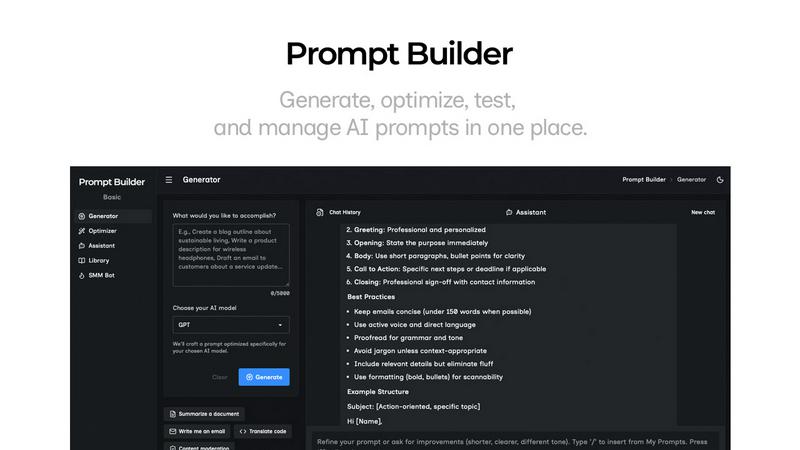
Prompt Builder is a prompt engineering workspace for writing, testing, and saving prompts. Describe the task in plain English, and it helps you create a prompt that matches the model you choose. Start with a draft, refine it in chat, save or pin versions, then run them when you are ready. It works with GPT, Claude, Gemini, Llama, Mistral, DeepSeek, Grok, Perplexity, and more. You also get an Optimizer, an assistant for quick tests, and a library of reusable prompts and templates from the community. Turn an idea into a ready-to-use prompt in seconds. Refine it in chat, save it to your Library, and run it anytime.