LunoKid vs The Ultimate Piano
Side-by-side comparison to help you choose the right AI tool.

LunoKid transforms chores into a fun adventure, motivating kids with a virtual pet while parents effortlessly manage.
Last updated: February 26, 2026

The Ultimate Piano
Master piano online with insane realism, MIDI support, and AI-powered learning tools.
Last updated: March 4, 2026
Visual Comparison
LunoKid
The Ultimate Piano

Feature Comparison
LunoKid
Gamified Chore Management
LunoKid transforms mundane tasks into exciting adventures. Parents create chores with point values, and kids earn rewards as they complete tasks, keeping them motivated and engaged.
AI-Powered Virtual Pet
Meet Luno, your child's new best friend! This AI-driven virtual pet encourages kids to complete their chores while helping them with homework through the "Ask Luno" feature, promoting problem-solving skills.
Progress Tracking Dashboard
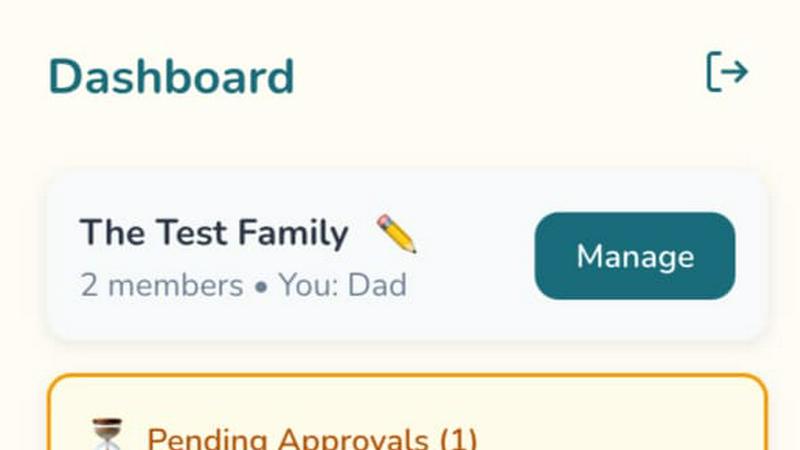
Parents can easily monitor their children's progress with a user-friendly dashboard. Track completed tasks, pending chores, and overall improvement at a glance, making parenting smoother and more transparent.
Customizable Reward System
Set up a reward system that works for your family! Parents can assign custom rewards, allowing kids to redeem their hard-earned points for fun incentives that make chores feel worthwhile.
The Ultimate Piano
Browser-Based Powerhouse
Ditch the install. Fire up your browser and you're instantly at a pro-grade digital piano with stunningly realistic sounds. Use your mouse, smash your computer keys, or plug in a real MIDI keyboard for that authentic feel. It's the zero-friction, maximum-flexibility way to play, making serious practice possible from your couch, a coffee shop, or anywhere you get the urge to create.
Intelligent Chord & Scale Dojo
This is where theory meets the streets. Play anything, and the real-time chord detection instantly names what you're laying down, unlocking the secrets of harmony as you play. Dive into the Scale Trainer with 14+ scale types—select "Blues Scale in Ab" and watch it light up the keyboard, guiding your fingers and drilling muscle memory until those complex patterns are second nature.
Multimedia Practice Fusion
Why practice in silence? Load any MP3, MIDI file, or paste a YouTube URL directly into the tool. Slow down the tempo, set A-B loops on tricky sections, and watch the falling notes on the keyboard show you exactly what to play. It's like having the ultimate practice buddy who can slow down any song, highlight every note, and help you steal those licks flawlessly.
Full Customization & Mobile Freedom
Make it yours. Change colors, note labels, key ranges, and even whitelabel the splash screen. Then, take your personalized piano on the go—it's fully optimized for tablets and smartphones with touch support. Connect a sustain pedal via MIDI for expressive playing, and use the metronome with speed training to lock in your timing, anywhere in the world.
Use Cases
LunoKid
Busy Family Life
In the chaos of daily life, LunoKid provides a structured system that helps busy families manage chores without the usual stress. The app keeps everyone on track while making tasks fun.
Multi-Child Households
For families with multiple kids, LunoKid ensures fairness and individual accountability. Each child can have their own tasks and rewards, promoting healthy competition and cooperation.
Teaching Responsibility
Parents looking to instill a sense of responsibility in their children will find LunoKid invaluable. Kids learn the importance of completing chores while enjoying the process through gamification.
Homework Assistance
LunoKid is not just about chores. The "Ask Luno" feature supports kids with their homework, helping them learn and understand concepts without simply providing answers, enhancing their education.
The Ultimate Piano
The Bedroom Producer's Sketchpad
Got a fire melody in your head at 2 AM? Boot up Ultimate Piano, connect your MIDI keyboard, and capture it instantly with the built-in MIDI recorder. Use the chord explorer to find the perfect harmonic vibe and the audio player to jam over a beat. It's the fastest way to go from idea to a downloadable MIDI file, no massive DAW required.
The Music Student's Theory Gym
Struggling to connect scales to the actual keyboard? Visualize them in real-time with the Scale Trainer. Need to train your ears for that upcoming exam? Hit the dedicated ear training module for intervals and chords. Watch your own playing appear on a grand staff in the sheet music display, turning abstract theory into tangible, playable knowledge.
The Cover Artist's Learning Lab
Want to learn that insane piano solo from a YouTube video? Paste the link into the YouTube Player, slow it down without changing the pitch, and loop the hardest four bars. The falling notes from a loaded MIDI file of the song act as your personal guide, lighting up the keys so you can follow along and nail every single note.
The Teacher's Interactive Toolkit
Make lessons engaging and fun. For kids, switch on Kids Mode with adorable animal icons on the keys. For any student, demonstrate chords and scales with instant visualization, record their practice for review, and assign songs via MIDI files. It's a dynamic, all-in-one teaching aid that works in-person or remotely.
Overview
About LunoKid
LunoKid is the ultimate game-changer for parents looking to turn daily chores into an adventurous quest for kids aged 5-12. This innovative chore app isn’t just about checking off to-do lists; it’s about immersing children in an engaging world where they earn points and unlock rewards by taking care of an adorable virtual pet named Luno. Designed for busy families, LunoKid makes teaching responsibility a breeze, eliminating the need for constant reminders. Parents can easily assign tasks, set point values, and create a motivating reward system that encourages kids to embrace their responsibilities. The fusion of gamification and accountability fosters lifelong habits, while parents enjoy streamlined task management. With LunoKid, chores become a fun-filled journey, seamlessly blending responsibility with play, ensuring that everyone wins in the chore game.
About The Ultimate Piano
Forget clunky downloads and boring practice routines. The Ultimate Piano is your all-access pass to leveling up your music game, straight from your browser. This isn't just another virtual keyboard; it's a full-blown, dojo for pianists and producers who want to shred, learn, and create without limits. Whether you're a total newbie trying to decode your first chord or a seasoned player looking to dissect a complex solo, this platform has your back. Connect your MIDI controller, plug in your headphones, and dive into a world where real-time chord detection spells out the magic you're making, a scale trainer drills your technique, and an ear training module fine-tunes your musical intuition. Practice alongside your favorite tracks or YouTube tutorials, watch notes fall in real-time from MIDI files, and capture every moment of genius with the built-in recorder. It’s the ultimate fusion of music theory visualization and hands-on, gritty practice—all wrapped in a sleek, customizable interface that works anywhere, anytime. No excuses, just progress.
Frequently Asked Questions
LunoKid FAQ
What age is LunoKid for?
LunoKid is designed for children aged 5-12, making it perfect for young kids who are just starting to learn about responsibility and chores.
Is LunoKid safe for kids?
Absolutely! LunoKid prioritizes safety, providing a kid-friendly environment where children can learn and play without any harmful content.
How is LunoKid different from a sticker chart?
Unlike traditional sticker charts, LunoKid combines gamification with technology, creating an engaging experience that motivates kids through rewards and interactive gameplay.
Can multiple kids use one parent account?
Yes! LunoKid is designed for families, allowing multiple children to use one parent account, making task management efficient and easy for busy households.
The Ultimate Piano FAQ
Do I need to install anything to use Ultimate Piano?
Nope, zero installs. It's a 100% browser-based tool. Just head to the website, and you're ready to play. Whether you're on a laptop, tablet, or phone, you get instant access to the full piano and all its features without downloading a single megabyte of software.
Can I connect my real MIDI keyboard?
Absolutely! This tool is built for it. Plug your MIDI keyboard in via USB, give the browser permission, and you're set. You'll get the authentic weighted-key feel controlling the premium piano sounds, and you can even connect a sustain pedal for full expressive control, just like a real piano.
What chords and scales can I learn?
You get the full spectrum. The chord detection works in real-time for whatever you play. The scale library includes all the essentials (major, minor, pentatonic) and advanced types (like blues, harmonic minor, and modes)—over 14 types in total. Select any root and type, and it's instantly visualized on the keyboard for practice.
Can I practice along with my own songs?
For sure! Use the Audio Player to upload any MP3 from your computer, or use the YouTube Player to paste in a link to any tutorial or song. You can slow down the playback, loop specific sections, and practice at your own tempo while the tool helps you figure out the key and timing.
Alternatives
LunoKid Alternatives
LunoKid is the ultimate sidekick for parents looking to turn chores into a fun and engaging experience for their kids aged 5-12. This innovative app falls under the Education & Learning category, gamifying the mundane task of housekeeping by incorporating a virtual pet that kids can care for while they tackle their to-do lists. With Luno by their side, kids earn points and unlock rewards, making the chore game way more exciting. However, not every family finds LunoKid to be their perfect match. Users often seek alternatives due to factors like pricing, specific features that may not align with their needs, or compatibility with different devices. When searching for a suitable option, it's crucial to consider what features matter most to you—like user interface, customization options, or the ability to track progress—so you can find a solution that truly resonates with your family's vibe.
The Ultimate Piano Alternatives
The Ultimate Piano is that slick, browser-based practice pad for keyboard warriors and music learners. It lives in the digital dojo of online music tools and learning apps, letting you jam with MIDI, crush scales, and train your ears without any clunky downloads. It's for the pianist who wants everything in one tab. But let's keep it a buck, no single app is everyone's vibe. Maybe the price tag doesn't sing to your wallet, or you're craving features it doesn't drop. Perhaps you need a dedicated mobile app, a different teaching style, or just want to shop the scene before you commit. It's all valid. When you're scouting for other options, think about your non-negotiables. Do you need robust MIDI support or are you just keyboard mashing? Is deep music theory or just fun, instant play more your tempo? Always check the platform compatibility, the learning curve, and if the value slaps for the features you actually need.