
kling 3 vs Vidofy
Side-by-side comparison to help you choose the right AI tool.

kling 3
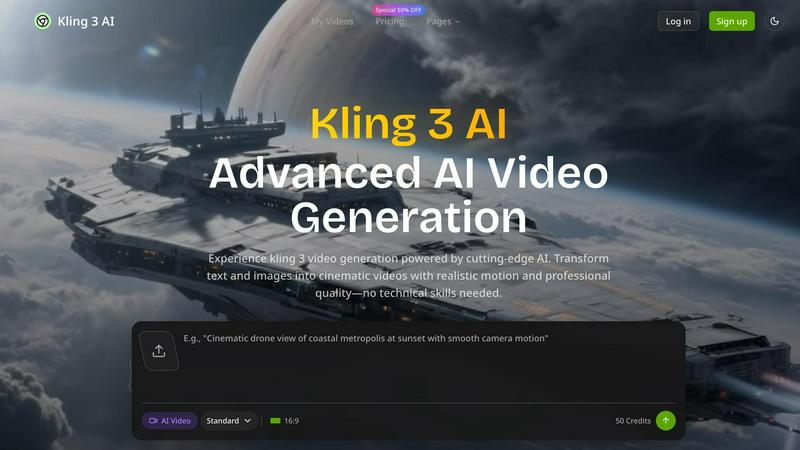
Kling 3 AI turns your text into breathtaking 4K videos with seamless motion and lifelike audio, no skills needed.
Last updated: February 28, 2026

Vidofy
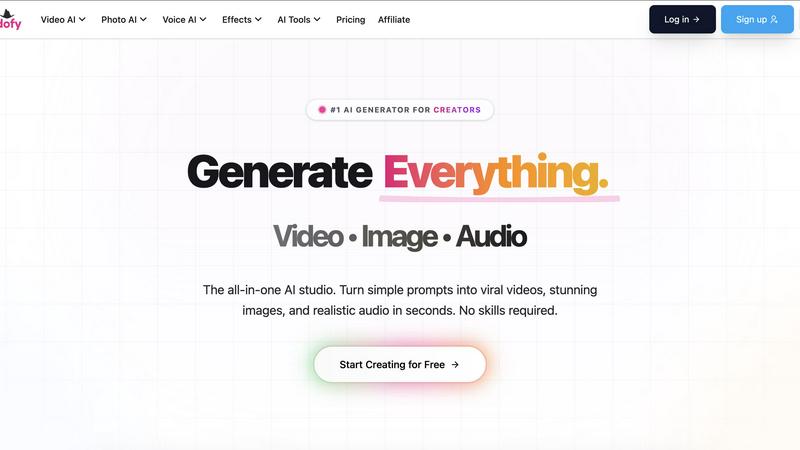
Vidofy is your all-in-one AI studio to create videos, images, and audio from simple prompts in seconds, no skills.
Last updated: February 26, 2026
Visual Comparison
kling 3
Vidofy
Feature Comparison
kling 3
Advanced AI Video Generation
Unleash the power of next-gen AI to generate videos that blend text and images seamlessly. Kling 3's advanced algorithms analyze your input to create visually stunning narratives, allowing you to focus on your message while the AI takes care of the visuals.
4K Resolution Output
Say goodbye to grainy, low-quality videos! With Kling 3, you get crystal-clear 4K resolution that makes your videos look professional and polished. Your audience deserves the best, and Kling 3 delivers it effortlessly.
Natural Audio Integration
Who wants to deal with awkward voiceovers or cheesy sound effects? Kling 3 features natural audio capabilities that ensure your videos sound as good as they look. Enjoy smooth narration that enhances the storytelling experience, keeping viewers engaged from start to finish.
User-Friendly Interface
No technical skills? No problem! Kling 3 boasts an intuitive interface that anyone can navigate. Whether you’re a seasoned pro or a total newbie, creating stunning videos is as easy as a few clicks, making it accessible for everyone.
Vidofy
Text to Video
Bring your imagination to life with Vidofy’s Text to Video feature. Just type a description of any scene, character, or action, and watch as the AI transforms your words into stunning, high-definition videos. Whether you want cinematic shots or dynamic animations, your creative vision is just a sentence away.
Image to Video
Unlock the potential of your static images with the Image to Video feature. Simply upload any image, and Vidofy’s AI will infuse it with lifelike motion, creating captivating video clips that bring your portraits, landscapes, or concept art to life with just a click.
Video to Video
Reimagine your existing footage with the Video to Video feature. Upload a clip and use a text prompt to completely transform its aesthetic. Change live-action scenes into animations, apply unique styles, or enhance the overall look while maintaining the original motion and timing.
AI Animation Generator
Take your storytelling to the next level with the AI Animation Generator. This feature allows you to create dynamic 2D and 3D animations from text inputs, complete with character movements and scene transitions. Perfect for ads, shorts, and engaging explainers, the possibilities are limitless.
Use Cases
kling 3
Marketing and Promotions
Elevate your brand's presence with eye-catching promotional videos. Whether launching a new product or running a campaign, Kling 3 helps you create compelling content that drives engagement and boosts conversions.
Educational Content Creation
Transform complex concepts into engaging educational videos that captivate your audience. Teachers and educators can harness Kling 3 to deliver lessons that are visually appealing and easy to understand, making learning fun.
Social Media Engagement
In the fast-paced world of social media, standing out is key. Use Kling 3 to produce shareable videos that attract attention and spark conversations. Perfect for Instagram, TikTok, or YouTube, your content will shine.
Event Highlights and Recaps
Capture the essence of your events with stunning highlight reels created in minutes. Whether it's a wedding, corporate gathering, or a concert, Kling 3 allows you to relive those moments in vivid detail, ready to share with friends and followers.
Vidofy
Social Media Content
For social media managers and influencers, Vidofy is a game-changer. Quickly convert ideas into engaging video content that captures attention and drives engagement. Generate multiple clips in seconds to keep your feed fresh and exciting without spending hours on editing.
Educational Videos
Teachers and educators can create compelling instructional videos effortlessly. Transform lesson plans or complex topics into easy-to-understand visual narratives that enhance learning and retention, making education more interactive and fun.
Marketing Campaigns
Marketers can leverage Vidofy to craft eye-catching ads and promotional videos that stand out in crowded marketplaces. Quickly iterate on concepts and generate multiple variations to test which resonates best with the target audience, all while maintaining high-quality production values.
Creative Projects
Artists and creators can use Vidofy to explore new mediums. Whether it’s for personal projects, portfolio pieces, or collaborative works, Vidofy allows for rapid experimentation with visuals and storytelling, unlocking new avenues for creativity.
Overview
About kling 3
Kling 3 is the revolutionary AI video generation tool that transforms your text and images into breathtaking cinematic videos without requiring any tech wizardry. Designed for marketers, content creators, and social media influencers, Kling 3 harnesses cutting-edge AI technology to produce professional-quality videos that pop and sizzle. Whether you're crafting promotional content, educational videos, or simply sharing your creative vision, Kling 3 serves up stunning 4K resolution footage that captures attention. The advanced motion control and natural audio features ensure that your videos resonate with viewers, making them not just watch, but feel. With Kling 3, the future of video production is at your fingertips, empowering you to tell your story like never before.
About Vidofy
Welcome to Vidofy, the ultimate web-based creative studio that transforms your wildest ideas into share-ready AI-generated videos, images, and audio with zero hassle. Forget the tedious frame-by-frame editing; all you need to do is describe your scene, and Vidofy’s powerful AI will conjure up cinematic clips complete with motion, lighting, and even synchronized sound when needed. Perfectly designed for creators, marketers, educators, and teams aiming to produce stunning content swiftly, Vidofy allows you to repurpose your existing content effortlessly—turning long blog posts into dynamic, reel-style scripts and generating multiple short clips that stitch together seamlessly. Plus, if you have your own footage, Vidofy’s innovative video-to-video feature can restyle your clips into everything from anime to cinematic looks, preserving the original gestures and timing. With cloud processing, you can create breathtaking visuals right from your browser without the need for high-end GPUs or software installations.
Frequently Asked Questions
kling 3 FAQ
How does Kling 3 generate videos from text?
Kling 3 utilizes advanced AI algorithms that analyze your text input and images, seamlessly integrating them to create visually stunning videos.
Can I customize the videos I create with Kling 3?
Absolutely! Kling 3 offers advanced settings that allow you to tweak motion, audio, and visual elements, ensuring your videos reflect your unique style.
Is Kling 3 suitable for beginners?
Yes! Kling 3 is designed with an intuitive interface that makes video creation easy for everyone, regardless of technical expertise.
What types of videos can I create with Kling 3?
You can create a wide range of videos, including promotional content, educational materials, social media clips, and event highlights, all in stunning 4K resolution.
Vidofy FAQ
How does Vidofy generate videos from text?
Vidofy uses advanced AI algorithms to analyze your text prompts and generate corresponding videos. The AI interprets your description and creates high-definition visual content that aligns with your vision.
Can I use my own footage with Vidofy?
Absolutely! Vidofy’s video-to-video feature allows you to upload your existing clips and restyle them using various aesthetics, ensuring your original gestures and timing remain intact while giving your footage a fresh look.
Is Vidofy suitable for beginners?
Yes! Vidofy is designed for users of all skill levels. With its intuitive interface and powerful AI capabilities, you can create stunning videos, images, and audio without any prior experience in video editing or design.
What types of content can I create with Vidofy?
With Vidofy, you can create a wide range of content including social media videos, educational tutorials, marketing ads, and artistic animations. The platform empowers you to bring any idea to life in visually striking ways.
Alternatives
kling 3 Alternatives
Kling 3 is an innovative AI video generation tool that elevates your text and images into stunning 4K cinematic videos without the need for technical expertise. It caters to marketers, content creators, and social media influencers who want to produce high-quality videos that captivate audiences. As more users discover the power of Kling 3, many find themselves searching for alternatives due to factors like pricing, feature sets, and specific platform requirements that may not align with their needs. When choosing an alternative to Kling 3, it's essential to consider the features that matter most to you, such as video quality, audio capabilities, and user-friendliness. Look for options that offer seamless integration of text and visuals, as well as intuitive interfaces that allow you to create with ease. Your choice should ultimately empower your creative vision and enhance your storytelling without the hassle.
Vidofy Alternatives
Vidofy is a cutting-edge all-in-one AI studio that transforms creativity into dynamic video, images, and audio with just a few simple prompts. Operating in the cloud, it empowers creators, marketers, and educators by streamlining content production and repurposing ideas into captivating visuals that can be shared across platforms. However, users often seek alternatives due to reasons like pricing structures, specific feature sets, or compatibility with different workflows and preferences. When hunting for an alternative, consider what features matter most to you. Are you looking for unique styles and advanced editing options, or perhaps a more budget-friendly solution? Assess the platform's ease of use and whether it meets your content creation needs, ensuring it aligns with your creative vision and production goals.