
kling 3 vs LivePhoto.video
Side-by-side comparison to help you choose the right AI tool.

kling 3
Kling 3 AI turns your text into breathtaking 4K videos with seamless motion and lifelike audio, no skills needed.
Last updated: February 28, 2026

LivePhoto.video
Transform your photos and videos into stunning Live Photos and dynamic wallpapers with cutting-edge AI effects.
Last updated: February 26, 2026
Visual Comparison
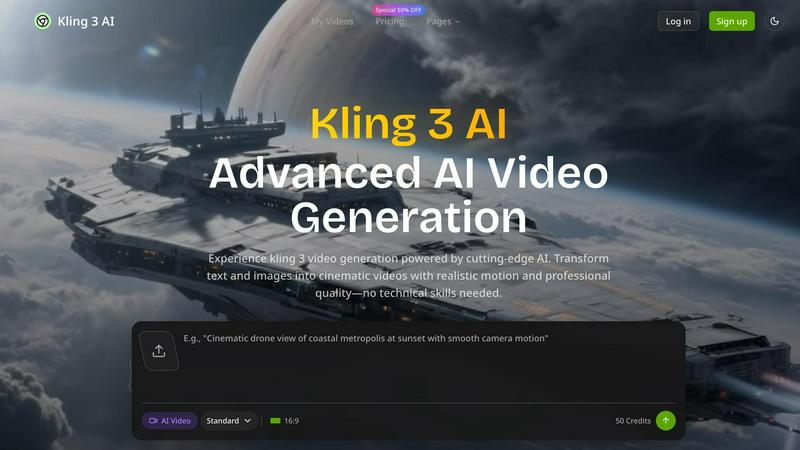
kling 3
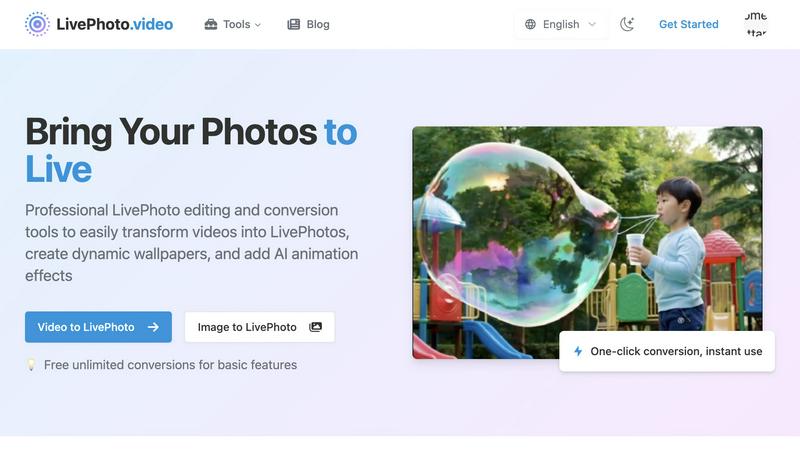
LivePhoto.video
Feature Comparison
kling 3
Advanced AI Video Generation
Unleash the power of next-gen AI to generate videos that blend text and images seamlessly. Kling 3's advanced algorithms analyze your input to create visually stunning narratives, allowing you to focus on your message while the AI takes care of the visuals.
4K Resolution Output
Say goodbye to grainy, low-quality videos! With Kling 3, you get crystal-clear 4K resolution that makes your videos look professional and polished. Your audience deserves the best, and Kling 3 delivers it effortlessly.
Natural Audio Integration
Who wants to deal with awkward voiceovers or cheesy sound effects? Kling 3 features natural audio capabilities that ensure your videos sound as good as they look. Enjoy smooth narration that enhances the storytelling experience, keeping viewers engaged from start to finish.
User-Friendly Interface
No technical skills? No problem! Kling 3 boasts an intuitive interface that anyone can navigate. Whether you’re a seasoned pro or a total newbie, creating stunning videos is as easy as a few clicks, making it accessible for everyone.
LivePhoto.video
Video to LivePhoto
Transform your favorite short videos into vivid Live Photos with just a click. Set them as lock screen wallpapers or share them easily with friends. This feature optimizes your videos for the best quality and ensures a seamless conversion process, letting your memories come alive right on your device.
LivePhoto to GIF
Need to share your Live Photos on social media? This feature converts your iPhone Live Photos into GIF animations, making it a breeze to share those precious moments across various platforms. With easy one-click conversion, you can have your memories ready to roll in seconds.
GIF to LivePhoto
Take your favorite animated GIFs and turn them into stunning Live Photos. This feature is perfect for adding a splash of personality to your iPhone’s lock screen. It lets you bring fun, animated content right to your fingertips, making every glance at your phone a delightful experience.
AI Animation Effects
Using advanced AI technology, this feature adds natural, smooth animation effects to static photos. Whether you have portraits or landscapes, you can breathe new life into your cherished memories. With intelligent subject recognition and multiple animation effects to choose from, your photos will become vibrant, moving art pieces.
Use Cases
kling 3
Marketing and Promotions
Elevate your brand's presence with eye-catching promotional videos. Whether launching a new product or running a campaign, Kling 3 helps you create compelling content that drives engagement and boosts conversions.
Educational Content Creation
Transform complex concepts into engaging educational videos that captivate your audience. Teachers and educators can harness Kling 3 to deliver lessons that are visually appealing and easy to understand, making learning fun.
Social Media Engagement
In the fast-paced world of social media, standing out is key. Use Kling 3 to produce shareable videos that attract attention and spark conversations. Perfect for Instagram, TikTok, or YouTube, your content will shine.
Event Highlights and Recaps
Capture the essence of your events with stunning highlight reels created in minutes. Whether it's a wedding, corporate gathering, or a concert, Kling 3 allows you to relive those moments in vivid detail, ready to share with friends and followers.
LivePhoto.video
Dynamic Lock Screen Wallpaper
Transform your favorite video clips into captivating Live Photos that serve as your iPhone lock screen wallpaper. With custom cropping and size adjustments, you can ensure every unlock reveals a fresh, dynamic experience that keeps you smiling.
Social Media Sharing
Share your creativity with the world! Convert Live Photos to GIFs or short videos optimized for different social media platforms. This feature allows you to showcase your best moments in a way that’s tailored for likes, shares, and comments, making your content stand out.
AI Animation for Memories
Turn your static photos into animated masterpieces using AI technology. This is ideal for portraits of loved ones or breathtaking landscapes. It’s a unique way to revisit and share your memories, giving them a fresh, animated twist that is sure to impress.
Creative Content Creation
Whether you're a travel blogger or a digital artist, LivePhoto.video is your secret weapon. Use the tools to create dynamic wallpapers and GIFs that not only enhance your personal device but also elevate your online presence, making your content pop and engage your audience.
Overview
About kling 3
Kling 3 is the revolutionary AI video generation tool that transforms your text and images into breathtaking cinematic videos without requiring any tech wizardry. Designed for marketers, content creators, and social media influencers, Kling 3 harnesses cutting-edge AI technology to produce professional-quality videos that pop and sizzle. Whether you're crafting promotional content, educational videos, or simply sharing your creative vision, Kling 3 serves up stunning 4K resolution footage that captures attention. The advanced motion control and natural audio features ensure that your videos resonate with viewers, making them not just watch, but feel. With Kling 3, the future of video production is at your fingertips, empowering you to tell your story like never before.
About LivePhoto.video
Forget static pics, because your memories deserve a serious upgrade! LivePhoto.video is the ultimate web-based command center for all things Live Photo. It’s not just a tool; it’s your digital alchemy lab where you can transform basic videos, flat images, and even boring GIFs into vibrant Live Photos, dynamic wallpapers, and shareable GIFs—all from your browser. No downloads, no headaches. Built specifically for creators, iPhone power users, and anyone who thinks their lock screen is begging for some flair, this platform is a game changer. Turn a fire video clip into a stunning lock screen masterpiece, or use cutting-edge AI to inject mind-blowing motion into a still shot. With free unlimited basic conversions and pro-level tools for editing, resizing, and optimizing for social media, LivePhoto.video is the one-stop-shop to make your content pop, move, and go viral!
Frequently Asked Questions
kling 3 FAQ
How does Kling 3 generate videos from text?
Kling 3 utilizes advanced AI algorithms that analyze your text input and images, seamlessly integrating them to create visually stunning videos.
Can I customize the videos I create with Kling 3?
Absolutely! Kling 3 offers advanced settings that allow you to tweak motion, audio, and visual elements, ensuring your videos reflect your unique style.
Is Kling 3 suitable for beginners?
Yes! Kling 3 is designed with an intuitive interface that makes video creation easy for everyone, regardless of technical expertise.
What types of videos can I create with Kling 3?
You can create a wide range of videos, including promotional content, educational materials, social media clips, and event highlights, all in stunning 4K resolution.
LivePhoto.video FAQ
What are Live Photos?
Live Photos are a combination of still images and motion that capture 1.5 seconds of video and audio before and after you take a picture. They bring your memories to life with movement and sound, allowing moments to be experienced in a more dynamic way.
How do I convert a video to a Live Photo?
Simply upload your favorite short video to LivePhoto.video, adjust any settings as needed, and hit convert! You'll have a vivid Live Photo ready for your lock screen or to share with friends in no time.
Can I share Live Photos on social media?
Absolutely! You can easily convert your Live Photos into GIFs or short videos, optimized for various social media platforms. This allows you to share your dynamic content seamlessly across all your favorite channels.
Is there an app for iOS?
Yes! LivePhoto.video has an iOS app that allows you to continue your editing and downloading processes on the go. With this app, you can access all features right from your mobile device, making it super convenient for busy creators.
Alternatives
kling 3 Alternatives
Kling 3 is an innovative AI video generation tool that elevates your text and images into stunning 4K cinematic videos without the need for technical expertise. It caters to marketers, content creators, and social media influencers who want to produce high-quality videos that captivate audiences. As more users discover the power of Kling 3, many find themselves searching for alternatives due to factors like pricing, feature sets, and specific platform requirements that may not align with their needs. When choosing an alternative to Kling 3, it's essential to consider the features that matter most to you, such as video quality, audio capabilities, and user-friendliness. Look for options that offer seamless integration of text and visuals, as well as intuitive interfaces that allow you to create with ease. Your choice should ultimately empower your creative vision and enhance your storytelling without the hassle.
LivePhoto.video Alternatives
LivePhoto.video is your go-to web-based platform for transforming static images and videos into vibrant Live Photos and dynamic wallpapers. It belongs to the Image & Photo category, serving up a slick, user-friendly interface that makes it easy to breathe life into your digital memories. Users often seek alternatives due to factors like pricing, specific feature sets, or compatibility with different devices and platforms. When hunting for an alternative, consider the ease of use, conversion quality, and whether the platform offers the tools you need to create stunning, shareable content without a hitch. Finding the right alternative means looking for a service that provides a seamless experience, whether you're turning a mundane video into a dynamic masterpiece or crafting eye-catching GIFs. Features like unlimited conversions, editing capabilities, and social media optimization are crucial, especially if you’re serious about elevating your creative game. Remember, the goal is to find a tool that empowers you to push the envelope and make your visuals pop!