
Img Editor vs seedream 5
Side-by-side comparison to help you choose the right AI tool.

Img Editor
Create jaw-dropping AI images in seconds with Img Editor's powerful tech that transforms your imagination into stunning.
Last updated: February 26, 2026

seedream 5
Unleash your creativity with Seedream 5, delivering stunning 4K images and smart editing at lightning speed.
Last updated: February 28, 2026
Visual Comparison
Img Editor

seedream 5
Feature Comparison
Img Editor
Lightning Fast Generation
Img Editor harnesses optimized AI algorithms to generate stunning images almost instantaneously. No more waiting around for results; you get pixel-perfect creations at the speed of thought, allowing for a seamless creative workflow.
Ultra-High Quality Output
Expect nothing less than professional-grade images with Img Editor. The platform delivers incredible detail and resolution, making it ideal for any creative project, whether you're designing social media posts or crafting art for print.
Advanced Style Customization
With Img Editor, you can choose from hundreds of artistic styles or even create your own unique aesthetic. The advanced controls let you tweak every aspect of your image, ensuring it aligns perfectly with your vision.
Intelligent Batch Processing
Create multiple images at once with Img Editor’s intelligent batch processing feature. This allows you to generate a series of images with similar traits or styles, saving you time while maximizing your creative output.
seedream 5
Native 4K Quality
Seedream 5.0 outputs images at a stunning native 4K resolution, ensuring exceptional texture fidelity and detail. Forget about post-upscaling—this tool delivers true high-definition images directly suited for professional print and digital applications.
Lightning-Fast Generation
Experience mind-blowing speeds with Seedream 5.0, generating professional-quality images in seconds. Its powerful engine provides up to 10 times faster image creation, allowing creatives to meet tight deadlines without sacrificing quality.
Smart Background Replacement
Transform your images effortlessly with Seedream 5.0's AI-driven background replacement feature. With just one click, you can add or remove elements, change environments, and adjust lighting, all while maintaining a hyper-realistic look.
Multi-Image Consistency
Maintain the same character designs and brand elements effortlessly across multiple images. Seedream 5.0 ensures visual coherence, making it a vital tool for webcomics, storyboards, advertising campaigns, and any serialized content requiring consistent aesthetics.
Use Cases
Img Editor
Social Media Content Creation
Use Img Editor to create eye-catching visuals for your social media platforms. Whether it's a promotional graphic or an engaging post, Img Editor helps you generate professional images that stand out in feeds.
Marketing Campaigns
Elevate your marketing efforts by producing stunning visuals for advertisements, flyers, or digital campaigns. Img Editor allows you to quickly generate high-quality images that capture attention and drive engagement.
Personal Projects and Hobbies
For weekend creators and hobbyists, Img Editor is the perfect tool to bring personal projects to life. Whether you're creating art for your home or designing a unique gift, the possibilities are endless.
Professional Design Work
Designers can leverage Img Editor’s capabilities to enhance their workflow, producing high-quality visuals that can be utilized in presentations, portfolios, and client projects, all while saving time and resources.
seedream 5
Comic and Graphic Novel Creation
Artists can utilize Seedream 5.0 to create consistent character designs across comic panels. The tool’s multi-image consistency feature ensures that characters' appearances remain coherent, enhancing storytelling and visual engagement.
Marketing and Branding
Marketers can generate eye-catching visuals for campaigns, social media, and promotional materials. With high-precision text rendering, Seedream 5.0 allows for the swift creation of marketing posters and banners that stand out and effectively communicate brand messages.
Concept Art and Prototyping
Game developers and filmmakers can speed up their creative processes by using Seedream 5.0 for concept art and visual prototypes. The ability to quickly generate high-quality images allows teams to visualize ideas and iterate rapidly.
Personalized Artwork
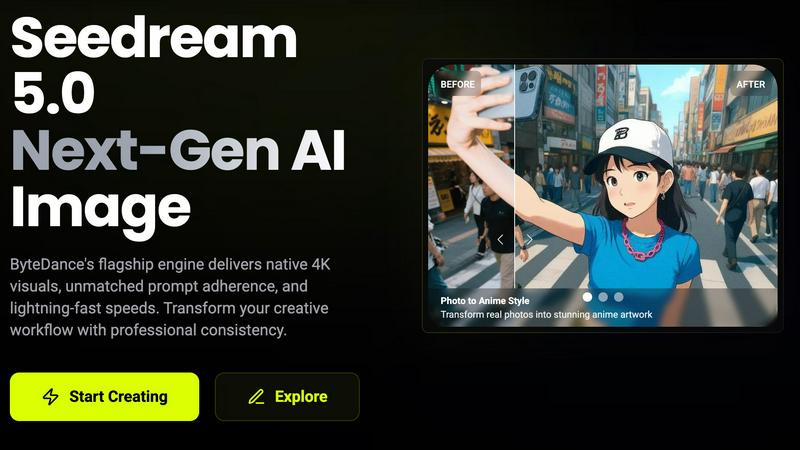
Whether for gifts or personal projects, users can transform real photos into unique anime-style artwork or day-to-night scene transformations, showcasing the versatility of Seedream 5.0 in creating personalized visual experiences.
Overview
About Img Editor
Img Editor is revolutionizing the way we create digital art, providing a no-cost AI image generation tool that empowers everyone, from expert designers to enthusiastic hobbyists. This platform is designed for anyone with a spark of creativity, offering a seamless way to turn ideas into visually stunning images in mere seconds. With its innovative dual-mode engine, Img Editor allows users to either describe their vision in poetic terms or remix existing images to create something new and exciting. Say goodbye to subscription fatigue and credit-based systems; Img Editor is all about accessibility. With a generous daily allowance of free generations and a community-driven model for earning more, this tool is not just another image editor—it's a gateway to the future of visual creation, leveraging cutting-edge AI technology that truly understands your creative needs.
About seedream 5
Seedream 5.0 is the powerhouse AI image generation tool from ByteDance that’s taking the creative world by storm. Designed for artists, designers, marketers, and anyone who craves stunning visuals at lightning speed, Seedream 5.0 delivers native 4K quality images in mere seconds. With advanced prompt adherence and superior output consistency, this tool revolutionizes the creative workflow, allowing users to transform concepts into breathtaking visuals effortlessly. Whether you are looking to create captivating marketing materials, stunning artwork, or detailed character designs, Seedream 5.0 provides the professional-grade quality you need. It’s not just about images; it’s about pushing the boundaries of creativity, making it the ultimate tool for those who want to stand out in a visually saturated world.
Frequently Asked Questions
Img Editor FAQ
How does Img Editor generate images?
Img Editor uses advanced AI algorithms that interpret your text descriptions or uploaded images to generate stunning visuals almost instantly.
Is there a limit to how many images I can create?
Yes, Img Editor offers a generous daily allowance of free generations, and you can earn unlimited additional generations through community engagement, such as submitting your creations to the gallery.
What file formats does Img Editor support for downloads?
Img Editor allows you to download your generated images in various formats, ensuring compatibility with different platforms and applications for your creative needs.
Can I customize the styles of the images I generate?
Absolutely! Img Editor provides advanced style customization options, allowing you to choose from a wide range of artistic styles or create your own unique aesthetic to match your vision.
seedream 5 FAQ
What is Seedream 5.0?
Seedream 5.0 is an advanced AI image generation tool by ByteDance that creates native 4K quality images quickly, offering features like smart background replacement and multi-image consistency for professional creatives.
How fast can Seedream 5.0 generate images?
Seedream 5.0 can produce professional-quality images in seconds, boasting a generation speed that is up to ten times faster than previous versions, making it ideal for time-sensitive projects.
Can I edit images after they are generated?
Yes! Seedream 5.0 allows for multi-turn conversational editing, enabling users to refine and adjust images through text instructions without starting over, ensuring a smooth and efficient editing process.
Is there a free trial available for Seedream 5.0?
Yes, Seedream 5.0 offers a free trial, allowing users to explore its features and capabilities before committing to a paid plan, making it accessible for everyone to experience its potential.
Alternatives
Img Editor Alternatives
Img Editor is your go-to AI image generator, redefining the digital art landscape with its revolutionary tech. As a free platform, it empowers everyone from seasoned pros to weekend warriors to bring their creative visions to life without breaking the bank. Users often seek alternatives to Img Editor for various reasons, such as budget constraints, specific features they need, or compatibility with different platforms. When hunting for a replacement, consider factors like ease of use, the versatility of features, and how well the tool aligns with your creative goals. Finding the right alternative means digging deep into what you really want in an image editor. Are you looking for advanced editing capabilities, a robust community for feedback, or seamless integration with other tools? Prioritizing these aspects ensures you land on a platform that not only meets your needs but also enhances your creative journey.
seedream 5 Alternatives
Seedream 5 is a cutting-edge AI image generation tool from ByteDance that fits squarely in the realm of creative technology. Designed to unleash the artistic potential of users—whether they're artists, marketers, or designers—Seedream 5 delivers breathtaking 4K images with lightning-fast generation speeds. However, users often seek alternatives for various reasons, including pricing, specific feature sets, or compatibility with different platforms and workflows. When searching for an alternative, it’s essential to consider factors like image quality, speed, ease of use, and the range of creative options available, ensuring that the tool aligns with your unique creative needs. --- [{"question": "What is seedream 5?", "answer": "Seedream 5 is an AI image generation tool that produces stunning 4K images rapidly, ideal for creatives in various fields."}, {"question": "Who is seedream 5 for?", "answer": "Seedream 5 is designed for artists, designers, marketers, and anyone looking to create high-quality visuals quickly and efficiently."}, {"question": "Is seedream 5 free?", "answer": "The pricing structure for Seedream 5 may vary, and users should check the official site for the most current information."}, {"question": "What are the main features of seedream 5?", "answer": "Key features of Seedream 5 include native 4K output, lightning-fast image generation, smart background replacement, and multi-image consistency."}]