
Image Text Editor vs Modelfy 3D
Side-by-side comparison to help you choose the right AI tool.

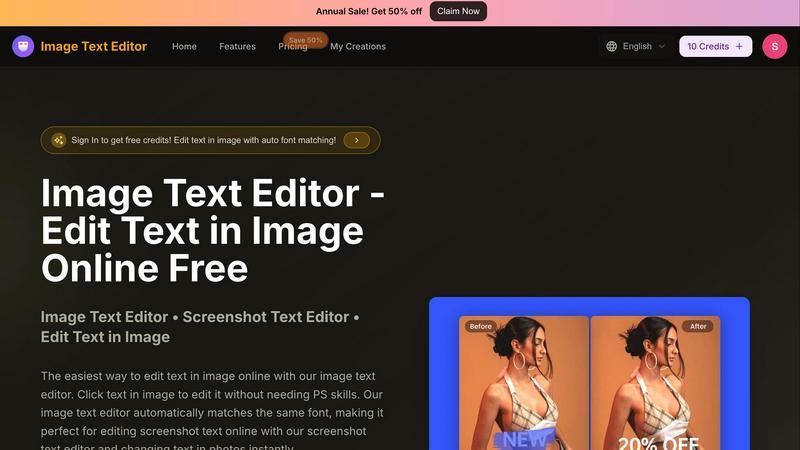
Image Text Editor
Effortlessly edit any image text with AI that auto-matches fonts, no skills needed, and grab free credits today!.
Last updated: February 26, 2026

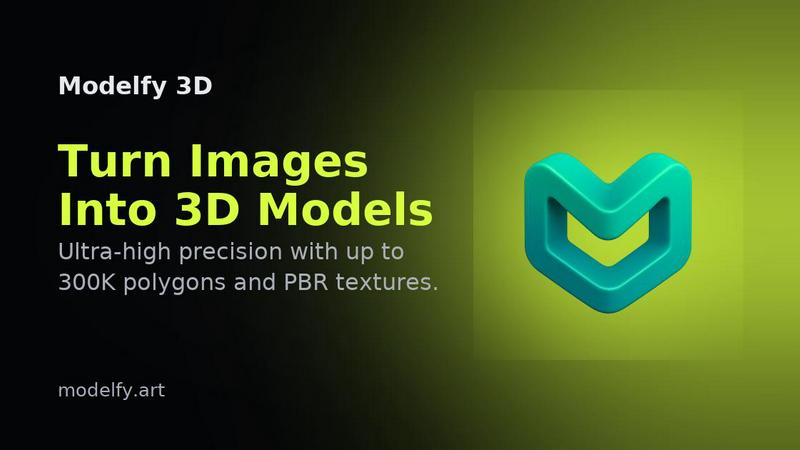
Modelfy 3D
Transform any image into stunning 3D models in seconds with Modelfy 3D's powerful AI generator, now 50% off!.
Last updated: February 26, 2026
Visual Comparison
Image Text Editor
Modelfy 3D
Feature Comparison
Image Text Editor
Auto Font Matching
Say goodbye to the headache of matching fonts manually. Our auto font matching feature scans your image and seamlessly matches the original font style, size, and color when you edit text. This ensures that your changes appear natural and professional, making it perfect for any visual content.
Click to Edit
Editing has never been easier. With our click-to-edit functionality, you can simply click on the text in your image to start editing. No complicated menus or layers—just instant access to the text you want to change. It's as simple as clicking and typing, making it accessible for everyone.
Edit Screenshot Text
Got a screenshot that needs a quick update? Our screenshot text editor is designed specifically for this purpose. Whether it's app screenshots, web captures, or social media graphics, you can edit text in images online with ease, all while maintaining the original look and feel.
Fast and Free
Who says quality editing has to come with a hefty price tag? Image Text Editor is completely free to use, with no hidden fees or subscription models. Plus, new users get free credits upon registration, allowing you to dive right into editing without worrying about costs.
Modelfy 3D
Enterprise-Grade AI Image to 3D Generator
Modelfy 3D boasts proprietary AI technology that generates precise 3D models from any 2D image. With options ranging from 15K to 300K polygons, you’ll get the quality you need, whether you're creating quick prototypes or detailed production-ready assets.
Professional Asset Management System
Keep your projects organized with our robust asset management system. Filter by project status, favorite your best creations, archive completed works, and customize titles and tags to streamline your workflow, ensuring you never lose track of your creative masterpieces.
Multi-Format Export System
Export your AI-generated 3D models in various industry-standard formats. Whether you need GLB for web and games, OBJ for 3D software, or STL for 3D printing, Modelfy 3D has you covered. Complete with texture maps and preview images, your project files will be ready to go.
Instant Model Generation
Say goodbye to lengthy traditional modeling processes. With Modelfy 3D, you can transform images into 3D models in mere minutes instead of days. This means you can quickly iterate on designs and bring your projects to life without the long wait.
Use Cases
Image Text Editor
Social Media Updates
Perfect for social media managers, our tool allows you to quickly update promotional graphics or memes without the need for complex software. Change the text in seconds to keep your content fresh and engaging, ensuring you stay ahead in the fast-paced world of social media.
Academic Projects
Students can leverage Image Text Editor to tweak screenshots of research materials or presentations. Whether you need to correct a typo or update a date, this tool makes it easy to enhance your academic visuals without the hassle of design software.
Marketing Materials
Marketers can use our platform to create eye-catching promotional graphics. With the ability to edit text seamlessly, you can quickly adapt your marketing materials to reflect current offers or updates, giving your campaigns a professional edge.
Personal Projects
Whether you're creating a meme for fun or editing a family photo, Image Text Editor caters to your personal editing needs. Instantly make changes to any image without needing advanced design skills, empowering you to express your creativity effortlessly.
Modelfy 3D
3D Printing Enthusiasts
Turn your favorite images into 3D printed models in no time. Modelfy 3D allows hobbyists and professionals alike to create tangible objects from digital designs, making it an essential tool for anyone involved in 3D printing.
Game Development
Level up your game design with custom 3D assets created from your illustrations or concept art. Modelfy 3D lets game developers generate unique characters, environments, and props, enhancing gameplay and visual storytelling.
Product Visualization
Enhance your product presentations with realistic 3D models generated from images. Businesses can use Modelfy 3D to create stunning visual representations of their products for marketing, pitches, or online stores, giving them a competitive edge.
Educational Purposes
Educators and students can harness the power of Modelfy 3D for teaching complex concepts through visual aids. By converting diagrams or illustrations into 3D models, learning becomes more interactive and engaging, making complicated topics easier to understand.
Overview
About Image Text Editor
Welcome to Image Text Editor, the game-changer in the world of image editing! This revolutionary tool is designed for anyone tired of the clunky interfaces of traditional software like Photoshop. Imagine being able to edit text in any image with just a few clicks, all from your browser and without spending a dime. Our AI-powered platform allows you to effortlessly change dates on screenshots or fix typos in memes. Whether you're a content creator, marketer, or just someone who needs a quick edit, this tool is your best friend. It performs a forensic analysis of the original text, ensuring that your edits match the style, color, and texture of the surrounding area. No more complex design skills needed; just upload your image, click on the text, and let the magic unfold. Get started today and unlock the power of professional-quality editing right at your fingertips!
About Modelfy 3D
Modelfy 3D is the revolutionary AI-powered tool that transforms your 2D images into stunning 3D models in the blink of an eye. With our cutting-edge image-to-3D generator, you can create highly detailed models with up to 300,000 polygons, making it perfect for everything from 3D printing to game development and professional visualization projects. Whether you're a designer, a gamer, or a hobbyist, Modelfy 3D provides an intuitive platform to generate high-quality 3D assets without the hassle of traditional modeling. Our advanced algorithms deliver precision and speed that traditional methods can't match, allowing you to turn your ideas into reality in just minutes. Experience the magic of 3D transformation and elevate your creative projects to new heights with Modelfy 3D.
Frequently Asked Questions
Image Text Editor FAQ
How does Image Text Editor work?
Image Text Editor uses advanced AI technology to analyze your image. It detects the text you want to edit and automatically matches the font, color, and style to ensure your edits look seamless and professional.
What image formats does the tool support?
Our image text editor supports JPG, PNG, and WEBP formats, allowing you to upload a variety of images for editing. Just ensure your image is under 5MB for optimal performance.
Do I need design skills to use Image Text Editor?
Absolutely not! Image Text Editor is designed for everyone, regardless of design experience. With its intuitive interface and click-to-edit functionality, you can easily make changes without any prior knowledge.
Is there a cost associated with using Image Text Editor?
Nope! Image Text Editor is completely free to use. New users even receive free credits upon registration, allowing you to start editing without any financial commitment.
Modelfy 3D FAQ
How does Modelfy 3D work?
Modelfy 3D utilizes advanced AI algorithms to analyze 2D images and convert them into detailed 3D models. Users simply upload an image, and the platform processes it within minutes, delivering high-quality models ready for use.
Can I use Modelfy 3D for free?
Yes! Modelfy 3D offers a free trial option where users can create their first model without any cost. This allows you to test the platform's capabilities before committing to a pricing plan.
What file formats can I export my models in?
You can export your 3D models in multiple industry-standard formats, including GLB for web and games, OBJ for 3D software applications, and STL for 3D printing, complete with texture maps and preview images.
Is there a limit to how many models I can create?
No, there are no limits on the number of models you can create! Modelfy 3D allows for unlimited concurrent conversions, enabling you to work on multiple projects simultaneously without any restrictions.
Alternatives
Image Text Editor Alternatives
Image Text Editor is your go-to AI-powered tool for effortlessly editing text in images without the hassle of complex design software. It belongs to the design tools category, making graphic editing as easy as pie. Users often seek alternatives to Image Text Editor due to various reasons like pricing, feature sets, or platform compatibility. Whether you're a budget-conscious creator or need specific functionalities that align with your workflow, exploring alternatives can help you find the perfect fit. When searching for an alternative, consider factors such as ease of use, the ability to match original fonts and styles, and whether it's accessible directly in your browser. Look for tools that cater to your creative needs while also fitting your budget, ensuring you don’t compromise on quality or efficiency.
Modelfy 3D Alternatives
Modelfy 3D is a cutting-edge tool that catapults your 2D images into the vibrant world of 3D models, powered by advanced AI technology. This game-changer belongs to the design tools and generative art categories, making it a go-to for creatives looking to elevate their projects, whether for 3D printing, gaming, or professional endeavors. However, users often find themselves on the hunt for alternatives to Modelfy 3D due to various reasons like pricing structures, specific feature sets, or compatibility with different platforms. When searching for an alternative, keep your eyes peeled for tools that not only match your budget but also offer the features you need to bring your creative visions to life. Look for user-friendly interfaces, robust support for different file formats, and unique capabilities that can enhance your workflow. The right alternative should empower you, not hold you back!