Dokie AI vs Refbox
Side-by-side comparison to help you choose the right AI tool.

Dokie AI
Dokie AI revolutionizes your presentation game, effortlessly crafting stunning PPT slides in minutes with the power of Claude Opus 4.6.
Last updated: March 19, 2026

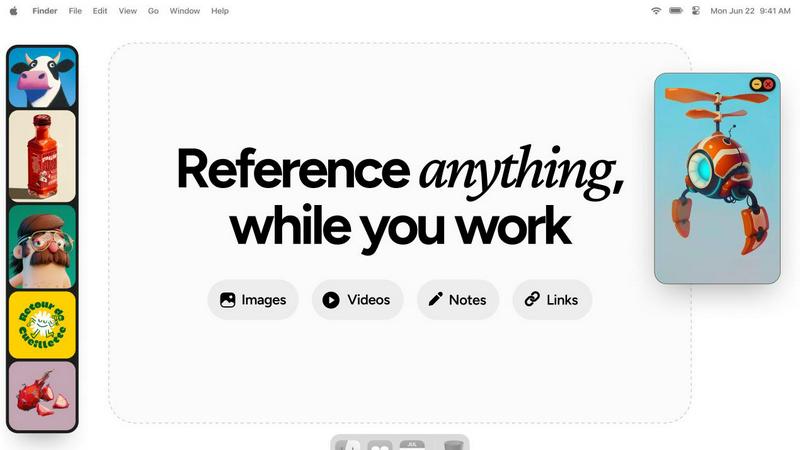
Refbox keeps your essential images and notes floating above your workspace for instant, distraction-free creativity.
Last updated: February 26, 2026
Visual Comparison
Dokie AI

Refbox
Feature Comparison
Dokie AI
AI Generate PPT
With a simple text description of your topic, Dokie AI's AI Generate PPT feature whips up a complete slide deck in no time. This feature combines professional layouts, engaging charts, and compelling content to make your presentation shine. It's like having a design team at your fingertips, ready to turn your ideas into visually stunning slides.
AI Beautify PPT
Already have a presentation but feeling that it lacks pizzazz? Just upload your existing slides, and let the AI Beautify PPT feature enhance your design. This tool revamps layouts, applies professional styling, and elevates your content to make it pop without losing any of your original messaging. Say goodbye to dull slides!
Speech Notes Generation
Nervous about public speaking? Dokie AI has your back! The Speech feature generates detailed speaker notes to accompany each slide, giving you the confidence to deliver your presentation flawlessly. These notes serve as talking points, ensuring you hit all the important highlights and keep your audience engaged.
Multi-Format Conversions
Dokie AI is not just limited to PowerPoint. With its versatile conversion features, you can transform documents from various formats into captivating presentations. Whether it's Word to PPT, PDF to PPT, or even YouTube to PPT, Dokie AI makes it easy to convert your content into eye-catching slides that resonate with your audience.
Refbox
Floating Reference Frames
With Refbox, you can float resizable frames over any application, ensuring your references are always in sight. This feature helps maintain your focus and allows you to work efficiently across different tools without missing a beat.
Infinite Canvas
Refbox provides an infinite canvas where you can view everything at once. Flip through items like a slideshow for quick comparisons, making it easier than ever to juxtapose different elements of your projects and spark fresh ideas.
Auto-Hide Functionality
Need to minimize distractions? Refbox’s auto-hide feature allows you to keep your workspace clean and organized. It only shows your reference box when you need it, reducing clutter while ensuring your inspiration is just a click away.
GIF Playback and Pixel Rendering
Experience seamless GIF playback that lets you step through each frame, perfect for analyzing animations. Plus, pixel rendering ensures that pixel art is displayed accurately, making it easier for artists to create and refine their work.
Use Cases
Dokie AI
Business Presentations
Need to wow your clients or stakeholders? Dokie AI can create polished business presentations that effectively communicate your strategy, financials, or project updates. Just input your data, and watch as it morphs into a sophisticated slide deck that conveys professionalism and clarity.
Educational Lectures
Educators can leverage Dokie AI to create engaging lecture slides that enhance learning. By simply describing the lesson topic, instructors can generate visually appealing slides that capture students' attention and make complex information digestible.
Marketing Campaigns
Marketers can use Dokie AI to craft presentations for pitches, proposals, or reports. With a few clicks, generate slides that highlight your campaign strategies, key metrics, and creative ideas, all designed to grab your audience's attention and drive home your message.
Startup Pitches
Founders can turn to Dokie AI for creating pitch decks that stand out in a crowded field. By articulating their vision and business model, entrepreneurs can generate compelling presentations that showcase their innovation, attract investors, and make a lasting impression.
Refbox
3D Art Creation
When diving into 3D art, having references accessible is crucial. Refbox allows artists to pin images and videos of inspirations directly over their modeling software, streamlining the creative process and elevating the final product.
UI/UX Design
UI/UX designers can benefit immensely from Refbox by keeping mood boards and user interface inspirations visible. This instant access helps in maintaining consistency and creativity, allowing designers to create stunning user experiences without interruptions.
Animation Projects
For animators, Refbox is a game changer. By keeping reference frames visible, animators can easily compare movements and styles in real-time, boosting both speed and accuracy in their animations without the hassle of navigating multiple tabs.
Concept Art Development
Concept artists can collect a plethora of visual references in one place. With the ability to quickly swap between collections, artists can fuel their imagination and produce innovative designs effortlessly, all while staying within their creative zone.
Overview
About Dokie AI
Dokie AI is the game-changing presentation powerhouse that brings your ideas to life, all while saving you from the design blues. Designed for business professionals, educators, marketers, and startup founders, it unleashes a world of creativity and polish without requiring any design skills. Powered by the cutting-edge Claude Opus 4.6, Dokie AI transforms your text into stunning slide decks that look like they were crafted by a seasoned designer. Forget the tedious template-based tools; Dokie AI offers true AI generation that takes care of content structure, layout selection, typography, and visual design automatically. Its versatile modes—Generate, Beautify, Speech, and document-to-PPT conversions—cater to all your presentation needs. Whether you are brainstorming ideas or giving a pitch, Dokie AI ensures your presentations stand out and deliver impact effortlessly.
About Refbox
Refbox is your ultimate creative sidekick, engineered to obliterate the chaos of endless alt-tabbing and window juggling. This revolutionary floating reference app allows you to pin your sources of inspiration—be it images, GIFs, videos, or notes—right over your workspace in always-on-top frames. Imagine a digital mood board that never gets buried under your projects. Whether you're immersed in a 3D sculpt, perfecting an animation, or designing a sleek UI, Refbox keeps your references visible and easily accessible, letting you stay locked in your creative flow. Tailored for designers, artists, animators, and developers, Refbox eliminates the mental tax of sifting through folders or a graveyard of browser tabs. It’s a clutter-busting powerhouse that delivers your visual fuel directly to your desktop, transforming the way you gather, organize, and utilize inspiration. With Refbox, you can ditch the distractions and focus on crafting your best work.
Frequently Asked Questions
Dokie AI FAQ
How does Dokie AI generate presentations?
Dokie AI uses advanced AI algorithms powered by Claude Opus 4.6 to analyze your text input and automatically create structured slide decks with professional designs, layouts, and content.
Can I enhance my existing presentations with Dokie AI?
Absolutely! The AI Beautify PPT feature allows you to upload your current slides and enhances their design, ensuring they look polished and professional while retaining your original content.
What types of formats can I convert to PPT using Dokie AI?
Dokie AI supports a variety of conversions including Word to PPT, PDF to PPT, HTML to PPT, and even YouTube to PPT, making it flexible for all your presentation needs.
Is there a free trial available for Dokie AI?
Dokie AI offers a pay-as-you-go pricing model starting from $39.80, along with monthly and yearly plans. While a free trial isn't specified, you can explore their offerings through the pricing plans.
Refbox FAQ
What platforms does Refbox support?
Refbox is compatible with Windows 11 and macOS (Apple Silicon only), ensuring a smooth experience for users on these platforms.
What does lifetime access to 1.x mean?
By purchasing lifetime access to Refbox, you gain unlimited access to the current version and will receive all updates until the release of Refbox 2.0, making it a valuable investment for your creative toolkit.
Where can I download the app?
You can download Refbox directly from our website. Get started on your creative journey today!
How many collections can I create?
Refbox allows you to create unlimited collections, so you can organize your references just the way you want, ensuring your creative process is as efficient as possible.
Alternatives
Dokie AI Alternatives
Dokie AI is the ultimate game-changer in the world of presentation design, marching to the beat of AI prowess in the design tools category. With its sleek features and intuitive capabilities, it allows anyone—from business moguls to budding educators—to whip up stunning presentations that wow audiences in mere minutes. However, users often find themselves on the hunt for alternatives due to factors like pricing flexibility, specific feature sets, or compatibility with their existing workflows. When diving into the search for an alternative, consider what truly matters for your needs. Is it the cost-effectiveness of a pay-as-you-go model or the desire for advanced customization options? Pay attention to the ease of use, the range of features, and the level of support that comes with the tool. Finding the right fit can elevate your presentation game to new heights.
Refbox Alternatives
Refbox is a game-changing productivity tool designed to keep your essential images and notes floating above your workspace, providing instant access without the clutter of endless tabs. As a must-have companion for creatives like designers, artists, and developers, it revolutionizes how you gather and utilize inspiration, ensuring your references are always at your fingertips. However, users often find themselves on the hunt for alternatives due to factors like pricing, specific feature sets, or compatibility with their preferred platforms. When scouting for the right substitute, focus on key elements such as user interface, customization options, and seamless integration with your existing tools to find a solution that enhances your creative process.