CoPrep AI vs Prompt Builder
Side-by-side comparison to help you choose the right AI tool.

CoPrep AI
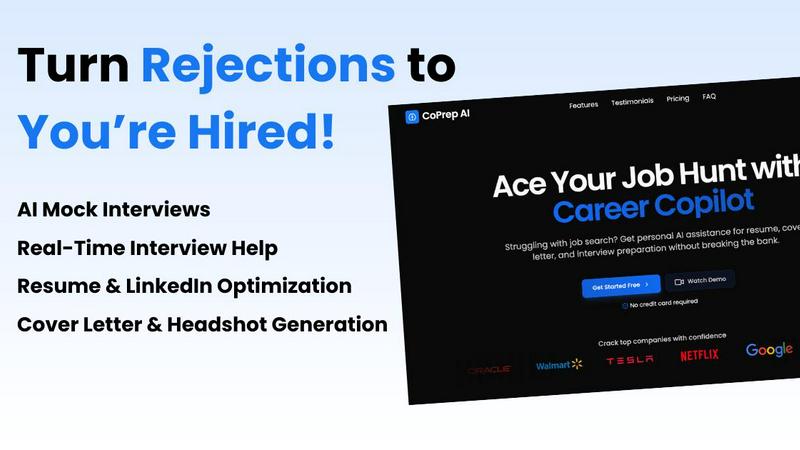
Crush your interviews with CoPrep AI’s real-time coaching and ace your job hunt like a pro.
Last updated: February 26, 2026

Prompt Builder
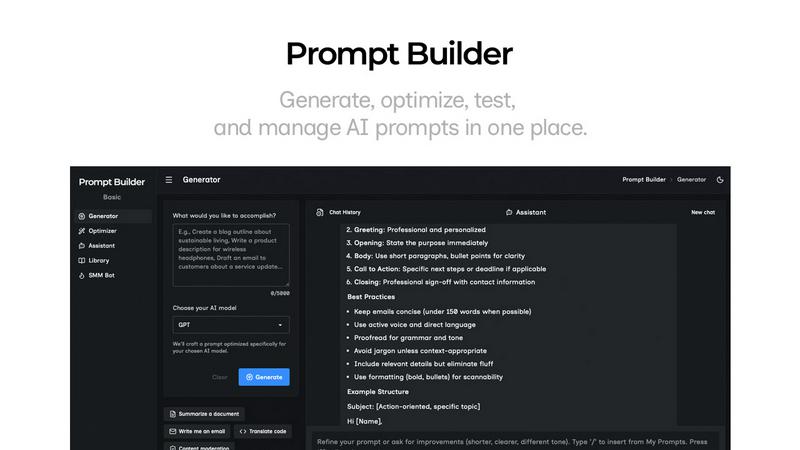
Generate, optimize, test, and manage AI prompts in one place. Turn an idea into a ready-to-use prompt in seconds.
Visual Comparison
CoPrep AI
Prompt Builder
Overview
About CoPrep AI
Forget the old-school ways of prepping for interviews; CoPrep AI is here to revolutionize your job hunt! This isn’t just another tool in your career toolbox; it's your personal career copilot, ready to take the wheel. CoPrep AI combines cutting-edge AI technology with real-world insights to help you nail every stage of the job application process. Whether you're a fresh graduate stepping into the job market for the first time or a seasoned pro aiming for that coveted senior role, CoPrep AI offers tailored support. From crafting killer resumes to acing technical and behavioral interviews, this all-in-one platform has your back. With real-time feedback, mock interviews, and a discreet desktop app that operates behind the scenes, CoPrep AI ensures you approach your interviews with unshakeable confidence. It's time to stop second-guessing your answers and start impressing hiring managers with clarity and poise. Get ready to prepare smarter, perform better, and land that dream job faster than ever before!
About Prompt Builder
Prompt Builder is a prompt engineering workspace for writing, testing, and saving prompts. Describe the task in plain English, and it helps you create a prompt that matches the model you choose. Start with a draft, refine it in chat, save or pin versions, then run them when you are ready. It works with GPT, Claude, Gemini, Llama, Mistral, DeepSeek, Grok, Perplexity, and more. You also get an Optimizer, an assistant for quick tests, and a library of reusable prompts and templates from the community. Turn an idea into a ready-to-use prompt in seconds. Refine it in chat, save it to your Library, and run it anytime.